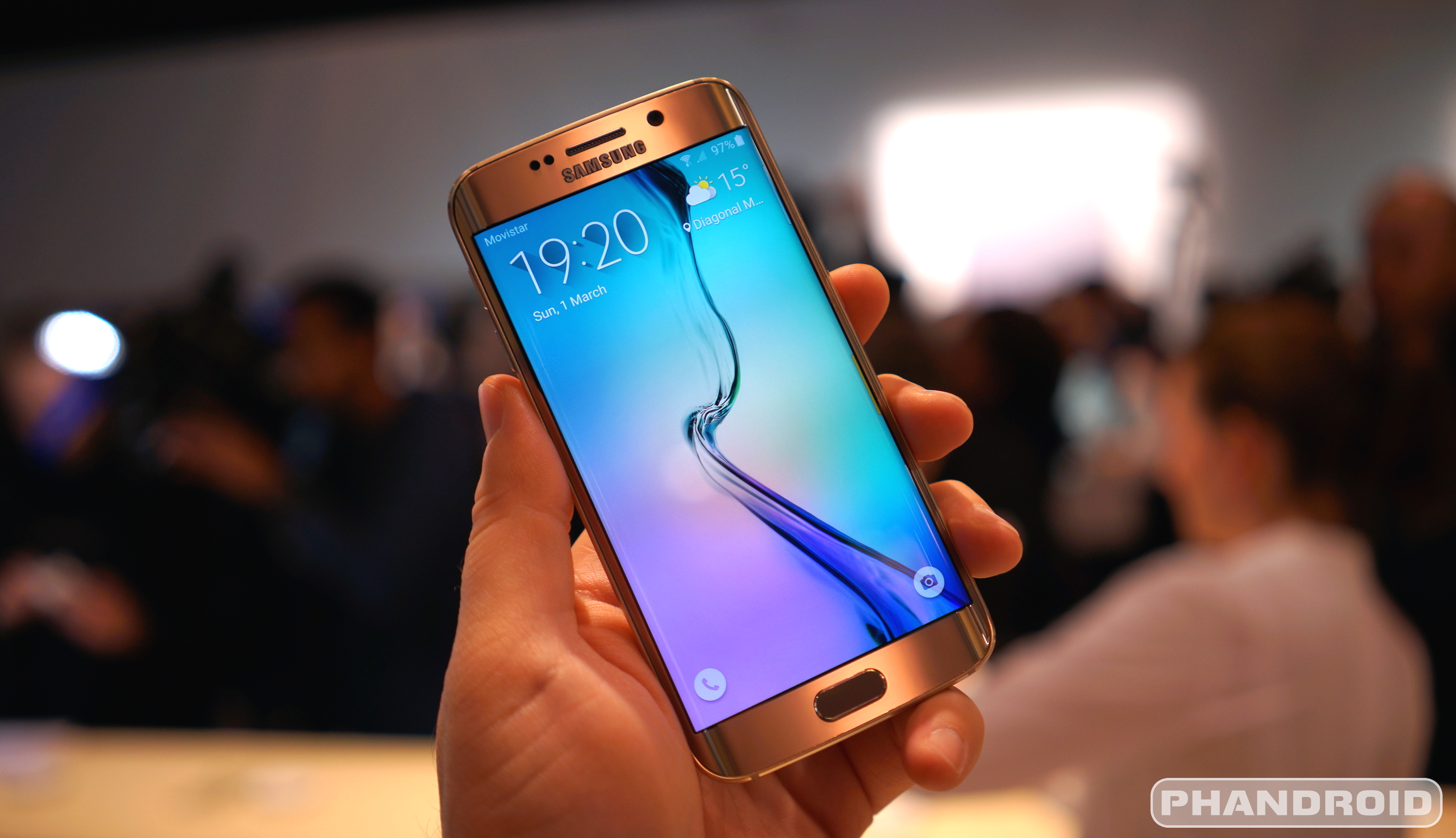
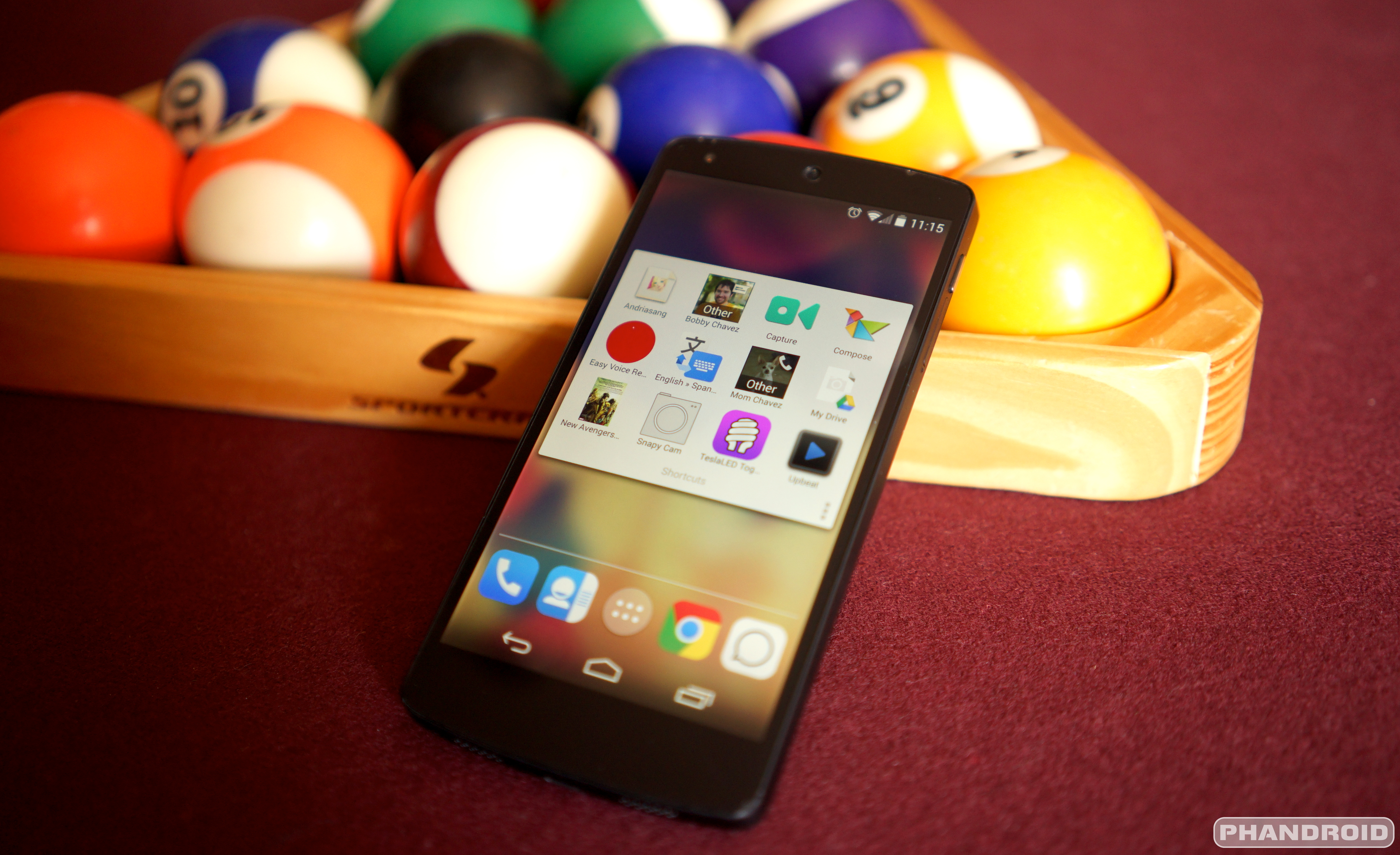
Google is now a wireless carrier. Is that a good or bad thing? We go over everything you need to know about Project Fi. Chris talks about his Galaxy S6 vs iPhone 6 comparison, the Xperia Z4 is quietly announced, the OnePlus Two won’t ditch invites, and how the heck does that BB-8 droid work? Thanks for watching/listening!
In case you were wondering whether the best custom recovery in the land would come to the Samsung Galaxy S6 and S6 Edge, wonder no more. TeamWin has released TWRP (TeamWin Recovery Project) for the Samsung Galaxy S6.
There are install methods that support both rooted (download this app from Google Play for a quick and easy install) and unrooted (flash a file through Odin) devices so if a custom recovery is what you desire there should be little in your way to get it.
TeamWin has download links and installation instructions right here, so be sure to check it out if you’re interested. Remember to read everything thoroughly, only use TeamWin’s recommended download links, and know that anything that happens as a result is no one’s fault but your own. Knowing all that, have at it!
Bills — we all hate them. Anything that tells you “your money is ours and you must pay, or else” is the enemy of our enemy. But they must be paid, and according to the latest rumors Google is looking to make the process of paying it simple.
They’re calling it Pony Express, a codename for sure, and it’ll do more than just group all your bills into their own folder on Gmail. Google is actually planning to let you pay those bills directly from within Gmail, if the information Re/Code obtained is accurate.
Above are a couple of sample screenshots Google is using internally to envision what the user interface would look like. You’ll see who the bill is from, how much is owed and which date payment is due by. Diving into the email can show you more details, and in some cases will ask you if you want to pay. There will even be a feature that lets you automatically split bills between yourself and, say, a spouse or roommate.
The service would require some personal information on part of the user, such as your credit card number, name, address and even your social security number. Sounds like a nightmare for an information company such as Google to have, right?
That’s the cost of convenience these days, though. Verification is done through a trusted median called Identico (and you should note that Google already collects a lot of this information for those who use Google Wallet). It’s likely the extent of the information needed is due to combat any type of fraud that a user might be susceptible to.
Google is apparently aiming to launch the service around the fourth quarter of this year, and they’re said to be in the process of lining up third-party companies who want to make this route of paying bills available to their customers. Would you opt-in should this come to pass?
Looks like the rumors were true, folks — this is Project Fi, Google’s wireless carrier. The Mountain View company laid all the details out on a brand new landing page today.
A lot of the details brought to surface by recent leaks seem to have been spot on. Here’s what to expect from each facet of Google’s new wireless service:
The Network
Automatically identify and connect to the fastest and most reliable network, whether that’s a public or private WiFi hotspot, or a network of a carrier partner (Sprint or T-Mobile)
All transmissions over WiFi networks are automatically and fully encrypted
The Plan
Start with a basic plan of per month that includes unlimited domestic talk and text, unlimited international texts, low-cost international calls and WiFi tethering.
Add data by the gigabyte at a rate of per 1GB.
Don’t use all the data you added in a billing period? per 100 unused megabytes is refunded to you.
International data costs the same at home as it does in 120 other international destinations (though you may be limited to 2G and 3G when abroad).
The Experience
Calls and texts can be made over WiFi in case you don’t have cellular coverage.
Calls can be routed from WiFi to cellular networks and vice versa without interruption if you happen to drift away from a signal
You can also make calls and send texts using your phone number with any device that has Hangouts, including your tablet, a different phone or your computer.
There are a couple of caveats to note before you jump in head first. The first is that you’ll need to buy a Nexus 6 as it’s the only smartphone that supports the new technology Google is using to make this possible. The Nexus 6 you may already own from Motorola, Google Play or your carrier counts, or you can buy one when signing up for Fi service (Google will have an installment plan available if you can’t chalk up the full retail price at once).
You’ll also need to make sure Google’s carriers partners have sufficient service in your area, though this is no tall order as they’ll ask for your zip code before whisking you through the setup process. Google says you’ll hear from them within 30 days and that invites will be sent out in waves every week, so if you want in on Project Fi then that shouldn’t be an issue.
Those who ultimately decide to take the plunge will be able to port their existing phone number over if they so choose, though do note that this may come with a hefty early termination fee that Google is unsurprisingly unwilling to help you pay for.
So there’s only one question remaining — are you in? It all sounds very interesting, and if done right this move by Google could do a while lot to change the wireless industry as we know it. Let us know how you feel about Project Fi and whether you plan to give it a go by dropping a comment below!
Out of all the Google projects, Project Tango is probably the one that gets the least amount of attention around the blogosphere. That probably has something to do with the fact that it’s so developer focused and its real world applications aren’t so easily visualized when it comes to consumer devices.
What is Project Tango, you ask? Well, according to Larry Yang, Project Tango’s lead product manager, it’s as a computer vision-based platform that gives mobile devices the ability to, not only sense their location within a space, but identify objects around them as well. This gives devices the ability to navigate around indoors purely by sight. No WiFi, GPS, or Bluetooth beacons necessary.
During this year’s Google I/O, Google announced a new smartphone reference platform for Project Tango. The device is powered by a Qualcomm Snapdragon 810 and equipped with a 3D depth sensing camera. It’s not for the everyday man, but meant to give developers the tools they need to start building exciting new applications and products.
While real-world use cases can be anything from furniture modeling to extremely accurate and advanced augmented reality. But probably the most interesting application is in gaming, where all these things come into play. In fact, Yang showed us toy gun built by Hasbro that tracks the players location and movement, mirroring that in the virtual world.
Google says they’ve sold around 3,000 units of their NVIDIA powered tablet which recently went on sale in the Google Store earlier this week for 2. With the lower price tag, removal of the invitation restrictions, and the new smartphone platform launching this summer, we should see more developer interest in Project Tango. We’re definitely curious to see where Tango ends up in the future.
Google is entering the mobile carrier space, if you haven’t heard, with a solution that they’re calling “Project Fi”. Upon making that huge announcement they began accepting applications for beta invites… and today, Google has RSVP’d by claiming they’ll get to everyone by mid-Summer.
Here’s the complete e-mail:
Hello!
Thanks for requesting an invite to Project Fi. We’re really excited that you’re interested in trying our service! Over the past few weeks, we’ve been happy to bring the first customers onto Project Fi and the initial feedback has been very positive.
We’re sending invites as quickly as we can, while ensuring a high-quality experience. Given the number of requests we’ve received, we currently estimate that it will take until mid-summer to get to everyone. In the coming weeks we’ll have a way for you to check the status of your invite – stay tuned for more information.
Thanks again for your interest in Project Fi. We’ll get you an invite as soon as we can! –The Project Fi team
We’re assuming that Google will have a LOT more to share with us at Google IO next week. Phandroid will be there to cover the event live, so make sure you stay tuned to this site for the latest breaking news. In the meantime let us know if you’ll become a Project Fi customer in the comments and for even more, visit the Project Fi Forums at AndroidForums.com
The Google ATAP team took to the stage at a very interesting Google IO session this morning to talk about the future of wearable technologies. Google’s ambitions aren’t just more beautiful and functional smart watches, or a refined version of smart glasses. They want to take things a step further and make your clothes smart, too.
Project Jacquard is the result of said ambition. Google has come up with a way to manufacture conductive fabric in a way that’s inexpensive and that can be designed with the flexibility required by any self-respecting fashion designer. More than that, though, they’ve helped develop wireless technology that can seamlessly integrate with fabric to allow it to communicate with a device, such as smartphones, tablets and smart watches.
The problem is that it’s not very beautiful (most are presented in rough greyscale), it’s not implemented in any fashionable brands, and there’s no meaningful platform for developers and users to easily take advantage of it. Those are the gaps Google hopes to narrow with Jacquard.
They had to start with finding a new way to spin conductive textile in a way that’s both compatible with existing techniques, as well as compatible with a wide range of existing fabrics (such as silk, cotton or polyester).
The result is a fabric suitable, flexible and fashionable enough for designers to make clothing with.
The fabric can be embedded under a layer of other cloth, or even interwoven with existing cloth to make large surface areas for touch.
As you can see, design isn’t sacrificed for functionality. Google then had to find a way to turn all of this:
Into this:
By the end of it all, you have a piece of clothing that can act as your second touch pad, and an open platform that’ll allow you to translate touch on your jacket (or pants, or whatever it is you’ll wear) into actions on a smart device.
Think of all the things you could do with it:
Swipe your arm to make a quick phone call
Double tap your arm to silence an incoming call
Use your arm as a remote control for controlling presentations, including multi-touch and pinch-to-zoom
This isn’t just poised to become some experimental wet dream that eventually fades into nothingness, either. Google has gone as far as partnering up with top clothing brand Levis to usher the technology into the market in order to transform fashion in a way we have yet to see. You can even see the gentlemen responsible for the teams working on this technology wearing a Project Jacquard jacket in the photo below.
We’re hoping a lot more will jump on board once Project Jacquard takes off and everyone sees just how cool, innovative and forward-thinking this stuff is.
Google’s big keynote yesterday had plenty of interesting stuff for the Android lovers among us, but some really exciting advances in technology were shown off today by Google’s head of advanced technologies and projects division, Regina Dugan. Dugan introduced one new technology development as Project Soli, a gesture radar solution that Dugan and her team have been developing since last June.
Dugan started the presentation by setting up an everyday use case–that smart devices currently don’t have a reliable way to interface with them since they’re considerably smaller than our phones. Project Soli is designed to fix that problem entirely, as it’s a gesture-based radar solution. Interacting with small interfaces using radar was previously impossible, as radar dishes are much too large to fit into a smart device interface.
ATAP created its very own mobile gesture radar system that’s small enough to fit inside of a smartwatch. Check out the demonstration above and you can see Ivan Poupyrev, the ATAP Technical Project lead give a short demonstration of how the technology works. You can hover your hand over the watch to interact with its software, play games, or even just adjust the time. You no longer need to tap on your watch, or curse after you’ve mis-tapped twice in a row because the screen is so small.
According to Proupyrev, the APIs for Project Soli will be available later this year, which could mean the next generation of smartwatches could include wearable gestures that take the complication out of building a UI that needs to be compact but also responsive to touch.
If you signed up to be notified about Project Fi’s availability and wanted to sign up as soon as the service was ready, you’ll want to check your inbox — Google is starting to send out the first batch of invites.
If you aren’t aware, Project Fi is the company’s new wireless service built on the backs of Sprint and T-Mobile’s networks. It features a simplified and sensible data plan, a flat rate for talk and text, and cellular technology that’ll automatically and seamlessly make sure you’re on the best available network. You can find out more in our original post about the official launch right here.
So what’s it like to be whisked into this new program? Things are as Google announced for the most part — they ask you how much data you want (after reminding you that any unused data will be refunded to you) and ask you if you want to buy a Nexus 6 or use an existing one. You sign up with all your relevant details and once you receive your phone and / or SIM card you’ll be good to go.
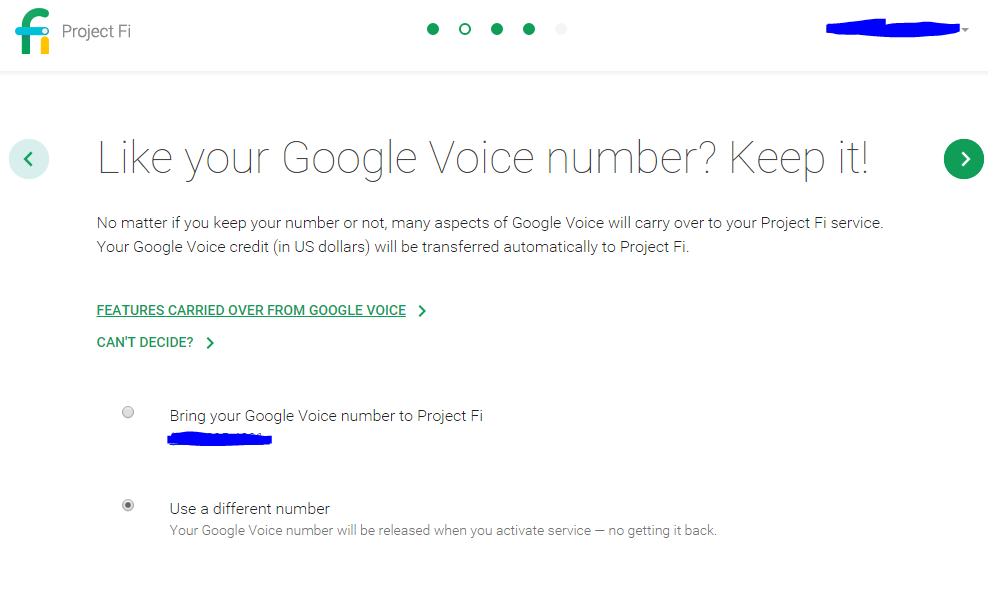
There is one unfortunate caveat that we didn’t foresee, though — porting your Google Voice number over to Project Fi will essentially nuke your Google Voice account. There’s a long list of features that won’t be supported if you port your number:
Making and receiving calls using Google Talk, Google Voice apps, or Obihai devices
You won’t be able to use Google Voice for texting or visual voicemail
Text, voicemail and call history is no longer saved in Google Voice
If you’ve already turned on Google Voice text messages and voicemails in Hangouts, they’ll continue to be available only in Hangouts
These Google Voice settings aren’t available: spam filtering, call recording, call switch, conference calling on the fly, caller ID (incoming), and outgoing caller ID (anonymous Caller ID).
As part of signing up for Project Fi, Google Voice apps and the website won’t be available.
That’s a pretty long list. What it does come with are the absolute basics you’d expect, which is an archive of your prior calls, texts, voicemails and voicemail greeting.
That said, you aren’t required to port your Google Voice number over to sign up for Project Fi so you’re just as free to choose a new phone number while continuing to use Google Voice as you always have. It’s important to remember that many of the aforementioned features are standard features of Project Fi so you’re not actually losing much functionality — you just won’t have the functionality within the Google Voice bubble.
We’re not sure why Google had to make so many sacrifices to make this happen — and you can be certain we’ll ask — but be sure to consider everything carefully before you make any sudden moves. Knowing all that, if you have an invite and have every intention of giving Project Fi a spin let us know in the comments below!
Project Fi, Google’s carrier effort in conjunction with Sprint and T-Mobile, has only been official for about a week, but Google is already preparing to let the flood gates open for anyone who requested an invite. The company has released an official companion app in Google Play for the service. It allows you to do a number of things:
Activate your Project Fi service
Manage your account and settings
Check your data usage
See your monthly statements
Get in touch with support 24/7
But, of course, you’ll need a Nexus 6 to even download it, and you’ll need Project Fi for it to be remotely useful. As such it’s little more than a dormant app right now, but you’ll want to bookmark the link if you’re anticipating being a Project Fi customer in the near future.
This week Kevin is sharing his final thoughts on the LG G4, is it good enough to compete with Samsung and HTC? We also talk about not all Galaxy S6 cameras being the same, Google Project Fi invites, Pebble Time orders being delayed, Google+ Collections, and the death of expandable storage. Also, of course, we talk about Star Wars. Thanks for watching/listening!
We didn’t know what to expect from the Project Ara team at the ATAP Google IO session. Would we finally get news on a widespread launch? New modules to show off? Perhaps just a quick update on their progress?
Well, we didn’t get any of that, unfortunately. What we did get was a majestic moment of pride from one of the project leads holding the a working Project Ara prototype up like the infamous scene straight out of Lion King.
Seriously, dude, way to be proud!
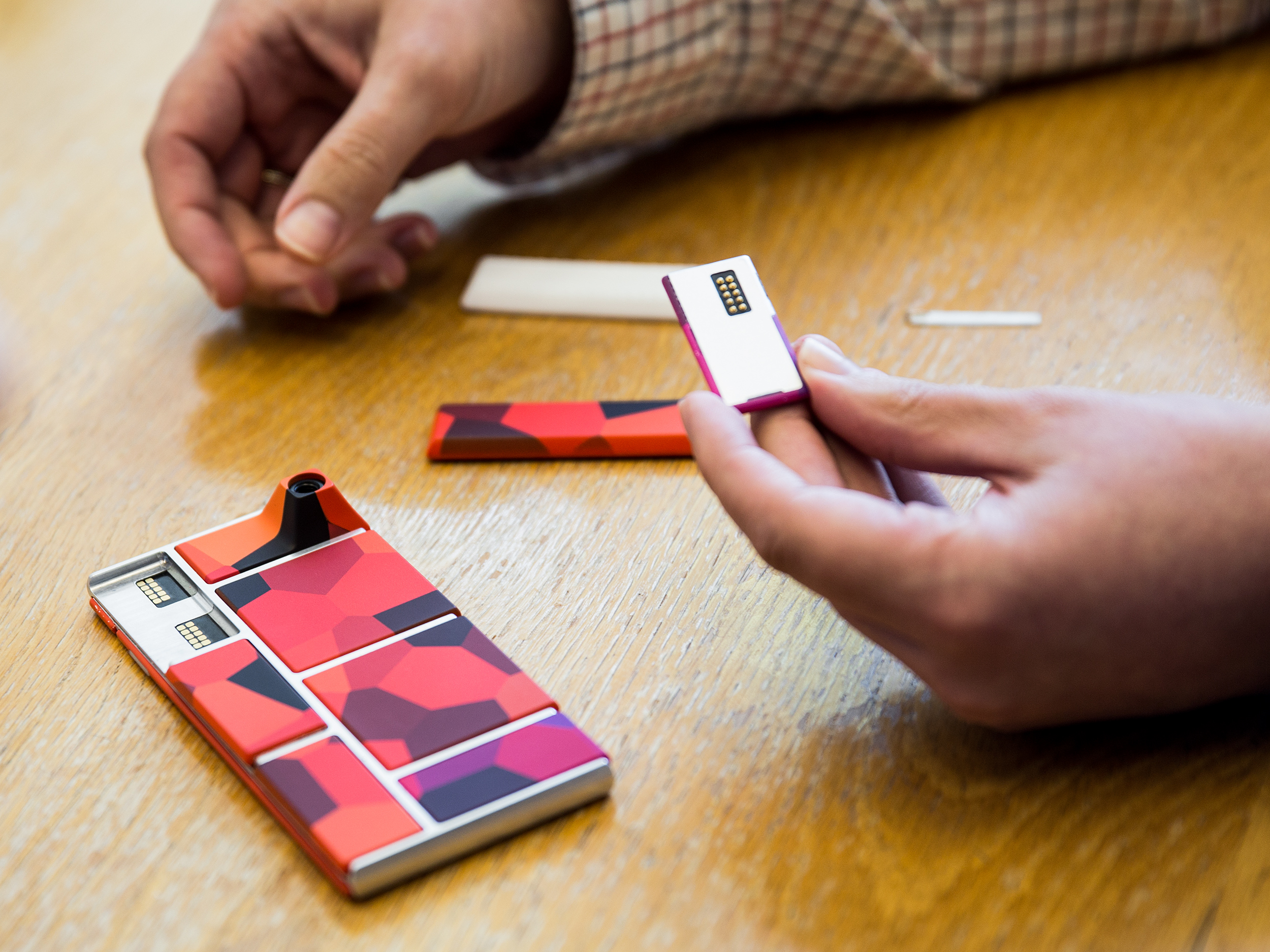
That wasn’t all that was noteworthy, though. We do get our first look at hot-swappable Ara modules, though, with the team attaching a camera module to the frame of the phone while it’s powered on and having it seamlessly recognized and functional. They then proceeded to take “the world’s first Ara photo in public” with the audience.
We’re also told that Ara prototypes are now running the latest version of Android, though we’re not sure if they’re referring to Lollipop or the new Android M developer preview. Cool stuff, that, but we’re honestly yearning for any bit of word regarding when we’ll be able to hold one for ourselves. Stay tuned.
The skinny of the story is that they simply used a Nexus 6 to activate Project Fi service, and made use of a nanosim-to-microsim adapter to use the SIM card inside of a Nexus 5. Service was said to be perfectly functional for incoming and outgoing calls, as well as full LTE data, but the user was unable to verify whether Google’s hand-off technology (to automatically switch between Sprint, T-Mobile and WiFi) was working.
There’s also the issue that there haven’t been many other reports of success. Most people who have tried (and failed) to activate Fi for use on a Nexus 5 tried to activate service on the Nexus 5 itself, but to our knowledge this is the first and only report of someone using a Nexus 6 to give the initial activation a go.
There are a couple of issues to note for anyone whose ears suddenly perked up at the thought of not having to own a Nexus 6 to use Project Fi:
It’s unlikely Google’s network hand-off technology will be supported, as Google originally confirmed there’s a mixture of software and hardware components needed to facilitate it.
Your device could be limited to use on T-Mobile’s network only as Sprint’s network requires an MEID number that’s been approved for service.
So, all of that is to say that using Project Fi on anything other than a Nexus 6 would be akin to using a smartphone on any standard MVNO carrier. Unless you’re a huge fan of how Google runs the administrative side of the service — such as pricing (which isn’t even the best value you can find) and plan features — then there’s really no real current benefit in using Fi on other devices.
But if all of that is OK with you then, by all means, be sure to give it a go if you can borrow a friend’s Nexus 6 for activation. Information is still being gathered so there are still a lot of questions as to the specifics of how Fi service would work on different devices. If you happen to try this approach be sure to report back with your results — whether that’s here or over at the original XDA thread — to help contribute whatever information you can.
If you were one of the many techies eager to try out Project Fi and jumped at the opportunity to sign up for an early invite, you’ll probably want to check your status. The sign up page is now showing an updated time frame for many Phandroid readers including myself- it appears my invite should arrive in 3 to 4 weeks.
An even luckier lot of lads received their invites last week, including our own Chris Chavez, who was happy to see an invite land in his inbox outlining the Project Fi details.
You’re invited to join Project Fi
We’re excited to invite you to Project Fi. Earlier on, you requested an invite, and now we’re ready to bring you onboard. Just click the button below to sign up or head to fi.google.com/signup. If you have questions along the way, give us a call at 1-844-TALK-2-FI to get help from a Fi Expert.
5 things to know about Project Fi Say hello to fast speeds, easy communication and simple pricing.
Tap into a network of networks Project Fi uses new technology to give you better coverage by intelligently connecting you to the fastest network at your location whether it’s Wi-Fi or our two LTE network partners.
Secure connections to fast, reliable Wi-Fi networks We automatically connect you to over a million Wi-Fi networks we’ve verified as fast and reliable. When we connect you to an open network, we secure your data through encryption.
Wi-Fi enabled calls provide even more coverage When you’re on the move, calls seamlessly transition between Wi-Fi and cellular, so you can keep your conversation going.
One simple plan Our plan starts with the Fi Basics for per month, which includes: unlimited domestic talk and text, unlimited international texts, Wi-Fi tethering, and access to coverage in 120+ countries. Then it’s per GB for data. for 1GB, for 2GB for 3GB, and so on. That’s it. With no annual contract required.
Never pay for unused data Our plan is designed to save you money. Let’s say you go with 3 GB for and only use 1.4 GB one month. You’ll get back — you only pay for what you use.
This concludes your friendly PSA from Phandroid… now go check your Project Fi status, let us know when your invite will arrive in the comments, and then head over to the Project Fi Forums for even more!
Twitter has been heavily criticized lately: user growth is slowing, ad revenue is meager, the CEO just resigned, and even though the platform is the king of mass media, sports, and celebrity, the average joe simply doesn’t seem to care much. But when Twitter flips the switch on Project Lightning they could flip the script on the whole world and take their dominance of real-time interaction to the next level.
Here is the nitty gritty on Project Lightning:
New “Event Pages” will turn trending topics into temporary information hubs
Twitter employees will curate the content shown on these new all-important pages
The pages will feature Tweets, photos, and Vines selected by staff
Live videos from Periscope will be prominently displayed when most important
Mobile devices will display one piece of content per screen with Tinder-like swiping to get to additional content
Imagine following breaking news stories like the Baltimore Riots or NBA Finals with these new pages. Instead of watching the news or reading blogs that reference individual tweets, Twitter will make itself the source that a user can follow by reading the curated coverage.
This takes Twitter’s already popular “Trending Topics” to the next level. Trending topics are inherently overwhelming because by the time it is trending, there is so much constant content flowing in that it’s impossible to follow any type of dialogue. Project Lightning will solve this problem by building an entirely new experience for the most important topics in real-time. And did we mention that members will be able to follow individual events, helping to attract those previously overwhelmed average joes?
This could change everything.
According to outgoing CEO Dick Costolo’s interview with Buzzfeed, Project Lightning has been in the works “for a long, long time” and will launch later this year. You’ll find these event pages on the web (logged in or out), in the Twitter app, and even find events embedded on other sites.
I’m not a big Twitterer and largely find the social experience exhausting and annoying, but when this goes live? You can count me in.