Android Lollipop might only be on 3.3% of devices, but that number should be increasing every day. Earlier today we told you about Lollipop rolling out to the Samsung Galaxy Note 3 in India. Now we’re seeing some more Samsung + Lollipop love here in the U.S. The Samsung Galaxy Note 4 for Sprint and Note 3 for T-Mobile are receiving Lollipop right now.
This information comes straight from Samsung and Sprint themselves. Over on the FAQ for the Tmo Note 3 on Samsung’s site you can see “Android 5.0″ started rolling out on March 4th. On Sprint’s website you can see the same update started rolling out on March 5th.
Samsung also lists “Wi-Fi calling experience, Resolved Wi-Fi calling one way audi, and Resolved IPv6 email setup” in the changelog. The update should be rolling out now, but don’t expect every device to get it today. Check out what TouchWiz looks like on Android 5.0 in our hands-on with the Samsung Galaxy S6. Welcome to Lollipop Land!
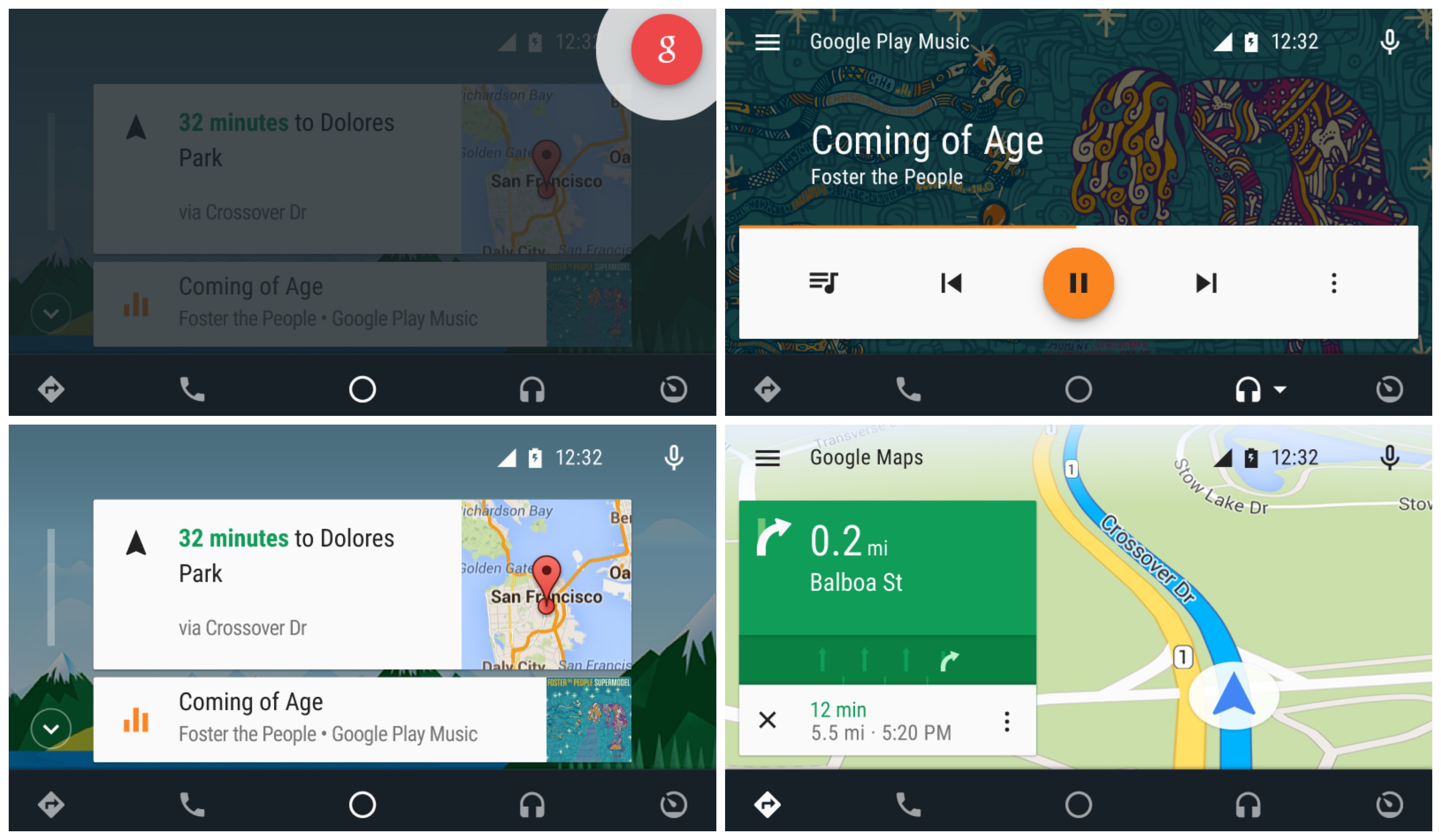
Android Auto compatible head units have already begun shipping, but don’t expect to just plug in any old Android device and hope everything will just work. A new Android Auto app has been added into the Play Store enabling this functionality on Lollipop+ devices. The app brings a simple driver friendly UI, all powered by your Android device and mirrored onto the head unit.
Here’s what you’ll find in the Android Auto app:
Navigation with Google Maps – Free turn-by-turn navigation with lane guidance, live traffic conditions, points of interest, and more
Hands-free phone and messaging – Make calls and send messages without taking your hands off the wheel
Info and assistance – Get weather, traffic, commute information and more organized into simple cards
Bring your music – Listen to your music and playlists in the car with your built-in stereo system
Chances are, you don’t have a compatible automobile or head unit just yet, so you may want to bookmark the app for future use. We wonder how long it’ll be before Google begins preloading this onto devices with their current app suite. Check out Google’s promo video below.
One thing that many people have not been happy about in Android Lollipop is the removal of silent mode. The three new notification modes (None, Priority, and All) don’t allow you to mute the device while still letting alarms through. Priority Mode allows alarms to go off, but it also lets other things through. None Mode blocks absolutely everything, including alarms.
Android 5.1 is one step closer to bringing back silent mode. Now when you put the phone into Priority or None Mode you’ll get the option to have it disabled at your next alarm. In order to see this option you’ll need to have an alarm set to go off within the next 12 hours. This is the closest thing we have to silent mode right now, and it works pretty well. You can block notifications without worrying about your alarm being blocked, too.
T-Mobile Product Manger Des Smith revealed on Twitter today that Android 5.0.1 Lollipop for the Note 4 (N910) has officially been green lit by T-Mobile, and that a rollout should commence sometime next week. Keep in mind that the update does not include the all new, super streamlined TouchWiz that appeared on the Samsung Galaxy S6 or Samsung Galaxy S6 Edge. It likely never will. We also hope all those bugs Lollipop brought to other Galaxy devices have all been ironed out.
As always, you can check the status of software updates via T-Mobile’s Software Updates page here. You excited?
We know the Samsung Galaxy S6 is a fast phone. It damn well better be. Coming equipped with a new 14nm 64-bit Exynos 7 octa-core chipset and 3GB of LPDDR4 RAM — this phone should be screaming fast. That, and the fact that Samsung has trimmed much of the fat on TouchWiz, without a doubt it’s got to be quicker than the previous model, even if it has to push 34% more pixels than the Galaxy S5.
But how much faster is it? Well, that’s a little harder to quantify. But in an effort to better illustrate the speed we felt in our time with the Samsung Galaxy S6 and Samsung Galaxy S6 Edge, we decided to give you guys a quick demo showing off how quickly the Galaxy S6 opens apps when compared against its predecessor, the Galaxy S5.
While there are all sorts of variables, we tried to keep things as fair as possible. Here’s what we did before speed testing:
Both devices running Android 5.0 Lollipop
Both devices were freshly factory reset
All background apps were closed
That being said, it’s still fun to experiment. One thing we wanted to point out was that, despite both devices were running Android 5.0 Lollipop, Samsung has 2 very different versions of TouchWiz: the S5 with the still laggy version (maybe even laggier due to Lollipop), and the S6 with the newly overhauled version. This is only a year after Samsung debuted a refreshed TouchWiz for the Galaxy S5, a version very different than its predecessors, (and many of Samsung’s older devices were never updated to). Talk about Android fragmentation.
Before we get too off topic, TouchWiz on the Samsung Galaxy S6 — with its much higher res assets and all new features — barely saw a 1GB jump in system memory (6.62GB) when compared against TouchWiz on the Galaxy S5 (5.46GB). Looks like Samsung really did trim some of the fat, or at least kept it from gaining too much weight. Well, before carriers like Verizon get their hands on this thing.
That being said, you guys convinced yet the Galaxy S6 is adequately faster than the Galaxy S5? As an owner of the S5 (and regretting life after the recently rolled out Lollipop update on Verizon), I can safely say the S6 Edge can’t get here fast enough.
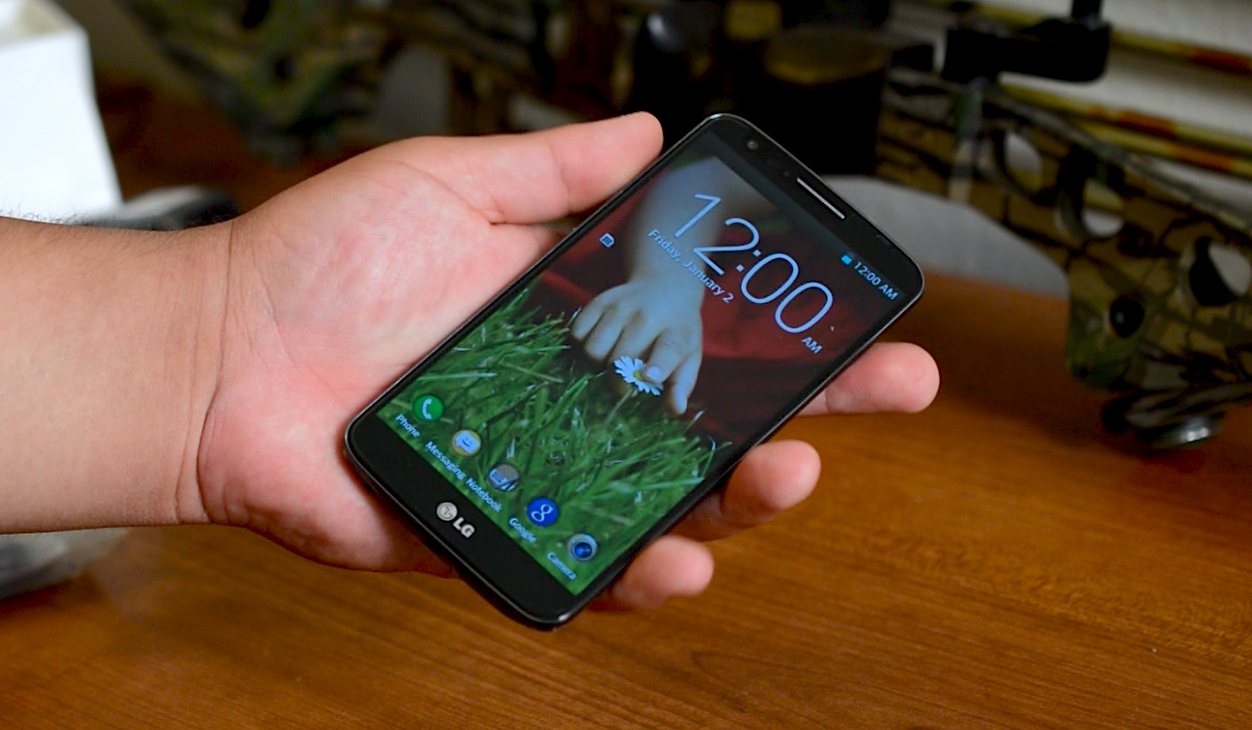
Sprint LG G2 users will wake up to a taste of Lollipop today as the carrier has started rolling the upgrade out to the handset over-the-air. Software version ZVG is what you’ll be looking for, and aside from your typical Lollipop-related enhancements (such as improved notifications, the ability to search Settings and more) the only other change to note is an upgrade for the FM Radio experience.
The upgrade is going out in stages, as usual, so you’ll have to wait for Sprint to give your phone the green light before you can pull it down. To check, simply head to Settings > About Phone > Software Update, and make sure you’re on WiFi and charged up to dodge any issues.
Google’s back with another platform update, and the timing couldn’t be more perfect considering many developers are converging at Mobile World Congress and the Game Developers Conference. The latest update shows us that Android 5.0 Lollipop is now loaded up on 3.3% of all Android phones with access to Google Play. This is a decent jump from the 1.6% Lollipop had when it first found its way onto the list last month.
That number may seem small, but considering the sheer amount of Android devices roaming about that’s a sizable portion of the user base. Jelly Bean is dying a slow death, but it’s still commanding a combined 42.6%, which is sadly a bit more than KitKat’s 40.9%. Ice Cream Sandwich is also still hanging in there at a respectable 5.9%.
Despite the world’s leading device manufacturers racing to get their devices upgraded to the newest versions of Android, the fast pace at which the operating system evolves means no one version will ever fade off soon enough. Take Gingerbread, for instance, which still has 6.9% of the pie.
The sad truth is that there are just as many — if not more — devices that will get left behind as there are devices that will get the latest versions of Android. The good part? Manufacturers are starting to take the idea of budget devices seriously and are releasing great low-cost options that come with the latest versions of Android. You might as well upgrade to a new smartphone if you’re one of the unlucky few who are stuck on archaic software.
Samsung Galaxy S5 users on AT&T are now being treated to Android 5.0 Lollipop, or so says this handy support page on AT&T’s website. It’s largely the same Lollipop goodness you’ll find on Samsung’s other phones already fortunate enough to receive upgrades, but in case you haven’t been keeping up here’s what you can expect:
Songs, photos, apps, and even recent searches from one Android device can be immediately enjoyed across all of your Android devices.
New User Interface look and feel, more fluid motions
Priority mode to only allow certain notifications to get through
Battery saving features and remaining time left to charge or deplete indicators
Smart Lock to secure phone or tablet by pairing it with a trusted device like a wearable or car
Most frequently used settings available with just two swipes down from the top screen
The update is a big one at 1.4GB, so you’ll want to hop onto WiFi and charge your battery to pull it down. When you’re ready for it all you’ll need to do is head to Settings > About Device > Software Update > Check For Updates. You’ll be looking for build LRX21T.G900AUCU3BOC4. Go ahead and check for it and let us know how you’re liking it once you have it installed!
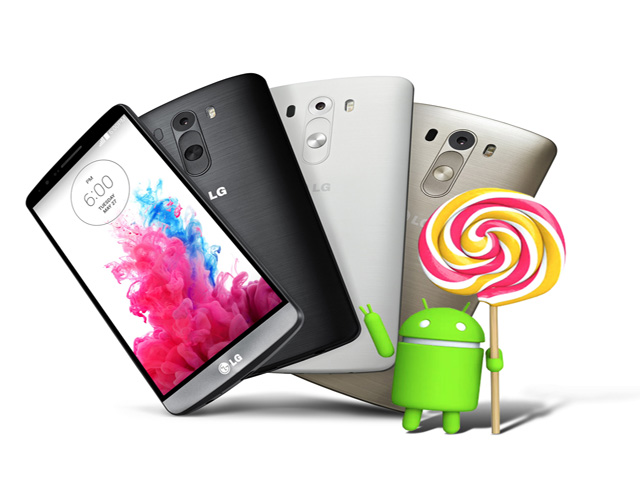
T-Mobile’s LG G3started receiving its Lollipop upgrade yesterday, though many were disappointed to find that it was only available over-the-wire with a tool only available for PC. If you weren’t able to use that tool to upgrade your phone you’ll be happy to know that we’ve snapped up the OTA file T-Mobile is eventually planning to push to handsets.
You can download the file right here, and either flash it through ADB’s flashing tool (here’s a handy guide on AndroidForums.com) or placing it onto the root of your storage and flashing it through your device’s recovery (you should name the file update.zip to ensure recovery can find it). We should note that you do this at your own risk, so if you aren’t comfortable carrying this out on your own then you should either find a way to use a PC or simply wait for T-Mobile to push the OTA to your device. Happy flashing!
After Samsung Galaxy Note 4 owners on AT&T were treated to Android 5.0.1 Lollipop earlier today, it appears Galaxy Note 3 owners are also joining in on the fun. We’ve received reports of the Galaxy Note 3 also receiving Lollipop under build number LRX21V.N900AUCUEOC1. Just like on the Galaxy Note 4, the update weighs in at around 1GB, so it’s pretty hefty. Makes sense too given this is one of the biggest firmware updates to happen to Android in quite some time.
Songs, photos, apps, and even recent searches from one Android device can be immediately enjoyed across all of your Android devices.
New User Interface look and feel, more fluid motions
Priority mode to only allow certain notifications to get through
Battery saving features and remaining time left to charge or deplete indicators
Smart Lock to secure phone or tablet by pairing it with a trusted device like a wearable or car
Most frequently used settings available with just two swipes down from the top screen
Since the update just started rolling out in phases, it may take a little bit longer before it reaches your device. If you don’t feel like waiting for the update to ping you, you can jump into your Settings app and select the Generaltab, then scroll down to About device > Software updates > > and Check for updates to pull it manually (once it becomes available, of course).
The name “Liquid Jade Z” may sound like a Wu-Tang/HOVA collaboration album when it rolls off your tongue, but instead it’s another Android phone from our friends at Acer. This time, though, Acer is packing the 5-inch frame of the Liquid Jade Z with Android Lollipop 5.0, instantly lending it some instant credibility.
In many ways, Acer has made their Android living off the budget and value side of Android handsets, but the Liquid Jade Z pushes the company into the upper echelon with specs that higher-end Android lovers can appreciate:
5” HD IPS Screen (Zero Air Gap Display)
Gorilla Glass 3
64-bit quad-core processor
13MP camera2
5MP front camera
24-bit Hi-res audio thru HD speakers
7.9mm thin
110 grams
Although these specs don’t compare to the flagships of household favorites like Samsung and HTC, they offer Acer customers what seems to be a solid product in the upper-end. As you would expect, Acer has also packed the device with some proprietary enhancements including selfie taking features and navigation with Trip Advisor POI options.
The company hasn’t abandoned the low and mid-range market, though, as they also announced the Z220 and 2520 additions to the Acer Liquid Z-Series.
I love how the company positions the more lowly Z220 as a “a secondary, vacation or party device” and hadn’t thought of this use case scenario- it’s an interesting suggestion. Meanwhile the Z520 is positioned as an all-around work horse. These phones have 4-inch screens, dual core processors, and 5MP and 8MP cameras respectively. Nothing that’s going to blow your socks off, but we’ll give them the chance to as we check them out on the MWC show floor.
For those that missed it, Lollipop is already available for T-Mobile’s LG G3 — but only through their PC updating tool. Which is odd, given these things are typically pushed out in the form of an over-the-air the update and downloaded straight to your device.
No matter, T-Mobile’s resident device guru Desmond Smith has shared with us the exact date we can expect Android 5.0.1 Lollipop to hit the phone over-the-air, no computer necessary.
According to Smith, T-Mobile will be pushing out the update on Tuesday, April 7th. So, if perhaps LG’s updater wasn’t working out for you, or you didn’t want to bother with manually flashing the OTA file, rest assured the update is less than a week away.
OnePlus made some lofty promises for those who opted to buy their phone: Lollipop would be here by March 27th for those wanting OxygenOS, and March 31st for those who wanted CyanogenMod 12S. Looking at today’s calendar shows that it’s April 1st and neither updates are out, meaning they weren’t able to meet those goals.
So when are they coming? We still don’t know. The hold up isn’t that the firmware isn’t ready to go — OnePlus says things are mighty stable right now — but they have to wait for lengthy certification processes to be completed before they can get the green light, and it’s something they didn’t foresee taking such a long time.
And you think they’ve had a hard time dealing with the backlash due to the missed promise? Cyanogen has it even worse: they’re being bashed for the delay even when they weren’t the ones who promised it. CEO Kirt McMaster even went as far as using his brash tone to get the point across:
While we might have preferred something a bit more politically correct, it’s true: Cyanogen has always gone by the “it’s ready when it’s ready” mantra, and they probably don’t deserve the flood of hate rushing their way.
This was simply another case of a young company (OnePlus) learning a tough lesson — never, ever, give an ETA on the OTA. Let’s just hope it doesn’t take more than a couple of weeks to get everyone the goods they were hoping to enjoy by now.
If you’ve been keeping up with T-Mobile’s recently launched Software Updates page, you may have noticed some new activity. According to T-Mobile, the LG G3 and LG G2 should expect Android 5.0 Lollipop hitting their devices relatively soon. Both of the devices have officially left the “Manufacturer Development” stage and into the “T-Mobile Testing” phase for the major software update.
T-Mobile’s Software Updates page is a handy tool for keeping up to date with software updates for a variety of recently launched Android flagships, with the carrier defining their testing phase as the following:
“During this stage, the device will go through T-Mobile certification process testing to make sure you get the best quality software possible.”
While this will no doubt come as welcomed news to LG G3 (and G2) owners, we should note that the AT&T’s LG G3 received Lollipop nearly 6 weeks ago (Sprint’s a few days later), where the Korean model saw it all the way back in November. Needless to say, it’s been a long time coming. We’ve seen reports of the update actually lagging up the LG G3 more than usual, so you may want to consider factory resetting after updating to start fresh.
That being said, keep an eye for any incoming updates and feel free to drop us a line at press@phandroid.com if you see anything pop up. Cheers.
According to Verizon, the update will arrive as software version LRX22C.N910VVRU1BOAF (or just VRU1BOAF for short) and will introduce improvements such as a new runtime (ART), 64-bit support, Android Auto on supported vehicles/dash units, and of course, a fresh new Material design.
The update is fairly large, tipping the scales at just over 1.7GB. For those that don’t feel like waiting for their device to prompt them first, you can manually check for the update on your phone by going to Settings > About Phone > Software Updates > Check for Updates > Download Now.
It feels like it wasn’t too long ago that the Google Play Store added those fancy colored status bars. It wasn’t that big a deal, just something that was introduced in KitKat. Today, Googler Kirill Grouchnikov is revealing some new changes making their way onto Google Play starting today, but it’s only for users running Lollipop.
Evolution of the Google Play Store’s listings page
Once again, it’s not a big change, just a little something Android fans will get a kick out of. The Play Store now features transparent status bar when viewing listings, going full-on immersive in the latest update (Google Play 5.4). With the hero images for listings slowly inching higher up on your phone’s display, more content can be displayed below without scrolling. And that’s pretty neat.
For those that don’t feel like waiting for the updated Play Store to hit their device, you can download it from us below.
OnePlus made a commitment to get CyanogenMod 12S and OxygenOS out to OnePlus One users by the end of this month. They promised that a failure to do so would result in a phone giveaway to show how serious they were to that commitment.
Aaaaannd it looks like they’re giving away phones. OnePlus One held another Ask Me Anything session on the Android subreddit, and when asked about the Lollipop-based upgrades promised they had some unfortunate news to share: they aren’t positive they’ll be ready in time.
OnePlus says they have stable firmware ready to go and things are running as smoothly as they ought to be, but unforeseen delays in the certification process might extend the timeline a bit further than they originally anticipated. As such, they confirmed they will be giving away at least 5 OnePlus One units. That doesn’t sound like a whole lot to part ways with for a manufacturer, but when you have profit margins as slim as OnePlus’s it’s a pretty big deal.
Perhaps more troubling is that they aren’t willing to give us another estimated release date, but perhaps they’ve learned a valuable lesson in all this and have adopted Cyanogen’s old way of thinking: no ETAs on OTAs, and it’ll be ready when it’s ready. OnePlus One says to stay on the lookout for more information in the days to come.
If you haven’t yet gotten Cyanogen OS 12 on your OnePlus One, you’ll have to wait a bit longer. The company has announced that they’ve had to halt the rollout in order to push out a new version that adds the “OK OnePlus” voice command into the fold. The rollout will resume mid-week, according to company man Carl Pei.
One might wonder why they simply wouldn’t wait until the current rollout is over and add the feature in a follow-up maintenance patch, but one would have to be behind the closed doors of OnePlus to truly know. We’re just glad they had a very good reason (the addition of an awesome new feature) to do it, and that it won’t take longer than a few days to get things going again.
Of course, if you’re impatient and can’t stand to wait you can always get the previous Lollipop release loaded onto your OnePlus One manually. There’s a handy guide showing you how to do just that over at the OnePlus forums so be sure to check it out. Otherwise, hold your horses and know that the goods should be going back out over-the-air before the week is over.
Micromax promised the Lollipop upgrade for their Yu smartphone would be out soon, and they delivered. The company has announced that Cyanogen OS 12 — which is based on Android 5.0 Lollipop — is now rolling out to the Yu Yureka.
The upgrade brings the latest Cyanogen features, including Cyanogen Mail powered by Boxer, a more robust theme engine, support for Exchange email, support for multiple accounts on one device and everything that Android 5.0 Lollipop brings on its own.
Micromax says the upgrade is going out in stages over the next 3 days, so if you aren’t seeing it immediately then it shouldn’t be long before it makes its way to your device. Get yours updated and let us know how things go once you’ve gotten everything loaded up!
Verizon’s HTC One M8 has been late to the Lollipop party, but as we always say it’s better late than never. The upgrade is now rolling out to users, Verizon has announced. There isn’t much different here compared to what we’ve seen from other variants.
HTC’s version of Lollipop implements the new notifications and recent apps multitasking as it was imagined in Android 5.0 Lollipop. They’ve also taken care to update many of their apps with Material Design and make it possible to search through settings using a built-in search box.
Beyond that, Verizon has enabled Band 4 LTE roaming, and has also made improvements to the device’s 3-way calling feature. Verizon says to keep an eye out for software version SU4A – 3.28.605.9, SU4B – 4.17.605.5. That’s a mouthful, but when you receive Android 5.0 Lollipop, you’ll know it. Be sure to hop on WiFi with a charged battery to check for it at your earliest convenience.