Affichage des articles dont le libellé est receiving. Afficher tous les articles

lundi 6 juillet 2015

Sprint’s LG G2 is now receiving its Android 5.0 Lollipop upgrade


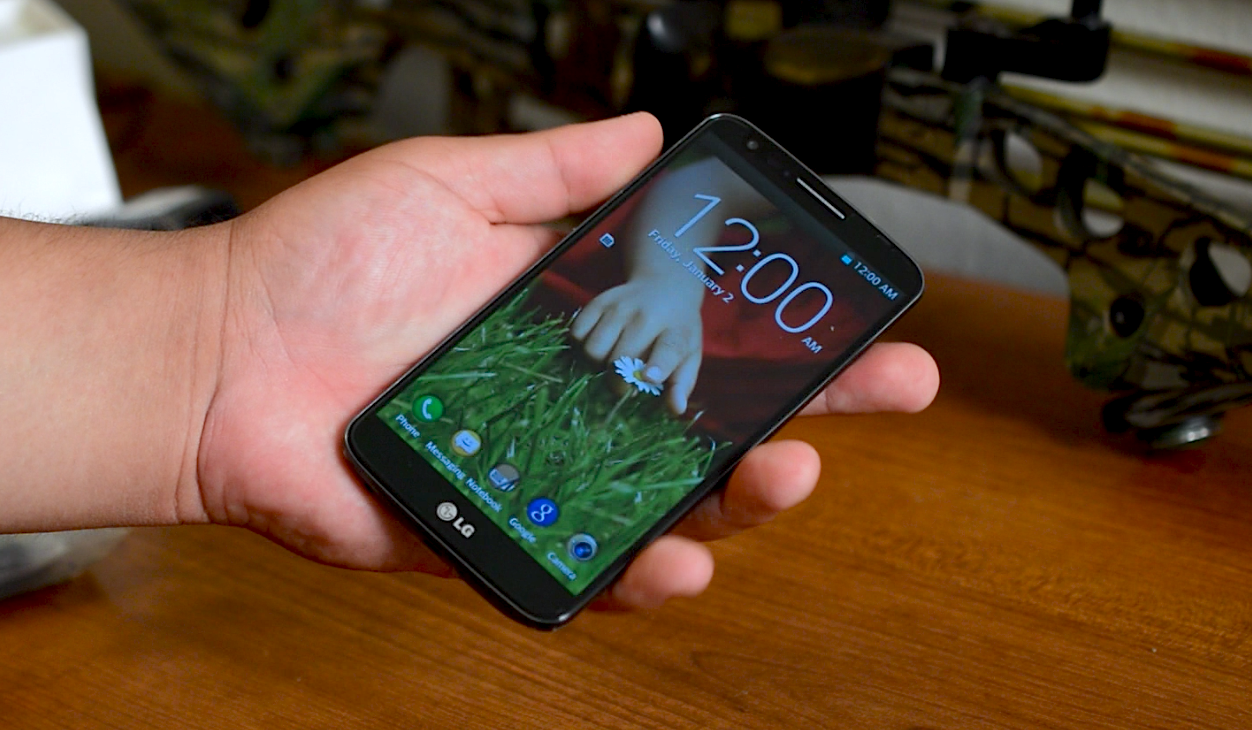
lg-g2-unboxing


Sprint LG G2 users will wake up to a taste of Lollipop today as the carrier has started rolling the upgrade out to the handset over-the-air. Software version ZVG is what you’ll be looking for, and aside from your typical Lollipop-related enhancements (such as improved notifications, the ability to search Settings and more) the only other change to note is an upgrade for the FM Radio experience.


The upgrade is going out in stages, as usual, so you’ll have to wait for Sprint to give your phone the green light before you can pull it down. To check, simply head to Settings > About Phone > Software Update, and make sure you’re on WiFi and charged up to dodge any issues.


[via Sprint]


Verizon Samsung Galaxy Note 4 now receiving Android 5.0 Lollipop


Verizon Samsung Galaxy Note 4 Gear VR update


When international Samsung Galaxy Note 4 models received Android 5.0 Lollipop back in February — followed by the AT&T model last week — we knew more carrier variants would be following suit. And just like that, Verizon is now set to push out Lollipop to their version of the Samsung Galaxy Note 4.


According to Verizon, the update will arrive as software version LRX22C.N910VVRU1BOAF (or just VRU1BOAF for short) and will introduce improvements such as a new runtime (ART), 64-bit support, Android Auto on supported vehicles/dash units, and of course, a fresh new Material design.


The update is fairly large, tipping the scales at just over 1.7GB. For those that don’t feel like waiting for their device to prompt them first, you can manually check for the update on your phone by going to Settings > About Phone > Software Updates > Check for Updates > Download Now.


[Verizon PDF]


Micromax Yu’s Yureka phone begins receiving Cyanogen OS 12 (Lollipop)


Lollipop


Micromax promised the Lollipop upgrade for their Yu smartphone would be out soon, and they delivered. The company has announced that Cyanogen OS 12 — which is based on Android 5.0 Lollipop — is now rolling out to the Yu Yureka.


The upgrade brings the latest Cyanogen features, including Cyanogen Mail powered by Boxer, a more robust theme engine, support for Exchange email, support for multiple accounts on one device and everything that Android 5.0 Lollipop brings on its own.


Micromax says the upgrade is going out in stages over the next 3 days, so if you aren’t seeing it immediately then it shouldn’t be long before it makes its way to your device. Get yours updated and let us know how things go once you’ve gotten everything loaded up!


[via Micromax]


Verizon’s HTC One M8 starts receiving Android 5.0 Lollipop upgrade


HTC One M8 DSC06661


Verizon’s HTC One M8 has been late to the Lollipop party, but as we always say it’s better late than never. The upgrade is now rolling out to users, Verizon has announced. There isn’t much different here compared to what we’ve seen from other variants.


HTC’s version of Lollipop implements the new notifications and recent apps multitasking as it was imagined in Android 5.0 Lollipop. They’ve also taken care to update many of their apps with Material Design and make it possible to search through settings using a built-in search box.


Beyond that, Verizon has enabled Band 4 LTE roaming, and has also made improvements to the device’s 3-way calling feature. Verizon says to keep an eye out for software version SU4A – 3.28.605.9, SU4B – 4.17.605.5. That’s a mouthful, but when you receive Android 5.0 Lollipop, you’ll know it. Be sure to hop on WiFi with a charged battery to check for it at your earliest convenience.


The Samsung Galaxy S4 is now receiving Android 5.0.1 Lollipop on AT&T


galaxy s4 mini 5


AT&T has been on a roll lately and now, Lollipop has officially arrived for the Samsung Galaxy S4. Starting today, AT&T will begin pushing out an update to Android 5.0.1 (software version LRX22C.1337UCUGOC3) for the Galaxy S4 (SGH-i337).


The update weighs in at a whopping 947MB and brings with it a ton of new goodies. Here are the highlights as detailed by AT&T on their software updates page:


Android 5.0 Lollipop for Samsung Galaxy S4


  • Songs, photos, apps, and even recent searches from one Android device can be immediately enjoyed across all of your Android devices.

  • New User Interface look and feel, more fluid motions

  • Priority mode to only allow certain notifications to get through

  • Battery saving features and remaining time left to charge or deplete indicators

  • Smart Lock to secure phone or tablet by pairing it with a trusted device like a wearable or car

  • Most frequently used settings available with just two swipes down from the top screen

  • Details at: http://www.android.com/versions/lollipop-5-0/


Where typically these kind of updates add-in a few extra apps and bloatware, you may be surprised to find that some has actually been removed. Say goodbye to Code Scanner, Browser Bar and Softcard.


While you should be able to update fine, if you encounter any bugs or general weirdness, we’d recommend backing up all your data/photos/media and performing a factory reset and starting fresh. Especially when it’s a major firmware update like this.


T-Mobile and AT&T LG G2 are now receiving Android 5.0 Lollipop


Google_Lollipop


LG G2 owners on T-Mobile and AT&T are now being treated to Android 5.0 Lollipop. The news was announced at each company’s online support portal, and it should be available over-the-air for anyone willing and able to download it (and really, why wouldn’t you be?)


AT&T’s update (no word on file size or version number just yet) is fairly straight forward, bringing you the LG experience you’re used to infused with a couple of new Lollipop features such as improved notifications and searchable settings. AT&T has also removed a few bloatware apps, including AT&T Code Scanner, Beats Music, Browser Bar and Famigo.


For T-Mobile, you’re looking for software version D80130b, and it’s possible to come from 5 different previous versions:


  • D80120g

  • D80120e

  • D80120a

  • D80110g

  • JDQ39B


You’ll have to endure a 617MB download over WiFi and make sure your device is adequately charged, but that’s a small price to pay for getting Lollipop on a two-year-old phone. Be sure to talk about your new goods in the comments below or over at AndroidForums once you have it!


[via AT&T, T-Mobile, AndroidForums.com]


Nexus 6 on T-Mobile now receiving Android 5.1 (build LMY47M)


Nexus_6_Dbrand_Skin


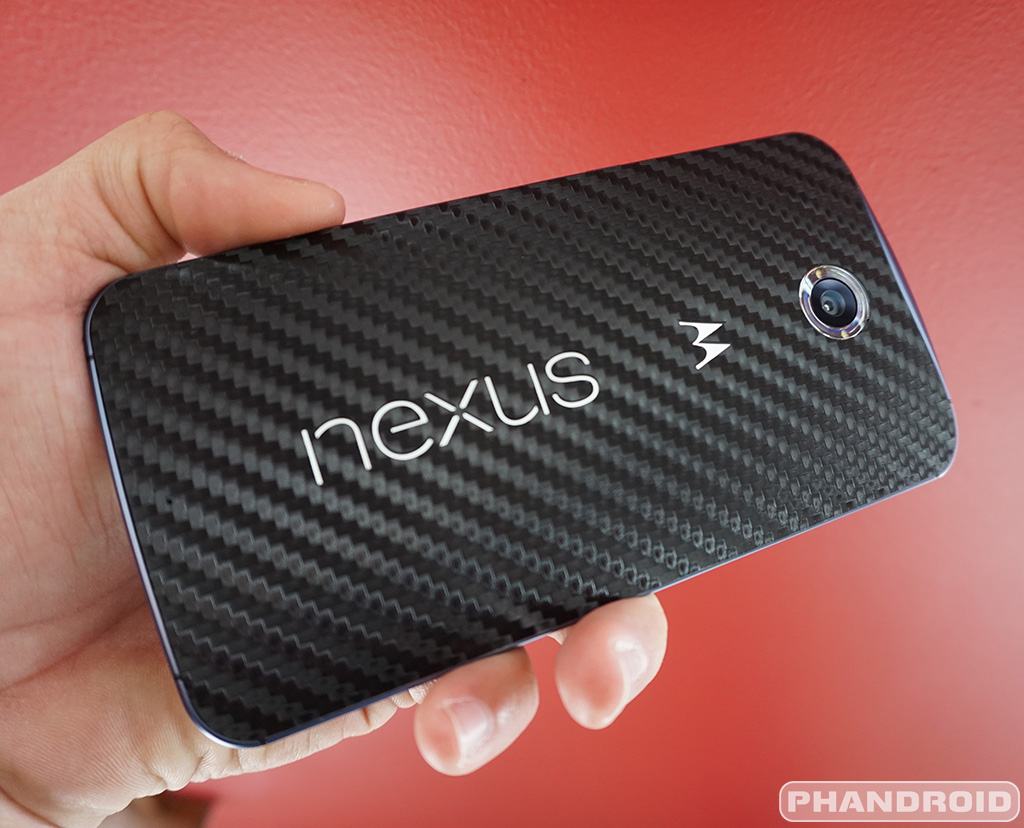
Nexus 6 owners on T-Mobile are now receiving their update to Android 5.1 Lollipop. The build number for the update — LMY47M — is actually different from builds we’ve seen rolling out previously, so hopefully nobody flashed those in an effort to get a jump on 5.1. The update weighs in at about 409MB and should hit your Nexus 6 any minute/day now.


Android 5.1 brings lots of smaller tweaks to Lollipop, with new “anti-theft” security features that prevent unauthorized use after a factory reset, new quick toggles, animations, a heap ton of bug fixes and VoLTE (WiFi calling is expected in a later update). If you haven’t received a prompt yet, you can manually check for the update by heading to Settings > About phone > System Updates > Check now. Good luck!


[T-Mobile]


Verizon LG G2 now receiving Lollipop


lg g2 lollipop vzw


A new Lollipop upgrade is rolling in for users of Verizon’s LG G2. It’ll take you to version VS98039A, and aside from the usual Lollipop bits — like improved notification panel and lock screen notifications — it’ll bring about a flat new user interface as featured on the LG G3, as well as new-style Lollipop navigation buttons.


Other new features include searchable settings, an “avoid bad WiFi connection” feature to make sure you don’t connect to WiFi networks that don’t have an internet connection, the ability to “pin” apps to make it so that you can only use that one app until it’s unpinned, rearrangeable navigation buttons, and floating action buttons for the clock, contacts, email, messaging and music apps.


You can check out the full update notes over at AndroidForums.com, but if you’re just interested in getting this bad boy loaded onto your phone simply head to Settings > About Phone and check for the update. Make sure your battery is comfortable charged and that you’re on a WiFi network to make sure things go according to plan.


AT&T’s HTC One M9 now receiving camera improving update


htc-one-m9-software-angle


It was barely a day before the HTC One M9 officially launched here in the US that HTC delivered a software update to drastically improve its camera. It was the update that some European models had been enjoying for weeks, with reports of much better picture quality across the board. When we originally received our One M9, the camera was damn near broken, struggling to take a steady or clear shot in anything but the brightest lighting conditions. But the update made a world of difference, as our own Rob Jackson was able to show you in his before and after shots.


The update was only initially available for the T-Mobile, Sprint, and Verizon models, with the AT&T version said to have already entered into the final testing phase. It’s been a little over a week since then, and now it appears AT&T is officially ready to push out the update. One M9 owners on AT&T should keep an eye out for software version 1.32.502.31 rolling out now. According to HTC, the update addresses 3 major issues:


  • Camera improvements

  • Thermal improvements

  • Various bug fixes and improvements


Reports of overheating issues may have been exaggerated, but it’s nice to see HTC taking them seriously. If you haven’t been prompted yet for the update on your device, you can manually check for it by going into your Settings app > AT&T Software Update > Check for updates > Download the update. You can check the status of the download which will be displayed in your notification pull down. Once the update has been downloaded, tap “System update” to get up and running with software version 1.32.502.31 .


Keep in mind the phone will reboot several times during the update and HTC recommends that if you’re connected to a USB charger during this process, you don’t remove until after the update has finished and you’re back at your lock screen.


Samsung Galaxy S6 and S6 Edge now receiving 237MB update on AT&T [UPDATE: Sprint too]


Samsung Galaxy S6 Edge DSC09267


It’s been about a month since the Samsung Galaxy S6 and Samsung Galaxy S6 Edge hit store shelves and already they’re receiving an over-the-air update on AT&T. It’s not Android 5.1 (that’s not expected until June), but without official word from AT&T, there’s no telling what kinda of bug fixes or improvements the system update brings. We do know it’s still Android 5.0.2 and weighs in at 236.92MB, so it’s moderately sized.


We can only hope the update addresses battery life concerns (our units are still barely getting 14 hours of standby). More than likely, this update could be similar to the 159MB update rolling out now across Europe and Asia which brings better fingerprint recognition, new photo editing features, and other UI changes.


There was also word that the Galaxy S6 would soon be receiving a camera update to add support for shooting in RAW. Guess we’ll just have to wait and see.


UPDATE: Looks like the Sprint model got an update too. It’s still Android 5.0.2 (software version G925PVPU1AOE2), weighs in at 130MB, and is rolling out now over-the-air.


[via AndroidForums | Sprint]


Moto G 1st Gen (2013) now receiving Android 5.0.2 Lollipop update


Motorola Moto G


First generation Motorola Moto G owners — the 2013 model — are being greeted today with an update to Android 5.0.2 Lollipop. It’s an update that’s been a long time in the making, with 5.0.2 originally hitting devices via a soak test all the way back in December of last year.


Motorola has had 5 months since then to iron out all the bugs associated with earlier versions of Lollipop, so we don’t expect to find any of them in this release. What you will find is a whole lot of changes on the UI side of things, along with a handful of new features introduced in Lollipop. As for the Motorola Moto G 4G LTE model, well, Motorola told us not too long ago that this version would leapfrog straight to Android 5.1.


For a full rundown of everything new, you can hit up Motorola’s release notes page here. In the meantime, jump into your settings app and check for an update if it hasn’t already hit your device. Make sure to let us know how everything is working out for you too.


Moto E (2nd Gen) now receiving Android 5.1 update over-the-air


Motorola Moto E 2nd Gen 2015 DSC09134


We knew Android 5.1 was headed to the Motorola Moto E 2015. Motorola said as much back when they published the release notes for the update last week. It now appears that update is rolling out to users as some are now reportedly receiving Android 5.1 on their second generation Moto E (XT1527).


In case you were wondering what is new, there’s not a whole lot. Mostly smaller tweaks and bug fixes despite weighing in at 258.8MB. Here’s all the new changes you can look forward to once the device officially receives Android 5.1 Lollipop, software version 23.11.15:


Notifications & Interruptions


  • Block interruptions until your next alarm. This choice will show only when you have an alarm set within the next 12 hours. It will prevent you from missing an alarm when you choose ‘No interruptions’.

  • You can choose to enter a scheduled downtime early. For example, if you are going to bed early and change your notification settings, you can choose “Until your downtime ends”. This option will be visible when within 4 hours of the scheduled start of your downtime.

  • Adds icons to the volume settings panel that match those that will show in the status bar (None, Priority).

  • You can now alter notification volume controls while media is playing. With the volume controls showing, a tap on the bell icon will bring up notification volume controls.


Heads-up Notifications – In addition to dismissing a heads-up notification, you can now swipe it up to remove it from your screen. It will remain in your notifications tray and you can dismiss it later.


Quick Settings – You can quickly select different Wi-Fi access points or different paired Bluetooth devices with a new pull-down menu on each tile. Conditional settings tiles that only show if you use the feature – like “Invert Colors” or “Hotspot” – can now be hidden via a long-press on the tile.


Camera – Reduces noise in low-light shots and improves responsiveness of the viewfinder with the front-facing camera (selfie).


Device Protection – Lost or stolen devices will remain locked until you sign in with your Google account, even if reset to factory settings. Note that you must have a Google account on the device to automatically enable this feature and set a PIN, password or pattern screen lock.


Performance – Improvements in the Android Runtime (ART) lead to faster application launch times.


Lockscreen – If you have enabled Ambient Display, the minimum swipe distance has increased to reduce accidental interactions.
Bug Fixes


Issues fixed in this release include:


  • Clock in the status bar isn’t updating and alarms are not going off

  • Can’t delete SMS messages when the SIM card is full

  • No ringer audio while making an outgoing call

  • Calculator floating point calculations

  • Chrome crashes on launch

  • Frequent restarts while watching Netflix

  • Wi-Fi will not automatically reconnect to your home Wi-Fi

  • Wi-Fi not connecting after being idle all night

  • Wi-Fi connection issues with multiple routers in one location

  • Bluetooth discovery is not triggered when you refresh settings

  • CPU wakelocks that contribute to heavier battery drain

  • Connection and synchronization issues with MS Exchange servers

  • Incorrect default APN

  • Can’t unlock the SIM with a PIN/PUK code

  • Can’t play ‘pinned’ content

  • General stability improvements


From the look of the chatter on XDA, it hasn’t hit all models yet. This is typical of just about any Android rollout, so sit tight and it should be there momentarily. Anybody else get the update yet?


[Motorola]


Official: Nexus 6 on T-Mobile will start receiving Android 5.1.1 with WiFi Calling this weekend


nexus 6 lollipop


Yesterday, T-Mobile’s Des Smith hinted at the possibility of the Nexus 6 finally receiving its WiFi Calling update this weekend but today, he’s finally confirming it. The Nexus 6 will officially receive Android 5.1.1 — build number LYZ28E — on T-Mobile this weekend, and after a fairly long wait (and a few hiccups on the way), WiFi Calling is officially on board.


The update will be a gradual rollout, hitting a small number of T-Mobile customers in stages. If all goes well, expect a more broad rollout in the coming weeks. Keep in mind you’ll need to already be on Android 5.1 (build LMY47M) in order to update to 5.1.1 and if you’d like, you can grab the factory images from Google’s Nexus Factory Images site here.


Spark enabled and regular Galaxy S4 now receiving Android 5.0 Lollipop on Sprint


Samsung Galaxy S4 Camera


In a world where Android updates are almost never guaranteed, it’s crazy to see a device as old as the Samsung Galaxy S4 still being updated to Android 5.0 Lollipop. Where we already saw Lollipop roll out to the Galaxy S4 on Verizon and AT&T, Sprint models were nowhere to be found. That changes today with both Sprint Spark equipped and regular Samsung Galaxy S4 models receiving an update to Lollipop (L720VPUGOD2).


Some of you may remember that the Spark model started receiving the update a few weeks ago, but for whatever reason it seems the update was pulled last minute. With today’s update, both models are now on the same page. If your phone hasn’t prompted you for the update yet, you can manually check by jumping into your Settings app > “More” tab > System update > Update Samsung software > Check now.


[Sprint]


T-Mobile’s Samsung Galaxy Tab S 10.5 is now receiving Android 5.0 Lollipop


galaxy-tab-s-10.5-quick-briefing


Another Samsung tablet is receiving Android 5.0 Lollipop today, only this one is specific to a T-Mobile variant. It’s the Samsung Galaxy Tab S 10.5, and there isn’t much to look forward to that you aren’t already expecting. It’s Lollipop, and you’ll be treated to everything that shiny new bit of software offers.


T-Mobile didn’t list any other improvements in their changelog so your experience should remain relatively familiar otherwise. Thankfully you won’t have to wait for it to reach you over-the-air if you’re impatient as it can be pulled on demand using Samsung Kies (the download for which you can grab right here).


You’re looking for version T807TUVU1BOE1, and you can come from either T807TUVU1ANK1 or T807TUVU1ANJ3. It’ll require about 1.1GB of bandwidth and space to download so be sure to hop on WiFi to ensure things go smoothly.


[via T-Mobile]


Sprint’s Samsung Galaxy S6 and S6 Edge now receiving Android 5.1 Lollipop


Samsung Galaxy S6 Edge DSC09263


Typically Android updates take some time before carriers can approve of software for use on their networks. In what can only be described as a refreshing move, Android 5.1 adoption seems to be in full swing. A few weeks ago, we saw T-Mobile push out the update to the Samsung Galaxy S6 and Samsung Galaxy S6 Edge, with US Cellular following suit shortly thereafter.


Today, Sprint is getting on the ball, pushing out updates to both these handsets on their network. This comes in the form of software build G920PVPU2B0F7 for the flat S6, and G925PVPU2B0F7 for the S6 Edge. Sprint reminds us that the rollout can take a few days before you see it on your device, so don’t freak out if you haven’t been prompted.


If you don’t feel like waiting around for your device to notify you of the update, you can always manually check by jumping into your Settings app and selecting About device followed by Check for updates. Good luck!


[Sprint: Galaxy S6 | Galaxy S6 Edge]


Verizon Moto E (2nd Gen) is now receiving Android 5.1 Lollipop


Motorola Moto E 2nd Gen 2015 DSC09129


Motorola Moto E 2015 owners on Verizon are being greeted with a surprise software update from Verizon. Rolling out now over the air, the update officially brings the device up to Android 5.1, the latest (and most elusive) version of Lollipop released by Google.


The update brings all the Android 5.1 goodness we’ve come to expect. Motorola even supplied us with a lengthy changelog back when the unlocked Moto E first started received Android 5.1 last month. Check it out:


Motorola Moto E 2015 Android 51 Lollipop Verizon


Notifications & Interruptions


  • Block interruptions until your next alarm. This choice will show only when you have an alarm set within the next 12 hours. It will prevent you from missing an alarm when you choose ‘No interruptions’.

  • You can choose to enter a scheduled downtime early. For example, if you are going to bed early and change your notification settings, you can choose “Until your downtime ends”. This option will be visible when within 4 hours of the scheduled start of your downtime.

  • Adds icons to the volume settings panel that match those that will show in the status bar (None, Priority).

  • You can now alter notification volume controls while media is playing. With the volume controls showing, a tap on the bell icon will bring up notification volume controls.


Heads-up Notifications – In addition to dismissing a heads-up notification, you can now swipe it up to remove it from your screen. It will remain in your notifications tray and you can dismiss it later.


Quick Settings – You can quickly select different Wi-Fi access points or different paired Bluetooth devices with a new pull-down menu on each tile. Conditional settings tiles that only show if you use the feature – like “Invert Colors” or “Hotspot” – can now be hidden via a long-press on the tile.


Camera – Reduces noise in low-light shots and improves responsiveness of the viewfinder with the front-facing camera (selfie).


Device Protection – Lost or stolen devices will remain locked until you sign in with your Google account, even if reset to factory settings. Note that you must have a Google account on the device to automatically enable this feature and set a PIN, password or pattern screen lock.


Performance – Improvements in the Android Runtime (ART) lead to faster application launch times.


Lockscreen – If you have enabled Ambient Display, the minimum swipe distance has increased to reduce accidental interactions.
Bug Fixes


Issues fixed in this release include:


  • Clock in the status bar isn’t updating and alarms are not going off

  • Can’t delete SMS messages when the SIM card is full

  • No ringer audio while making an outgoing call

  • Calculator floating point calculations

  • Chrome crashes on launch

  • Frequent restarts while watching Netflix

  • Wi-Fi will not automatically reconnect to your home Wi-Fi

  • Wi-Fi not connecting after being idle all night

  • Wi-Fi connection issues with multiple routers in one location

  • Bluetooth discovery is not triggered when you refresh settings

  • CPU wakelocks that contribute to heavier battery drain

  • Connection and synchronization issues with MS Exchange servers

  • Incorrect default APN

  • Can’t unlock the SIM with a PIN/PUK code

  • Can’t play ‘pinned’ content

  • General stability improvements


Of course, this move will likely only further agitate owners of other Moto devices as they anxiously await their updates to Lollipop but don’t worry, they’re coming. We know Lollipop hasn’t been the most bug-free version of Android we’ve seen and it’s taken more than a few bug fixing updates on Google’s end to patch things up.


Android 5.1 is the definitive version of Lollipop and quite frankly, the only update we’d want running on our Android devices. That is until Android M comes along. Moto E owners on Verizon, enjoy.


[Verizon]


AT&T Moto X (2nd Gen) is now receiving Android 5.1 Lollipop


Nova Launcher Moto X 2014 DSC07206


It’s been a busy week for Android users looking to get their Android 5.1 fix. The HTC One M9, DROID Turbo, and Galaxy S6/Edge have all seen updates to Android 5.1 across various carriers here in the US. Joining fellow Android devices in the 5.1 winner’s circle is now the Moto X 2nd Gen, which is now officially receiving Android 5.1 Lollipop on AT&T.


Don’t worry about AT&T’s support page. It’s kind of a mess right now. Aside from showing the Samsung Galaxy S4 on the header, it also incorrectly states the update is for the original Moto X 1st Gen. As you can see from the updated software version — 23.16.2.victara_att.att.en.US att — it actually references the Moto X 2nd Gen (Victara). The update is pretty sizable at about 508MB, so make sure you’re on WiFi before pulling it.


It was barely last week that Android 5.1 hit all Moto X (2nd Gen) Pure Editions, followed by the Verizon version only last night.


[AT&T | via Google+]


Samsung Galaxy Note Edge now receiving Android 5.0.1 Lollipop on Verizon


note-edge-ruler


Verizon’s Samsung Galaxy Note Edge is the latest device to receive Lollipop in a recent string of software updates hitting multiple devices across various US carriers this week. The phone now officially joins other flagships in the Lollipop winner’s circle, although it’s not quite Android 5.1 (the latest version currently available).


Samsung Galaxy Note Edge Verizon Lollipop update


Either way, Note Edge owners should be excited. Lollipop is a pretty big upgrade from KitKat and brings a variety of enhancements, all of which Verizon is detailing on their software updates page here. The update actually comes in 2 parts and after all is said and done, will bring the Android version up to 5.0.1 and software build number up to LRX22C.N915VVRU2BOF2. Good luck!


Thanks, Jaime!


Every Moto X (2nd Gen) Pure Edition is now receiving Android 5.1 Lollipop


Moto X 2014 featured DSC07020


It’s a headline that sounds like many you’ve heard before and that’s largely because of the way Motorola handles software updates. Generally they start testing updates in select regions and then gradually broaden that to new areas. Very slowly. Making the necessary revisions and fixes as issues are discovered. But this time they mean it: starting today, every single unlocked Motorola Moto X 2014 (2nd Gen) Pure Edition will be updated to Android 5.1. For real this time.


It was an update that may have taken a little longer than expected, especially from Motorola who normally has a great track record with speedy updates. In fact, they were able to get the initial Android 5.0 Lollipop update out to the Moto X 2nd Gen Pure Edition quicker than even the Nexus 5. Now that’s saying something. Users can expect all the smaller additions from stock Android 5.1, along with added fixins from Motorola like that funky karate chop motion to launch the flashlight.


We perhaps will never know what the hold up was with such a tiny incremental update to 5.1, but we know Motorola was working hard on it. They’ve practically kept us updated on its status the entire time and we must say, Motorola’s transparency and interaction with users on Google+ is refreshing and something we’d like to see more of in Android.


For those curious, you can find everything new in the Android 5.1 update for the Moto X 2nd Gen right here. Those of you with carrier branded Moto X 2014s will have to continue waiting for the update, but hopefully not too much longer. Samsung and their carrier partners were quick the push Android 5.1 for the Galaxy S6 out the door with little delay. We don’t see why Motorola would be any different and in fact, we’re hearing a soak test has already begun for Moto X 2014 owners on Verizon.


[Motorola | via Google+]