Affichage des articles dont le libellé est developers. Afficher tous les articles

lundi 6 juillet 2015

Google’s latest reference app shows developers how to target different types of devices


music sample auto


Android is on a lot of different types of devices these days, and it might be confusing for even an experience developer to efficiently target all of them with a single app. Thankfully Google has come up with a great new code example to show you exactly how it’s done.


music sample watch


This example uses a standard music player app that has a full-fledged user interface on your phone or tablet, but simple pause, play, and skip features for those using the app through Android Auto, Android TV or on their Android Wear smart watch. The app itself is very basic, but the point isn’t to show you how to make the holy grail of music players.


Google has uploaded the source code to GitHub right here. Compile the app. Look into the code. See how it all works together. Become a more awesome developer because of it.


[via Google]


7 New Material Design Guidelines that Android Developers should know


materialdesign_introduction


In an effort to flesh out their Material Design guidelines, Google has released a whopping 7 new sections that’ll show you best practices for crafting user interfaces, handling data and providing an overall sensible user experience as it pertains to the current standard. Here are the new sections Google has added for developers to take a look at:


Data tables


Whether you’re including ingredients for a recipe, stats from a sports league, or results from an arcade game, Google gives you the lowdown on the best practices for incorporating data tables into your apps and websites with material design (read more).


Material-Design-Data-Tables


Units and measurements


Ever wonder why phones from the low-end to high-end seem to ignore pixel widths and resolutions? They’re not being ignored, Skywalker… it’s all a matter of pixel density (and much more).


Material-Design-Pixel-Density


Floating Action Button


This beautiful addition to Android now gets its very own Material Design section. Learn when, where, and how to use the floating action button appropriately right here.


Floating-Action-Button


App structure


Having trouble deciding how to organize and structure the content in your app? Google has some ideas for you.


Material-Design-Structure


Adobe After Affects – Component Sticker Sheet


Users of Adobe Photoshop and Illustrator have long had access to system icons and component sticker sheets, but what about folks using Adobe After effects? Well… you’re now in luck.


After Affects Material Design


Data truncation and redaction


Feel free to show me your credit card number, expiration date, and secret pin number on the back… I’m an angel and would never use it for nefarious purposes. However, developers will want to protect their users from meanie heads by not showing important info like passwords, so Google is now helping you conform to their design standards in cases like these.


Screen Shot 2015-04-15 at 3.19.39 PM


Writing guidelines for Settings


It’s all about consistency. Nothing bothers me more than jumping into settings and not knowing what the heck is going to happen when I make a selection, so I really hope developers follow these guidelines closely.


android settings writing guidelines


And there’s more…


Google has also updated existing sections with more detailed guidelines, including topography, cards, dialog boxes, tabs and scrolling techniques. You can find all the newest changes right here, while the entirety of the Material Design guideline document is waiting for you here.


And remember developers, while you’re not forced to follow these guidelines you’d be doing yourself a favor to make sure your app conforms to the latest standards. Not only will it improve usability for your existing loyal users, but it will help you gain a lot more visibility — users tend to be a lot more willing to check your app out if they see it uses Material Design.


Samsung confirms their next smart watch is circular and invites developers to help them


samsung gear ciruclar


Yesterday, a pair of Samsung trademarks hinted that the company was finally ready to try their hand at a circular smart watch. It didn’t take long for Samsung to come out and confirm those suspicions.


The company has issued an open invitation for developers to help them build their next wearables platform ahead of launch. They’ve confirmed that it’s for the 7 generation of their Gear lineup, and while they didn’t exactly spell out the word “circular” the teaser you see above should do enough to convince you.


Developers who want to get their apps going on the upcoming watch can get started as soon as today by heading here and grabbing the SDK. Unfortunately that’s as much as we know right now as Samsung didn’t even give us an idea as to when this product might be ready for consumers. All we know is that if the Samsung Galaxy S6 is anything to go by, Samsung’s first circular Gear smart watch could turn this market on its head.


[via Samsung]


Big Android BBQ 2015 is happening October 23rd, and it’s sponsored by Google Developers


big android bbq 2015 banner


It’s back, folks. Ideaa — the same folks who brought you the awesome Big Android Meat and Greet in Washington DC earlier this year — today announced that the Big Android BBQ’s dates are set. It’s all going down in Hurst, TX and will take place October 22nd through October 23rd.


The BBQ has grown to be a rich platform for developers and enthusiasts to come together for a good time, learn about Android development, and — well — eat. It’ll feature panels hosted by developers from all over the place, including Google’s very own crop of engineers in Mountain View (in fact, this year’s BBQ is “delivered” by them). You’ll also have workshops, parties, and the grandaddy banner event: some delicious Texas-style barbecue.


Early bird tickets are currently going for , and this will come with a nice “gift” that’s yet to be detailed. Early bird pricing ends May 22nd so you’ll want to get your order in as soon as you can.


You should also note that the early bird ticket will only entitle you to all the standard ticket features (which typically includes access to all panels, Code Kitchens and the BBQ itself). Upgraded tickets — which have yet to be detailed, but typically include perks such as private dinners and cool transportation — will be available at some point soon, and you will be able to upgrade your ticket if you so desire when that time comes.


Other details — such as travel discount packages — have yet to be revealed, though we’re sure Ideaa will be releasing that information in due time. If you’re absolutely sure you can make it to Texas for the shindig later this year you can head to the BBQ’s EventBrite page right here to place your order.


Developers can now apply to get a free HTC Re Vive VR headset


HTC Re Vive DSC08870


HTC revealed back in March that they’d be giving select developers a chance to get a free HTC Re Vive virtual reality headset, and now the day for you to try your hand at getting one has arrived. Valve and HTC have opened up the signup sheet for any interested developers.


Much like how Google hooked lucky developers up with Glass, Valve and HTC aren’t looking for just anyone. They want the best developers with the most interesting ideas to apply.


If you don’t have a great idea, a good concept or can’t show the proof, skill and wherewithal to convince them you can develop for virtual reality, this form is not for you. If you’ve never typed out a line of code, this form is definitely not for you. But if you are a developer with a unique idea but lacking the hardware to see it through, be sure to head right here (you’ll need a Steam account) and throw your name into the hat. Good luck!


[via Valve]


Sony gives developers an official path to bootloader access on select phones


Sony Logo DSC08921


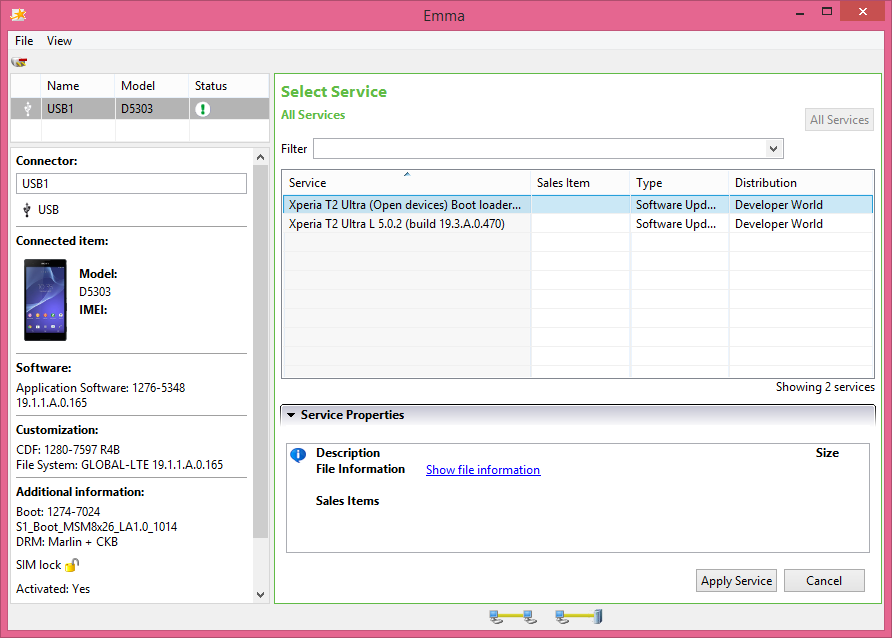
In Sony’s ongoing quest to make their phones more developer friendly, the company has opened up bootloader access for a handful of their current Android smartphones. FXP has found that Sony’s official Mobile Flash tool now offers up an “Open Devices” bootloader option alongside the standard consumer-shipped bootloader.


What will this enable? It’ll allow developers to install custom recoveries right to the devices’ recovery partition. This enables the use of custom ROMs and operating systems without the need to use tricky and clunky bootstrap solutions. In fact, it’s so open that it would be possible to flash recoveries and ROMs for non-Android operating systems such as Ubuntu and Firefox OS (if one has the wherewithal to figure that out, of course).


sony mobile flashtool


Sony has only rolled out support for devices with chipsets based on ARM Cortex-A7, so that effectively limits it to the Sony Xperia T3, Sony Xperia M2, Sony Xperia T2 Ultra and the Sony Xperia E3.


That’s not to say more won’t come down the line, though, and we hope to hear something official from Sony soon. In the meantime, you can find the mobile flash tool right here. We wouldn’t recommend using it to do anything immediately, but you’ll likely want it on-hand once the development community takes proper advantage of this new level of access.


Developers will be able to make their own pages in Google Play


Google Play Store wm watermark


Google has announced developer pages for Google Play. What this allows developers to do is create their own section in Google Play to show off all their Android apps.


It’s already possible to view a developer’s list of apps by clicking a their name when viewing their app listing in Google Play, but developer pages will let developers highlight their best and most recent apps, as well as provide more detail to the user about the company or individual behind them. It’s a great way for fans to find and keep track of their favorite developers’ apps.


Also coming to Google Play for developers is the ability to A/B test your app listings. What this means is you’ll be able to experiment with different sets of graphics, app descriptions, screenshots and titles for your Google Play listing.


You can have both listings exist simultaneously, with users seeing one or the other at random. This’ll allow you find out which listing style performs best for driving downloads, a great tool for developers who want to make sure they’re doing everything they can to maximize their chances for success. It shan’t be long before you developer types are able to get your feet wet with all this stuff in the developer console, and we’re be sure to update you once those options become available.


New Google Fit partners bring support to more wearables, allow developers to pull even more data via SDK


Google Fit new partners


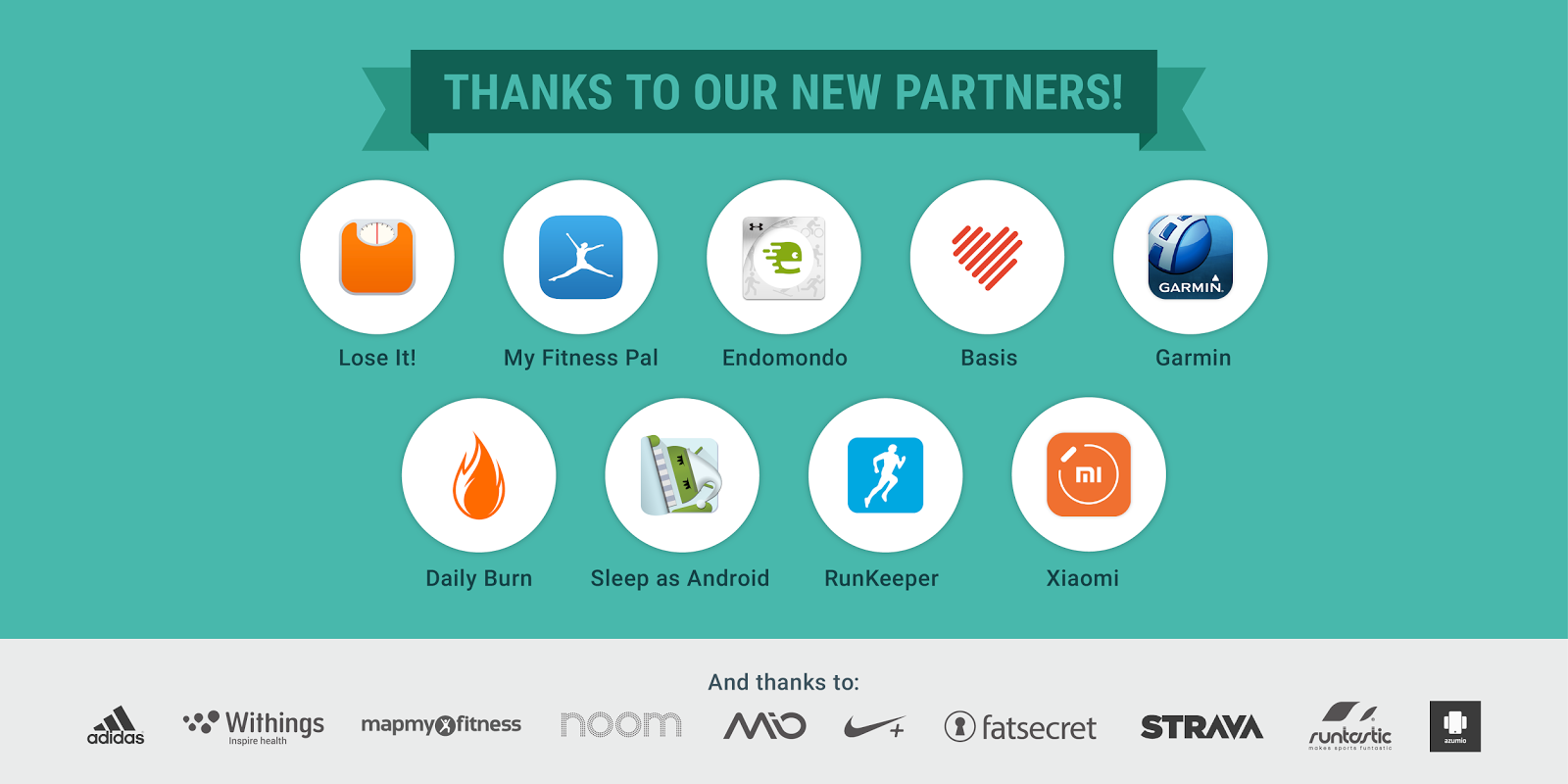
Back in May, Google announced an update to Google Fit that allowed users to track their fitness goals and history, even adding a handy Android Wear watch face to help users stay on top of things. Today, Google Fit Lead Product Manager Angana Ghosh announced a handful of new Fit partners not only adding Fit support to their wearables, but bringing additional data to the SDK.


Endomondo, Garmin, the Daily Burn, the Basis Peak, and the Xiaomi miBand are Fit’s latest partners. With new Fit support, users can now store workout sessions and activity data when using those wearables on their Android device. Others include LifeSum, Lose It!, and MyFitnessPal who bring nutrition data like calories consumed, protein, carbs, fats (even vitamins and minerals) for developers to tap into using the History API in the Fit SDK. A new sleep activity is also headed to the Fit SDK thanks to Basis Peak and Sleep Android.


Google Fit Runkeeper meal data


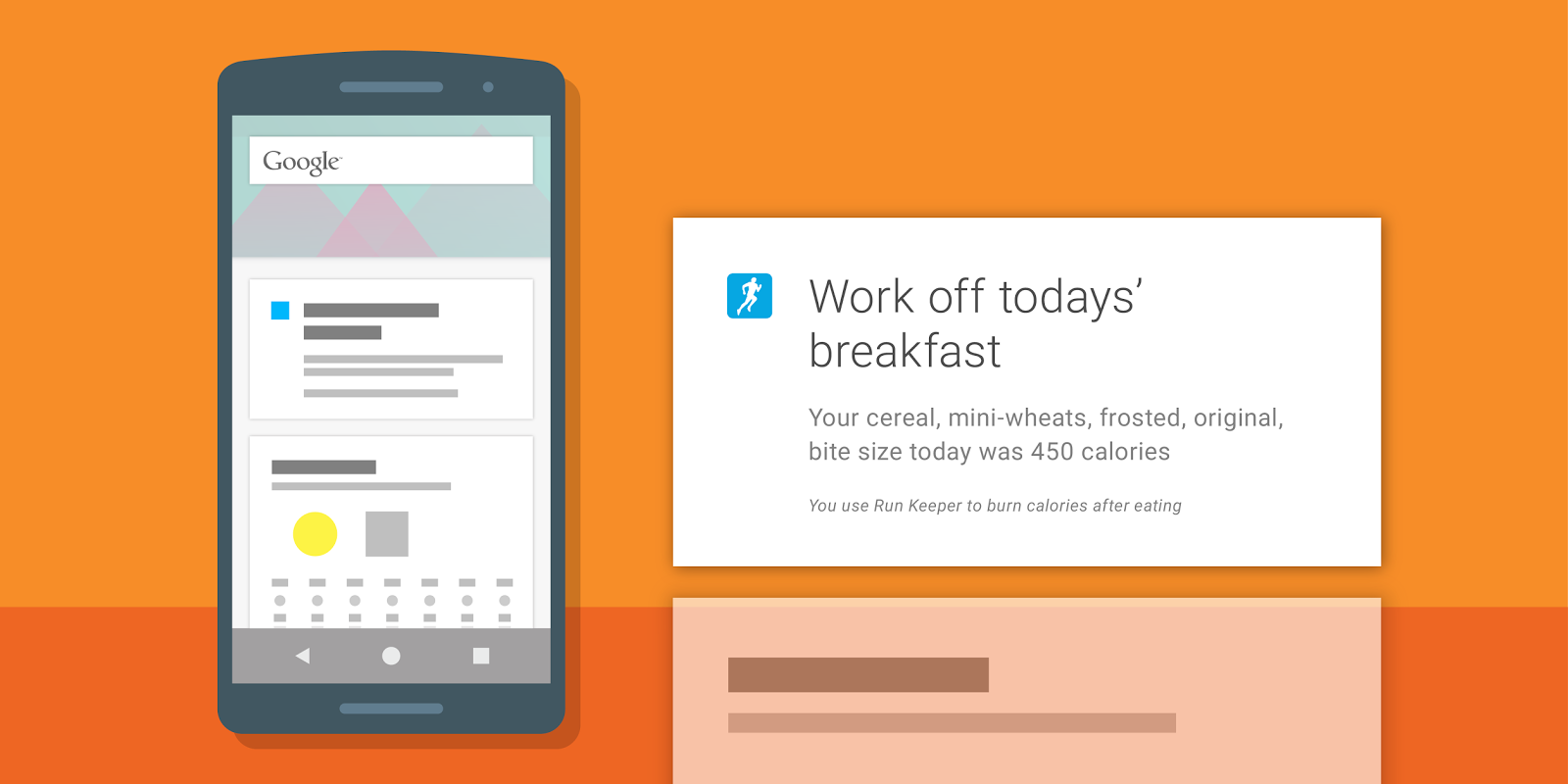
Again, all this data is now accessible to any developer to incorporate into their own apps. For instance, based on meals written to Google Fit by other apps, Runkeeper can now display a Google Now card reminding users to “work off” meals they’ve just eaten. It’s like one big happy family of fitness services and data working together to help keep you in shape.


For those that like beta testing new software, Google mentions that Instaweather has recently integrated Google Fit into a new Android Wear watch face currently in beta. You can try it out by joining the Google+ community here and following the links therein to download the beta version of the app.


For more info on integrating the Google Fit SDK into your own app, check out the developer page here.


[Google Developers]