Affichage des articles dont le libellé est still. Afficher tous les articles

lundi 6 juillet 2015

HTC is still making cringeworthy Robert Downey Jr ads [VIDEO]


rdj rabbit


HTC, we thought you’d learned your lesson. Perhaps that confession that spending billion on Robert Downey Jr’s services for your ad campaign was a mistake wasn’t as sincere as we thought. We thought you’d come to your senses and deliver ads that, you know, actually make sense.


But nope, you’re still doing this:


And this:


And whatever the hell that is:


Dudes dressed in creepy rabbit costumes, mermaid leggings and a horde of videos where there is no dialog just isn’t doing it for us, and gives us no desire to buy an HTC One M9. Please stop. Thanks. Oh, and to you readers: watch all 10 videos right here if you can stand it.


Reddit News has officially been renamed ‘Relay for reddit’ and is still our favorite app for browsing Reddit


Relay for Reddit (formerly Reddit News)


Without a doubt, Reddit News was my personal favorite Android app for browsing posts on Reddit. After a request from Reddit to change the name of the app (due to a change in Reddit’s licensing policy to access their APIs), the app’s developers threw together a poll to see what their user’s thought. After much deliberation, the app has officially been renamed to “Relay for reddit” starting today.


Relay for Reddit tablet


There were a few other interesting names in the running too, things like Frontpage, Narwhal News, Upvote, RedNews, but in the end it was Relay for reddit that was ultimately decided upon. Those that already had the app installed on their device will notice the name change happening automatically and possibly moving to a new spot in their app drawer. As for future news, development, help, and feedback, the official Reddit News subreddit will transition over to the new Relay for reddit one.


With a slick Material design and more features than you can shake a stick at Reddit News Relay for reddit is the perfect Reddit browsing app for your Android tablet or smartphone. You can find the free ad-supported version or a “Pro” version in the Play Store right linked down below. I’d strongly recommend everyone check it out if you haven’t already.


Samsung’s drop test shows the Galaxy S6 and S6 Edge are still reliable with all that glass


drop


Earlier this week Samsung posed their own bend test for the Samsung Galaxy S6 and Samsung Galaxy S6 Edge. That was in response to a bend test conducted last week. Now, Samsung is back again with another reliability test of their own. This time it’s all about drops.


In Samsung’s test they drop both the Galaxy S6 and S6 Edge from chest height on the top and bottom. They perform this test repeatedly, but neither one shows any sign of cracks, chips, or dents. Samsung claims that this is due to the Gorilla Glass 4, which is used on the face and back. Their test is performed in a closed environment under perfect conditions. It’s still very possible to crack any phone if it lands in the worst possible way.


We’ll likely hear a lot more about the reliability of these devices once more people get them. Right now Samsung is doing their part to reassure everyone that the Galaxy S6 and S6 Edge are just as solid as previous Galaxy devices. Are you convinced?


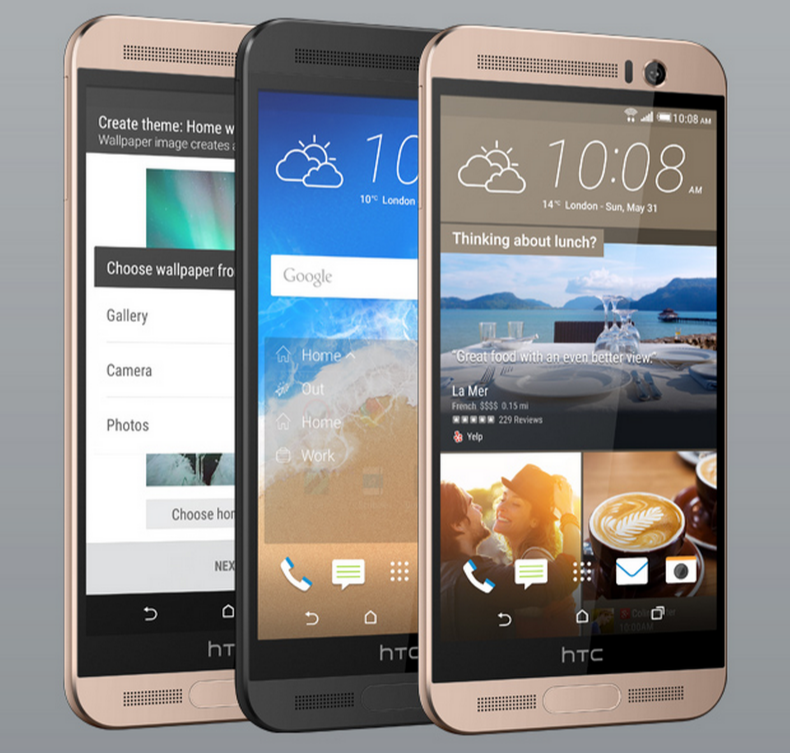
HTC One M9+ renders leak again, still looks like the M8


HTC One M9 Plus


Many people were expecting HTC to show off two devices at Mobile World Congress, but instead we just got the mildly disappointing HTC One M9 (our review). The second device is rumored to be named the HTC One M9 Plus. It’s a variant with a slightly bigger display, fingerprint scanner, and the Dual Camera from the One M8. A new leaked render shows off the M9+ and it’s still not terribly exciting.


If you thought the One M9 wasn’t enough of a change the One M9+ is even less. From the back it looks nearly identical to the One M8. The camera is still round and the second Dual Camera is still present. This device is rumored to have a 5.2-inch quad-HD display, MediaTek processor, 3GB of RAM, and a 20MP camera. We were originally expecting the M9+ to launch alongside the M9 as a phablet, but it’s looking more like this is simply a variant for other countries.


HTC will officially announce the One M9+ at an event in China next week. What do you think of this device? Is this what the One M9 should have been? Do you prefer the One M9?


[via @upleaks]


ASUS ZenWatch 2 launch is still on for Q3 2015, says company


asus-zenwatch-face


It wasn’t long ago we’d heard ASUS was putting the ZenWatch 2 launch off until 2016, but the company says the original comments that spawned the story seem to have been misunderstood. ASUS has confirmed that their originally-planned Q3 launch window was still in effect, according to Focus Taiwan.


We still don’t know what to expect from the smartwatch, though past comments by ASUS suggest they were targeting an insane battery life of up to 7 days (though current tests are coming in at just under 4 hours, which is still quite good for a smartwatch’s standard). We were also told to expect two different sizes to fit different tastes.


We imagine whatever they come up with will have to be as premium as they come, as the trend for wearables seems to be emphasizing fashionable taste as much as practical usability. That said, we’d argue there’s no need to worry as the original ASUS ZenWatch look quite good for a first generation smartwatch.


Motorola reminds us they’re still working on the DROID Turbo’s Android 5.1 update


droid-turbo-software


DROID Turbo owners are at their wits end (well the few that care about software updates anyway). Sure, the phone currently runs Android 4.4.4 KitKat like a champ, but Android die-hards got Lollipop on the brain and are fuming that they haven’t received even a taste.


We know the phone will skip all those initial buggy Lollipop releases and jump straight to Android 5.1. The best Android. Motorola told us as much back towards the end of March. Well, in case you thought the phone was forgotten (especially after Motorola posted Android 5.1 release notes for a handful of their devices, even the low-end Moto E), Motorola is once again reminding us that they’re still actively working on the update and is, in fact, coming. Soon. Really soon. Sooner than ever. Unfortunately they weren’t able to provide general release timing, so we’re still left guessing. But hang in there.


The update is said to bring full VoLTE support, which means Verizon has their hands all over the update, probably more so than usual. Many assumed that because the DROID Turbo had such high-end specs, it automatically made it a flagship. Yes and no. The phone is more or less Verizon’s flagship — where it remains a carrier exclusive in North America — than it is Motorola’s. That being said, the Latin American/Mexican version (Motorola Moto Maxx) received Lollipop back in February.


If you’ve been in this Android thang long enough, you’d know Verizon likes to take their time with software updates. The fact that the DROID Turbo is their special little baby means they want to make sure everything works perfectly and properly on their network. We can’t blame ’em. Lollipop is great, there’s no doubt about that. But it’s only great when it’s working properly, and if you’ve seen the havoc it’s wreaked on other Android devices, you’d want to make sure they took their time too.


We’ll keep you posted if we hear anything else.


Another high-end HTC One device launches, and we’re still wondering why it isn’t the HTC One M9


htc one me


Seriously, HTC, this is just getting ridiculous. The Taiwanese company has revealed another new smartphone as part of 2015’s One lineup. It’s the HTC One ME, and just like the HTC One E9++ and HTC One M9+, it outclasses HTC’s supposed “flagship” HTC One M9 in every way.


It does so with a 5.2-inch 2560 x 1440 display, 3GB of RAM, 32GB of storage, a front-facing UltraPixel camera, a fingerprint scanner and 2,840mAh battery. The only thing you could knock it for is using MediaTek’s octa-core Helio X10 chipset over something from the Snapdragon family, but MediaTek chipsets aren’t even bad these days.


Like many of the other variants, this one is only slated for a launch in China right now, which is fascinating considering that market now has access to 3 of HTC’s 2015 devices while most others only have the HTC One M9.


[via HTC China]


ASUS reveals they’ve thought about buying HTC, and a deal could still happen


HTC logo DSC08945


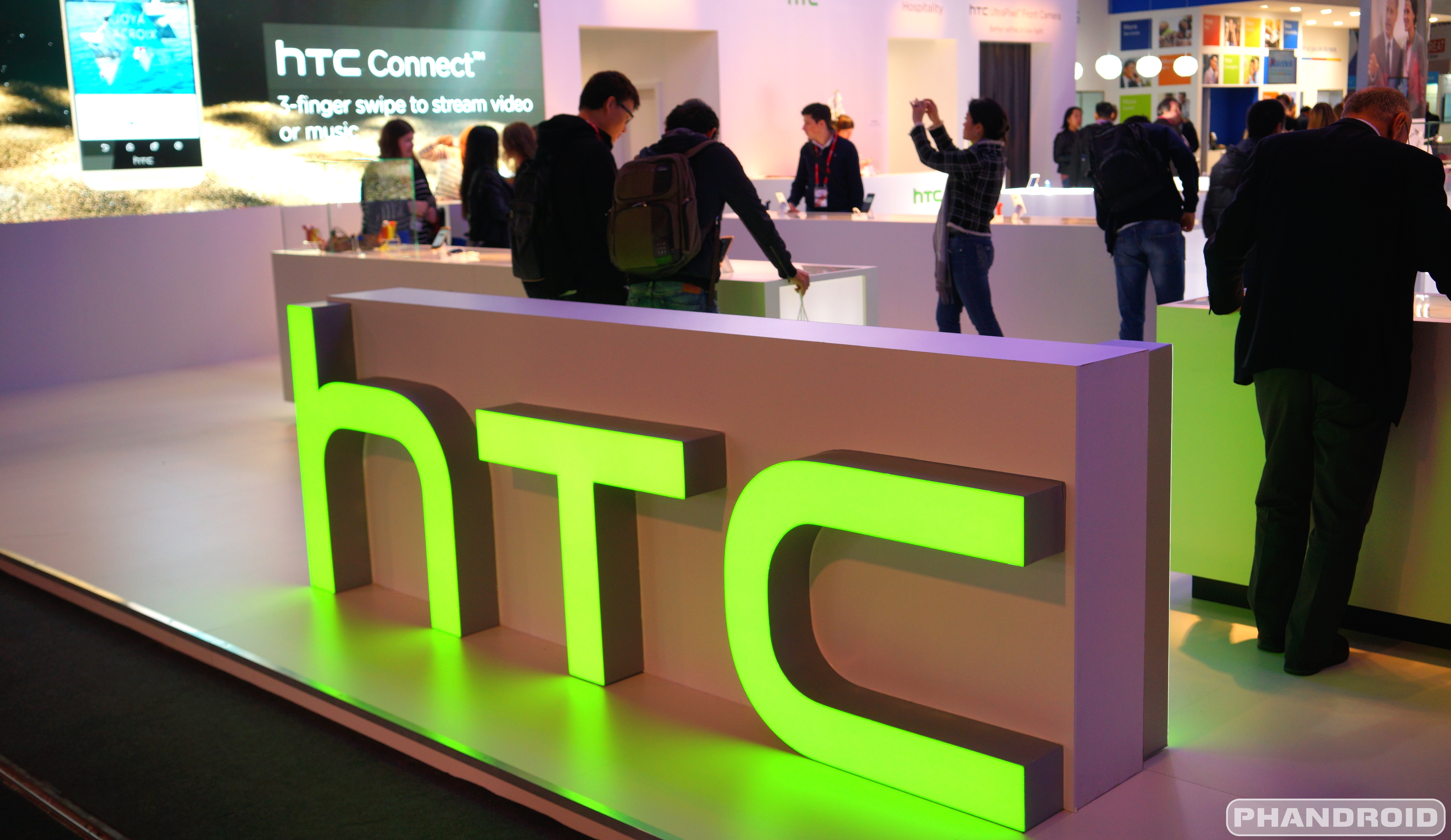
Two of Taiwan’s biggest technology buffs could eventually find themselves combine as one unit. ASUS CFO David Chang revealed to Reuters that they’ve talked about acquiring HTC in the past.


The report suggests that all they’ve done is talk about it, though no actual moves were made to try and strike a deal. The CFO also wasn’t coy about leaving open the possibility that they could still be exploring a takeover, though he noted that chances weren’t that great considering ASUS prefers to make moves which foster and promote internal, organic growth rather than picking up someone else’s sloppy seconds.


That HTC has a big, red “takeover” target on its back isn’t all that surprising. The company has been bleeding money for the better part of two years now, with only a couple of narrowly-positive quarters scattered throughout.


Things aren’t going to get any better with the launch of the HTC One M9, either. The company has reportedly cut component orders by a significant margin in the wake of weak sales, and they expect to suffer worse losses than they originally anticipated in their next financial report.


ASUS, on the other hand, has a thriving PC and tablet business, an up and coming smartphone arm, as well as the luxury of being able to fall back on computer monitors, network routers and other miscellaneous tech, all of which have proven to be lucrative areas for the Taiwanese company. Would you want to see this deal go down?


AT&T Galaxy S5 G900AUCU2AOA1 No Lollipop Update, still at KitKat


AT&T Galaxy S5 SM-N900A users has started receiving an OTA software update to G900AUCU2AOA1.  But only for those Samsung  Galaxy S5 that still runs with the official Android 4.4.2 KitKat G900AUCU2ANG3, I mean not rooted and modified.  While looking at the software build G900AUCU2AOA1, just looks so deceiving and much likely an Android 5.0 Lollipop update just like the ones what Verizon released the Android 5.0 Lollipop build G900VVRU1BOA8 on its Galaxy S5 SM-N900V users.  But if you’re a AT&T Galaxy S5 user’s don’t get too much over-excited yet, that’s because the update still  in Android 4.4.4 KitKat based firmware.


In addition, the update itself brings the promising HD Voice capabilities on your Galaxy S5. The HD Voice feature is the main key-feature to this update  but  it is also currently available in select markets only.  Along with it are the new features that offers services such as “Uber” which you can request and get a ride thru your Galaxy S5 phone, while the rest are AT&T’s mail, AT&T Live and remote support.


However, if you  are a AT&T Galaxy S5 users and might somehow being skeptical about the update, and or you might reluctant to perform a software update.   Who knows that this might be just another preparation and might be the last KitKat update you will ever seen before your Galaxy S5 gets the Android 5.0 Lollipop update. So you should update your Galaxy S5 right now or otherwise your phone might get outdated.


Here are the technical details of G900AUCU2AOA1: 


  • Android version: 4.4.4

  • Baseband version: G900AUCU2AOA1

  • Kernel version: 3.4.0-3116194

  • Build number: KTU84P.G900AUCU2AOA1


Here is the actual screenshot of the G900AUCU2AOA1 Android 4.4.4 once updated to it.  This can be simply seen by navigating through the phone’s Setting>>About Device.
G900AUCU2A01 OTA update
For the complete changelog details about G900AUCU2AOA1 just head-over at AT&T Samsung Galaxy S5 SM-N900A support page.  If you did not see the update yet, just keep on checking. AT&T usually rolls out a software update in gradual manner via over-the-air.  The actual file size of G900AUCU2AOA1  update is 487MB, according to AT&T and Samsung.


The post AT&T Galaxy S5 G900AUCU2AOA1 No Lollipop Update, still at KitKat appeared first on GalaxyS5Update.


G900VVRU1ANK2 Verizon Galaxy S5 Software Update Still on 4.4.4 not Android 5.0 Lollipop Yet


Verizon Galaxy S5 got a new software update to build version KOT49H.G900VVRU1ANK2. The G900VVRU1ANK2 appears not an Android 5.0 Lollipop update as everyone might expect to come this  holiday season, but still base in Android 4.4.4 KitKat.  The former targets and brings fixes to the VPN connectivity issue and an issue where some users saw a memory card error “Blank SD card or unsupported files” after the last software update — 4.4.4 G900VVRU1ANI2.
The update iself also replaced the ISIS mobile wallet with Softcard.


In addition, there are no official Android 5.0 Lollipop in U.S. Those who might not yet knew, the Android 5.0 has been already rolled out in Poland at this time being only, whereas other countries might get it much sooner. Be patient. There is no need to rush-in as the Android 5.0 still not so perfectly stable yet as there are still some bugs found that needs a concrete stabilization. You can even see this issues on Nexus devices that gets the 5.0 Lollipop ahead of other Android devices.


Here are the official changelog of the 4.4.4 G900VVRU1ANK2, addressed by Verizon Wireless:


THE FOLLOWING ISSUES HAVE BEEN RESOLVED:


  • Fixed VPN connectivity issue


  • Fixed an issue where some users saw a memory card error
    “Blank SD card or unsupported files” after the last software update


THE FOLLOWING ENHANCEMENTS HAVE BEEN MADE:


  • Replaced Isis Mobile Wallet with Softcard


Technical Details of 4.4.4 G900VVRU1ANK2:


Software Update for the SAMSUNG GALAXY S5 SM-G900V


Phone Name: Samsung Galaxy S5
Model: SM- G900V
Android 4.4.4
Baseband G900VVRU1ANK2
Kernel version
3.4.0 dpi@SWDD5609 #1
Sun Nov 17 19:36:17 KST 2014
Build number KTU84P.G900VVRU1ANK2
SE for Android Status
Enforcing SEPF_SM-G900V_4.4.4_0033
Hardware: G900V.05
Security software version
MDF v1.0 Release 3
VPN v1.4 Release 2


G900VVRU1ANK2


Tips on How to Upgrade the Galaxy S5 SM-G900V to G900VVRU1ANK2 4.4.4 Software Update


Samsung as well Verizon support team always advises us to prepare the following important notes to consider before performing the software update.  I have also added some useful insights why you should follow this procedures to keep your  phone in safe.


Recharge the phone’s battery – You should make sure your device is fully recharged before performing the software update. Do not also remove the battery during the software update is in progress. A power failures may cause damaged to your device that might results as we so-called “soft-bricks”. If this happens your device may just stuck on Samsung logo or welcome screen and can’t reboot normally.


Backup important data – Even though it is not as always necessarily but if something might went wrong while taking the software update your important data is already in a safe place.  You should back-up your important files, including contacts, emails, messages, photos, videos, apps and other stuff. Like I said while during software update process is interrupted there is a possibility that your data stored from your device internal SD card may lose or deleted when a sudden unexpected failure happened and it forces you to perform a factory data reset which basically wipes your phone’s memory.


Galaxy S5 has no root – Your device should not be modified or rooted, there is a certain circumstances that a modified and rooted Galaxy S5 SM-G900V may not accept any official software update anymore or it can accept an update but it might harm your device once the update has made. Learn about the new Samsung KNOX security suite. Most known error that says ‘firmware upgrade encountered an issue, please select recovery mode in kies and try again‘ or “Your device has been modified Software update are not available” you should try to avoid that from happening.


How to Update to G900VVRU1ANK2 4.4.4 via Over-The-Air (OTA)


Samsung Galaxy S5 OTA Update This is usually how the carrier branded or locked Samsung Galaxy S5, performs a software update.  This method is Firmware Update through over the air or called as OTA update, which usually a notification message will directly sent to you from your network provider or Samsung and notifies you that there is a new update available for download.  If you did not receive any notification messages you can manually check fro the update instead.  Doing this you may only tap on your Galaxy S5 SM-G900V Settings>>About Device, tap Software Update.


  • Find “Software update”

  • Slide your finger down the display starting from the top edge of your mobile phone.

  • Tap the settings icon.

  • Tap About device.

  • Tap Software update.


It will automatically tells you that a new update is available or your software is up to date when there is none yet. You can simply tap install now when you want to perform an update or install later.


You may head-over to Verizon’s support page on the source link below for the complete changelog and detailed guide.


Source: Verizon


The post G900VVRU1ANK2 Verizon Galaxy S5 Software Update Still on 4.4.4 not Android 5.0 Lollipop Yet appeared first on GalaxyS5Update.


Update Galaxy S5 G900F to G900FXXU1ANJ1, still 4.4.2 base and no Android 4.4.4 yet


New firmware update build G900FXXU1ANJ1 has gradually rolling out on Samsung Galaxy S5 G900F  in select countries and network operators over the past few days.  Yet, if there might be someone out there that is too excited on Android 4.4.4  update, rush-in not as the G900FXXU1ANJ1 is still base on Android 4.4.2.  In fact the G900FXXU1ANJ1 has the same change-list value to the previous 4.4.2 update previous G900FXXU1ANG2 from where the update has been rolled out.  But it do have a bit improvements and minor changes to the phone.


Some adverse effect you’ll notice once took the G900FXXU1ANJ1 4.4.2 update is that it will disable the Camera shutter sounds OFF completely.  This is the best update for those who always wondering on how to disable the camera shutter sounds off.  On the hand, there are also some minor improvements, including battery life, functionality performance and speed has been more snappier.


Technical details of  the G900FXXU1ANJ1 4.4.2 update


Device Samsung Galaxy S5
Model number SM-G900F
Android version 4.4.2
Baseband version G900FXXU1ANJ1
Kernel version 3.4.0-2089850 dpi@SWDD5812 #1
Build number KOT49H.G900FXXU1ANJ1
AP: G900FXXU1ANJ1
CSC: G900FOXX1ANJ1
CP: G900FXXU1ANJ1


Galaxy-S5-G900FXXU1ANJ1 update


The G900FXXU1ANJ1 4.4.2 update is now available in France, Poland, Spain, Portugal, and Baltic States  and can be seen live via Samsung Kies for the unbranded Galaxy S5 and or over-the-air OTA update for those who got the carrier branded ones.


How to Update the Galaxy S5 SM-G900F to 4.4.2 G900FXXU1ANJ1


Samsung always advises us to prepare the following important notes to consider before performing the software update.  I have also added some useful insights why you should follow this procedures to keep your  phone in safe.


Recharge the phone’s battery – You should make sure your device is fully recharged before performing the software update. Do not also remove the battery during the software update is in progress. A power failures may cause damaged to your device that might results as we so-called “soft-bricks”. If this happens your device may just stuck on Samsung logo or welcome screen and can’t reboot normally.


Backup important data – You should back-up your important files, including contacts, emails, messages, photos, videos, apps and other stuff. Like I said while during software update process is interrupted there is a possibility that your data stored from your device internal SD card may lose or deleted when a sudden unexpected failure happened and it forces you to perform a factory data reset which basically wipes your phone’s memory.


Galaxy S5 has no root – Your device should not be modified or rooted, there is a certain circumstances that a modified and rooted Galaxy S5 SM-G900F may not accept any official software update anymore or it can accept an update but it might harm your device once the update has made. Learn about the new Samsung KNOX security suite. Most known error that says ‘firmware upgrade encountered an issue, please select recovery mode in kies and try again‘ or “Your device has been modified Software update are not available” you should try to avoid that from happening.


Update to  G900FXXU1ANJ1 4.4.2 via Over-The-Air (OTA)


Samsung Galaxy S5 OTA Update This is usually how the carrier branded or locked Samsung Galaxy S5, performs a software update.  This method is Firmware Update through over the air or called as OTA update, which usually a notification message will directly sent to you from your network provider or Samsung and notifies you that there is a new update available for download.  If you did not receive any notification messages you can manually check fro the update instead.  Doing this you may only tap on your Galaxy S5 SM-G900F Settings>>About Device, tap Software Update.


  • Find “Software update”

  • Slide your finger down the display starting from the top edge of your mobile phone.

  • Tap the settings icon.

  • Tap About device.

  • Tap Software update.


It will automatically tells you that a new update is available or your software is up to date when there is none yet. You can simply tap install now when you want to perform an update or install later.


Update to G900FXXU1ANJ1 Through Kies


Samsung Galaxy S5 Kies Software update download


The second method is a firmware update through Samsung Kies. You may head-over to your  local Samsung support page from where you can download Samsung Kies from there, and install it in your Windows or Mac computer. Choose the new Kies 3 which supports the Galaxy S5 SM-G900F and other Samsung devices running with Android 4.4.2 and up OS .  Once you installed Kies 3, all you need is connect your Samsung Galaxy S5 SM-G900F to the computer using the USB cable, then simply run and follow Kies on-screen software update instructions.


If you already received this update, just do shed us some info on how the G900FXXU1ANJ1 4.4.2 software update performs on your Samsung Galaxy S5 SM-G900F.


The post Update Galaxy S5 G900F to G900FXXU1ANJ1, still 4.4.2 base and no Android 4.4.4 yet appeared first on GalaxyS5Update.