Affichage des articles dont le libellé est feature. Afficher tous les articles

lundi 6 juillet 2015

Twitter’s revamped Quote Tweet feature is now rolling out to Android


twitter quote retweet 1


Last week Twitter unleashed a revamped Quote Tweet feature that allows users to type out a full 140 characters for whichever Tweet they’re quoting. It was only available on the web and iOS, but now Android users are about to get in on the fun.


The company announced that the feature is now rolling out to the Twitter for Android apps, and sure enough there’s a nice update sitting for you over at Google Play right here.


The original Retweet option that only mirrors the Tweet to your timeline is still there, but if you’re wanting to add a bit of commentary there’s no better option right now than the native Quote Tweet feature. Have a go at it as soon as you find something worthy enough to be echoed!


Sony’s upcoming Sound Bars and A/V receivers feature Google Cast functionality, launching this May


Sony Sound Bar HT-ST9


Hot on the heels of Sony’s 4K Ultra HDTV announcement, the manufacturer is following up with a few new details on their upcoming 2015 soundbars and A/V receivers. While not normally Android-related news, a couple of Sony’s new soundbars (along with both of their new A/V receivers) feature Google Cast technology built right in, meaning you can “cast” any audio streams from apps like Google Play Music straight to the speakers themselves.


Here are the new soundbars and A/V receivers launching in May and July:


Sony Sound Bars


Sony Electronics - HT-ST9


  • HT-ST9 (July) ,500 – Comes with a wireless subwoofer and features 800 watts and 7.1 channel surround sound from seven amplifiers and nine speakers and a wireless, front-firing subwoofer with passive radiator. There are 3 HDMI inputs along with Bluetooth reception and transmission so you can enjoy music/movies with your Bluetooth headphones. Sony’s LDAC technology provides enhanced wireless listening for all music with compatible products. Sound was tuned by Academy Award-winning Sony Pictures engineers and is Hi-Res capable. Also supports Google Cast and Spotify Connect.

  • HT-NT3 (July) 0 – Hi-Res Sound Bar with 2.1 channel audio and wireless subwoofer with 450 watts of power. Also incorporates Sony LDAC technology, single HDMI connection with 3 HDMI inputs, and audio streaming with Bluetooth and NFC connections. Google Cast ready.

  • HT-CT780 (May) 0 – 330 watt 2.1 Sound Bar with wireless subwoofer and wall-mount. Features 3 HDMI inputs with one supporting 4K with HDCP 2.2, HDMI TV connectivity with Audio Return Channel support.

  • HT-CT380 (May) 0 – 300 watt 2.1 Sound Bar with wireless subwoofer and Bluetooth/NFC support. Like the CT780, it can also be mounted on the wall.


Sony A/V Receivers


Sony AV Receiver 2015


  • STR-DN860 (May) 0 – Hi-Res Wi-Fi Network A/V Receiver offers 7.2 channels and 165 watts of power per channel. Also comes with 4K resolution upscaling and pass-through, flexible connectivity with ten HD inputs, support for two separate powered zones, and hi-res audio compatibility. Wireless connectivity includes streaming of music with built-in Wi-Fi, Bluetooth reception and transmission, along with support for Google Cast, Apple AirPlay, and Spotify Connect.

  • STR-DN1060 (May) 0 – 7.2 channel Hi-Res Wi-Fi Network A/V Receiver offers 7.2 channels and 150 watts of power, Wi-Fi music streaming, Bluetooth reception and transmission, Google Cast for Audio and Apple AirPlay. Adjust settings, change inputs, and confirm volume levels on-screen using graphical user interface, refined remote control, or SongPal App.


In case you missed it, we wanted to remind you that of Sony’s 4 soundbars, only the HT-ST9 and HT-NT3 feature Google Cast functionality, as well as both of their new receivers. If home audio is your thing, Sony’s new products should be an interesting prospect.


[Press Release]


Samsung’s weird Galaxy S6 unboxing videos continue, this time showing off Fast Charging feature [VIDEO]


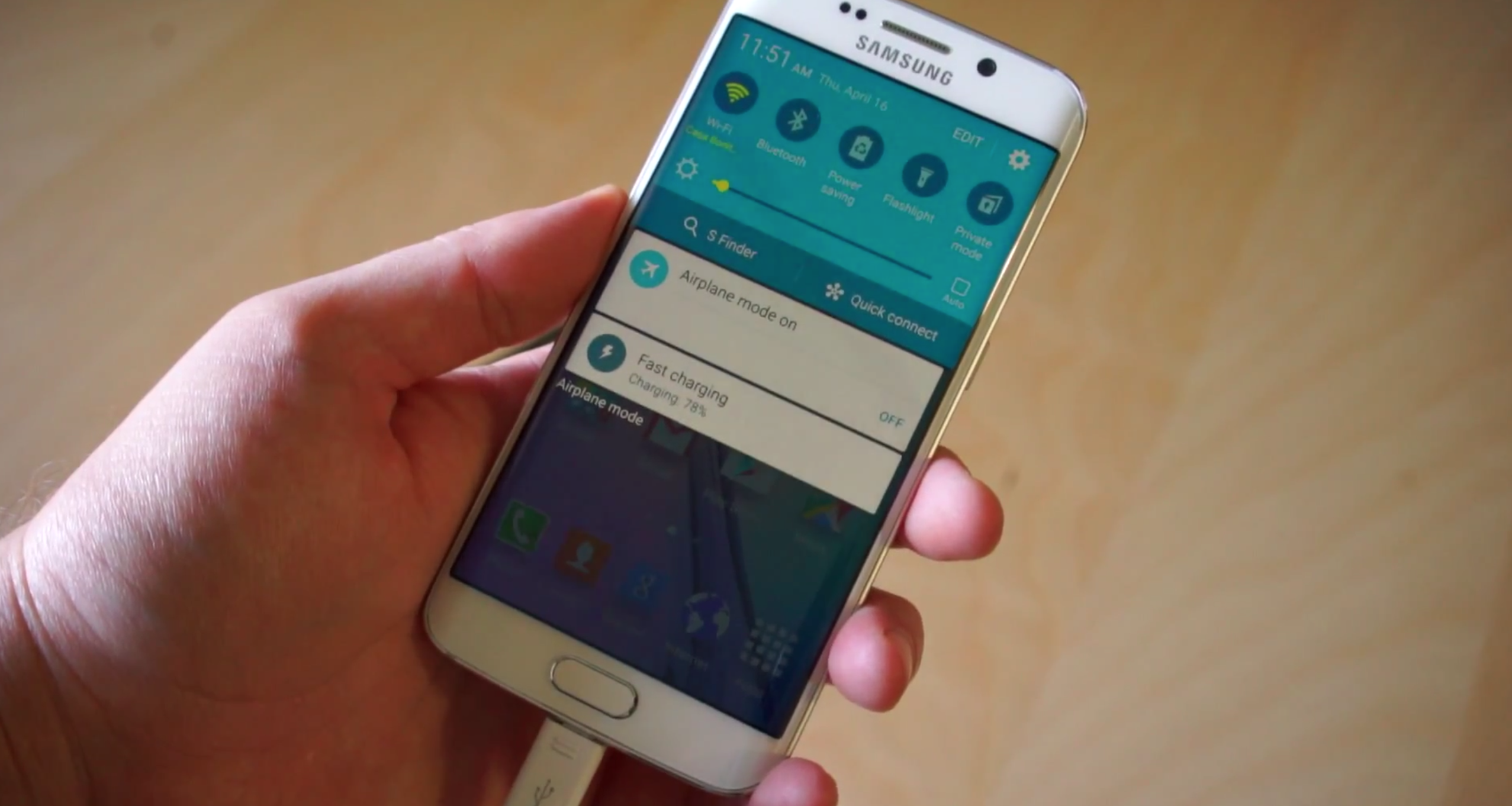
Samsung Galaxy S6 Fast Charging


As you may have seen last week, Samsung is celebrating the (very successful) launch of the Samsung Galaxy S6 and Samsung Galaxy S6 Edge with a handful of “unboxing” videos. These aren’t your typical (read: boring) unboxings and are essentially action shorts shot in first-person. The unboxers finds themselves chased by someone and using a variety of fancy parkour moves, is able to allude them with his brand new Samsung Galaxy S6 Edge. Kinda cool, but whatevs. Check ’em out below.


Running with that same idea, Samsung is continuing their unboxing series with a new video uploaded to YouTube today. The video shows off the fast charging capabilities of the Galaxy S6 and all the things you can get done during that time. Samsung claims you can get 4 hours of battery life while fast charging the device for only 10 minutes, something we more or less saw in our own testing (check out our full review here). The point of the video was kind of lost on us but you can check it out the full 90-second version below if you’re interested.


Twitter rolls out revamped “Quote Tweet” feature, coming soon to Android


twitter quote retweet 2


Twitter has always been somewhat against quoted Tweets when it comes to sharing, and for good reason. The original tweet often takes up too many characters for the person who’s sharing to make any sort of comment of their own.


twitter quote retweet 1


Thankfully they’re introducing an all new system that allows users to embed a Tweet within a tweet. You get all 140 of your own characters to write, and the Tweet you’re quoting / commenting on is shown right below.


Only, there’s one catch for us Android users — we can’t use it yet. It’s rolling out to the web and iOS versions already, but Android has been put on the infamous waiting list. We’re hoping the wait won’t be too long, but in the meantime you can check out Twitter’s quick set of instructions right here to get familiar with the system ahead of its arrival (and give it a try on the web version of Twitter if you aren’t above that sort of thing these days).


[via Twitter]


Android Lollipop is getting an “on-body detection” feature that keeps your phone unlocked in your pocket


on-body-detection-android


If you’re the type of person who hates having to unlock their smartphone each time they take it out of their pocket, Google is working on a feature just for you. It’s called on-body detection, and through the use of the accelerometer it predicts when the phone is in your pocket or hand and will keep it unlocked for easy use the next time you reach for it. Once you set it down on a desk or flat surface, it’ll revert to its normal locked state until the next time you unlock it.


There are several red flags that will immediately come to mind. The biggest question: how can the device tell the difference between you carrying it and someone else carrying it? It can’t, so if the device was unlocked while you were moving and the phone somehow exchanges hands while you’re still moving, it will remain unlocked and any no-gooders will have full access.


As such, this feature actually sacrifices a fair bit of security to give the user a bit more convenience. Whether that convenience is worth the sacrifice is up to you to decide based on your needs, usage pattern and environment (for instance, this wouldn’t be a feature necessary for a work-at-home guy like myself).


You can turn the feature on or off just as easily as anything else, of course, so whether you want to use it is entirely up to you. The feature is said to be headed to Lollipop devices in a very limited manner right now, and it will be distributed through an update to Google Play Services so you won’t have to wait for a firmware update or download anything from Google Play to get it. Any of you going to be using this?


[via The Verge]


The most iPhone-ish feature of the Galaxy S6


The Apple and Samsung battle has been going on for years… in their marketing jargon, in the legal system, and in the court of public opinion. The two juggernauts constantly try to one-up each other yet aren’t afraid to borrow good ideas, a combination that has helped speed innovation and bring the best-of-the-best to consumers. So has the Galaxy S6 borrowed anything from Apple and the latest iPhone 6?


The Galaxy S6 is a huge diversion from previous Samsung devices, implementing a fixed position battery that cannot be removed which also means there is no expandable storage. The plastic is gone in favor of premium metal. The device is one solid piece of awesome. It’s probably the best device Samsung has ever made, but even the Sammiest of Samsung fanboys would have a hard time denying that one particular Galaxy S6 feature looks particularly iPhone-ish.


Samsung Galaxy S6 S5 iPhone 6 DSC08559


The three phones shown above (from top to bottom):


It’s pretty clear that in the move from the Galaxy S5 to the iPhone 6, Samsung agreed that Apple was doing some things right in terms of component placement and design. I’m not sure I even have to explain… but just to briefly summarize.


  • Samsung moved the headphone jack from the top of the phone to the bottom of the phone, mirroring the iPhone 6

  • Samsung did away with their waterproofing so there is no longer a cover to the MicroUSB port

  • The speaker was moved from the rear of the device to the bottom, mirroring the iPhone 6

  • The speaker “grill” holes look very similarly circular


Samsung Galaxy S6 S5 iPhone 6 DSC08563


Samsung Galaxy S6 S5 iPhone 6 DSC08560


I’m sure this will be argued endlessly, until of course the iPhone 7 or Galaxy S7 or next DilemmaGate arrives. Perhaps we’re throwing fuel on the fire, but hey, we think it’s an interesting observation and one worthy of discussing. Regardless, after playing with the Galaxy S6 for several hours now, it’s easily one of the most beautiful phones – and maybe the best phone – I’ve ever used in my life. I’ll let Apple and Samsung figure out on what merit that came to be.


What do you think about these similar design choices? Is Samsung getting risky? Are the companies artificially inflating a Jay-Z vs. Nas style feud that helps both of their art grow exponentially? Did I just date myself and are you still even reading this?


I’m sure you’ll let me know all that and more in the comments below.


s6-vs-s5-vs-iphone6-bottom


Android M battery lasts 2X longer than Lollipop thanks to new “doze” feature [VIDEO]


android-m-battery-text


If you were watching the Google IO 2015 keynote, you’ve gotten an early look at some of the things Google’s doing for Android M. One of the biggest things they announced was a feature called “doze,” and it has everything to do with saving precious juice on those petite batteries.


The simplified explanation is that “doze” is a system state that will idle your device and background apps to a near-off state when you haven’t used it for a while, a tactic that can make your phone last twice as long as it would if your Lollipop phone were on standby.


This comes with one sacrifice: apps don’t stay as “fresh,” meaning they won’t be fully up to date with the latest information while your phone is dozing. That’s a small price to pay for double the battery life, though.


And the reason it’s called “doze” is because that doesn’t mean your device has to be completely off the grid to get these battery gains. You’ll still get alerted about phone calls, alarms, and high priority messages (such as text or Hangouts messages) to make sure you don’t miss a thing.


Battery life has been something of concern for Android users since the beginning, and with devices coming with more demanding hardware we’re glad Google is taking drastic measures to improve it.


Google I/O session reveals ‘Voice Access’ feature coming soon to Android


Google IO Voice Access session Android M


Earlier today, Google posted the official Google IO 2015 schedule. The schedule simply highlighted a list of the day’s events taking place during the developer convention. We already know Android M will be making an appearance at the event with Google officially making mention of the next version of Android during their “Android at Work” session. But it seems the schedule is also revealing a few other tidbits as well.


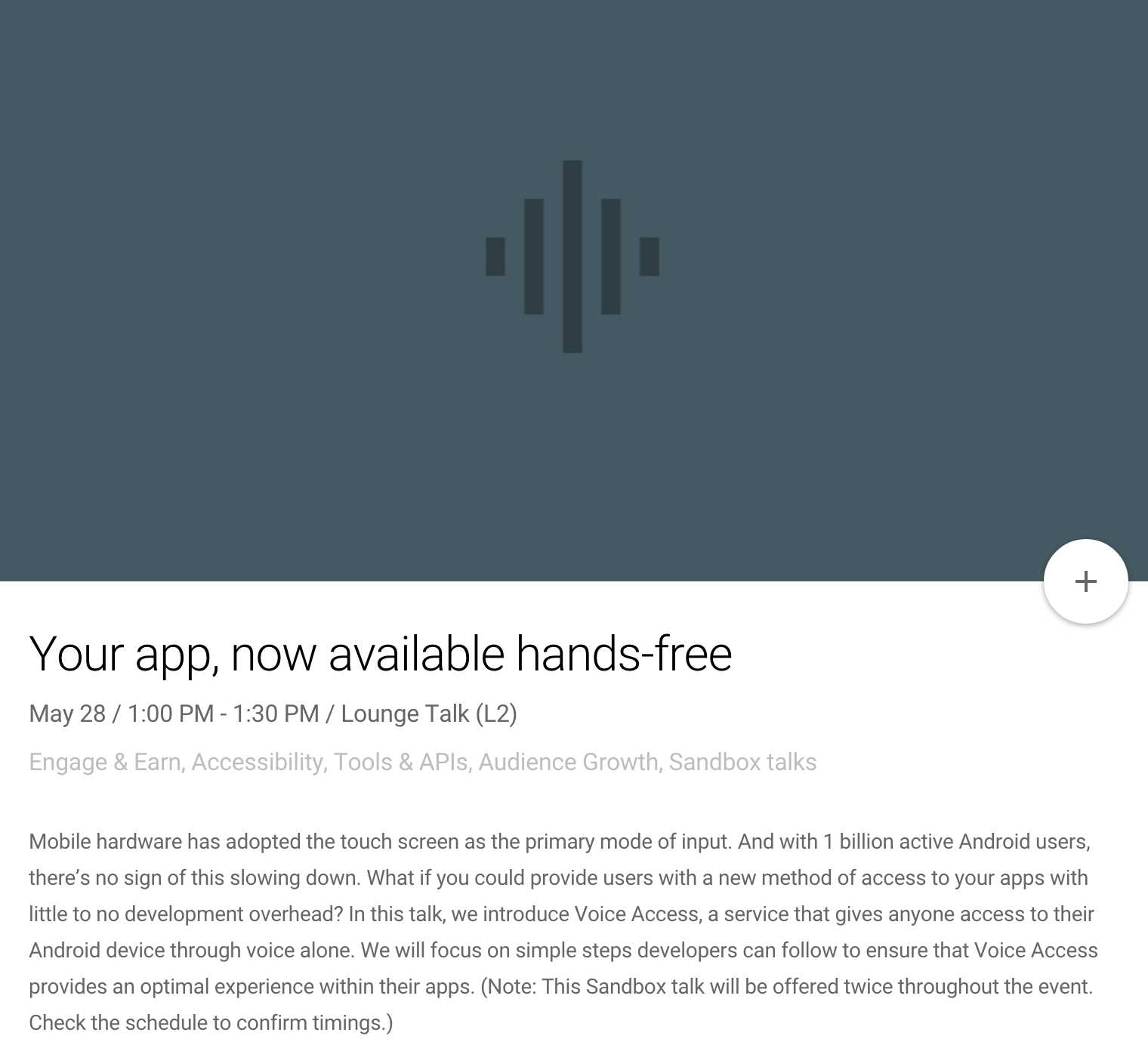
A “Voice Access” talk is also scheduled, described as “Your app, now available hands-free.” The description doesn’t reveal specifics, just that developers will be able to take advantage of the new service, presumably a feature set to debut in Android M. It sounds a bit like Google’s Voice Actions, only Voice Access wont be confined to only the Google app. Instead, Voice Access will allow developers to add voice actions inside their own apps, for truly hands-free use.


Although it wasn’t mentioned in the sessions description, it’s easy to imagine Google planning some sort of global voice actions throughout the entire Android OS, something Android M could finally bring. The convenience angle is clear, but it could be a great option for handicapped users who otherwise wouldn’t be able to interact with a touch screen device.


[Google I/O 2015]


Official: OnePlus 2 will be one of the first smartphones to feature a USB Type-C port


OnePlus 2 USB Type C 3.1


OnePlus is officially getting the hype train rolling for their upcoming OnePlus 2, the followup to last year’s (frustrating) OnePlus One flagship. Today they announced on social media that the phone will be the first Android flagship to feature USB Type C, a reversible port that doesn’t care which way you insert the cable in (similar to Apple’s Lightning port on the iPhone).


The connection does more than just charge devices (which tops out at 5A/20V/100W vs USB 2.0’s 2.5V), allowing video output as well thanks to higher 10Gbps speeds. Google committed to the new connector back when they unveiled the Chromebook Pixel 2 in March, so we expect it will also arrive in this year’s Nexus launching at the end of this year. OnePlus seems confident their flagship will be the first to use the new spec, so we expect a OnePlus 2 launch is right around the corner.


[Twitter]


Official: OnePlus 2 will come feature a fingerprint sensor that’s faster than Apple’s TouchID


OnePlus 2 fingerprint sensor scanner reveal 1


Okay, so this mornings OnePlus 2 leak was more than likely a fake, but that doesn’t mean it didn’t get one thing right: the phone’s upcoming fingerprint scanner. We’re sure it was just a lucky guess, what with all the OEMs finally jumping on the fingerprint bandwagon (and native support coming in Android M).


It’s not too surprising but confirmed today by OnePlus themselves, it seems the upcoming OnePlus 2 will, in fact, come equipped with some sort of fingerprint reader. Because there’s so many different types of fingerprint reading hardware out there (some that suck more than others), OnePlus assures us that theirs is one of the latest and most advanced fingerprint sensors around. According to them, it’s even faster at unlocking devices than Apple’s TouchID and can store up to 5 fingerprint profiles.


This latest OnePlus 2 announcement is just one of many more to come. The smartphone startup has a history of slowly revealing key aspects of their flagship’s hardware as they get closer to the full reveal at their press event on July 27th. The event will be one of the first ever to not only be streamed online, but offers a virtual reality experience for those of you lucky enough to have a VR headset at your disposal. If you don’t, don’t worry. OnePlus is supplying those too.


[OnePlus]


Google formally announces Chrome’s new tap to search feature, will support Asian languages eventually


Google Chrome text search


After it began rolling out earlier this week, Google is now formally announcing their latest feature to hit Chrome: tap to search. If you haven’t noticed this yet, you basically tap anywhere there’s text on a web page and Google Search tab will appear near the bottom. If you slide it up, you’ll be presented with Google Search results straight from inside the Chrome web browser.


Since this is working in Chrome, Google knows the context of the word or phrase being searched, meaning if you search “Active” when visiting a page about the Galaxy S6 Active, it’ll pull up Galaxy S6 Active results. Well, at least that’s how it’s supposed to work. You can see it in action in the GIF down below.


Google Chrome tap to search


It’s already rolling out to Android devices courtesy of the Chrome web browser so if you don’t have it yet, give it a download. While it’s only English at the moment, Google promises to have Asian languages covered in the near future so be on the lookout.


Samsung could be planning an auto-eject feature for Galaxy Note 5’s S-Pen


note s-pen eject


Samsung’s latest idea for the next Samsung Galaxy Note 5 might not be a groundbreaking invention, but it is pretty damn cool. The company has patented a mechanism for a Note device’s S-Pen that’ll allow it to automatically eject from its chassis.


The patent details a system where a user can issue some sort of command — be it a gesture, voice or a simple touch of a button — to have the S-Pen eject from the device. An ejection feature for the S-Pen doesn’t sound all that great when you first think about it — you still have to reach under to fully eject the pen — but it could improve the user experience in a couple of different ways.


For instance, an app that primarily uses the S-Pen for manipulation might automatically eject the pen when you open it, giving the user a meaningful cue that it’s probably best to use the pen for that app.


More than just that, though, the patent also discusses the possibility of using a mechanical locking system to keep the pen in place when not in use. It’s pretty hard to lose an S-Pen if you keep it inside the phone as the magnets are strong enough to hold it securely in place, but if for whatever reason your S-Pen often wiggles its way out of the holding bay this would be a nice addition.


But mostly it doesn’t sound like anything that would make or break the Note experience. It’s cool, though, and we’d love to see it implemented in the Samsung Galaxy Note 5 when Samsung reveals it later this year.


Gmail’s ‘Undo Send’ feature is out of beta, will eventually make its way to mobile


Gmail icon


“Undo send” is one of the better Gmail features that we have to admit, has saved our asses more than a few times. It recently made its way to Inbox by Gmail only last month and is almost hard to believe that, like most things Google, it was in beta this entire time. After 6 long years, the feature has now been added to Gmail proper, with the setting making the move out of Gmail’s Labs section, to the regular ‘ol “General” tab.


Gmail undo send


There’s can now also change the cancellation period, choosing between 5, 10, 20, or 30 seconds before an email is sent and can no longer be undone. For those that didn’t already have the setting enabled, you’ll have to jump into the General tab to turn it on. Those already using undo send will find it’s already been turned on so no need to rush out and change anything.


Right now the feature is only available for Gmail users on the web, but according to Mashable, Google says it will be arriving on mobile at some point in the future. We’re hoping now that it has officially dropped that beta tag, it will happen sooner rather than later.


[Google Apps Updates]