Affichage des articles dont le libellé est charging. Afficher tous les articles

lundi 6 juillet 2015

Samsung’s weird Galaxy S6 unboxing videos continue, this time showing off Fast Charging feature [VIDEO]


Samsung Galaxy S6 Fast Charging


As you may have seen last week, Samsung is celebrating the (very successful) launch of the Samsung Galaxy S6 and Samsung Galaxy S6 Edge with a handful of “unboxing” videos. These aren’t your typical (read: boring) unboxings and are essentially action shorts shot in first-person. The unboxers finds themselves chased by someone and using a variety of fancy parkour moves, is able to allude them with his brand new Samsung Galaxy S6 Edge. Kinda cool, but whatevs. Check ’em out below.


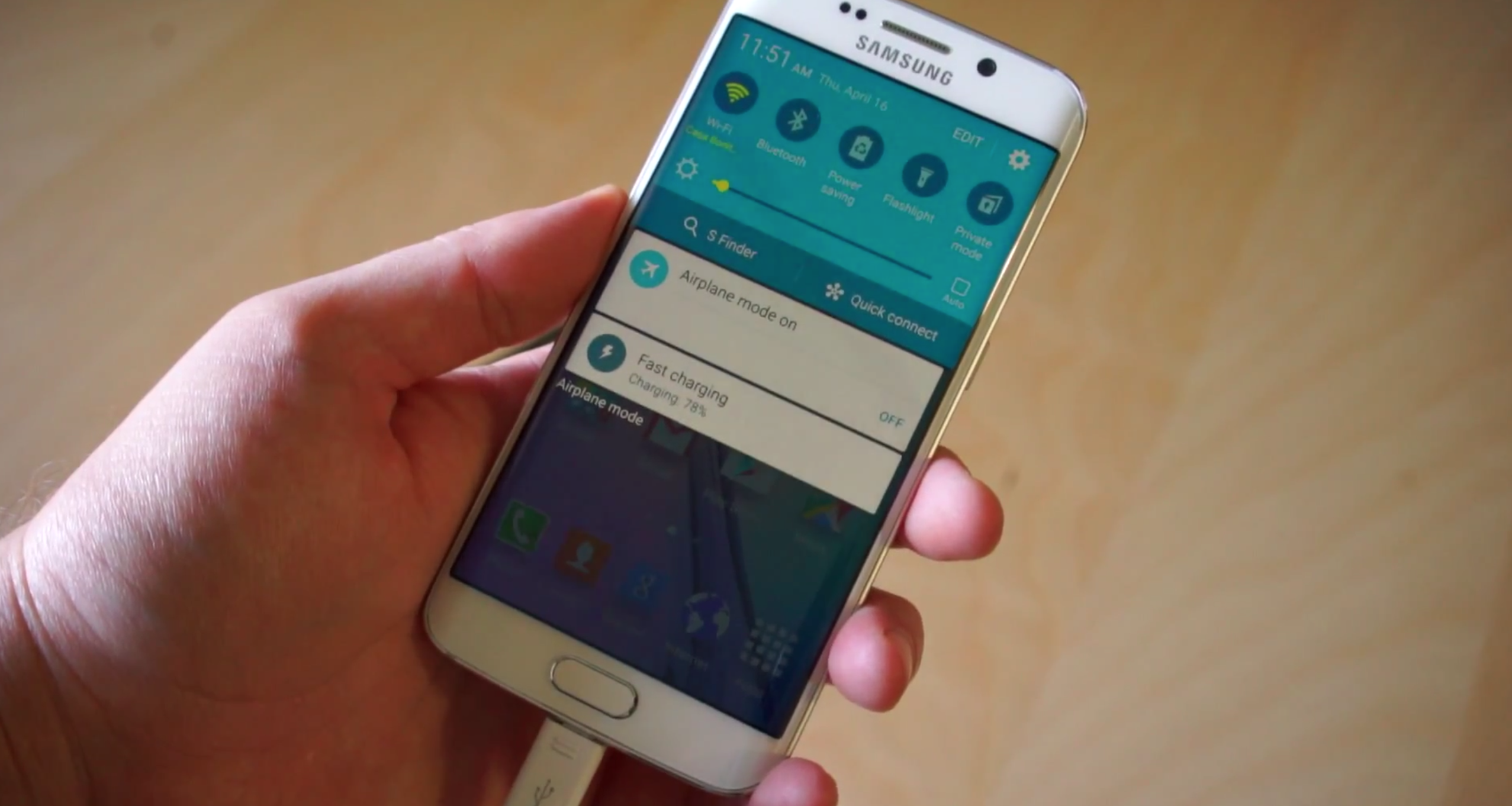
Running with that same idea, Samsung is continuing their unboxing series with a new video uploaded to YouTube today. The video shows off the fast charging capabilities of the Galaxy S6 and all the things you can get done during that time. Samsung claims you can get 4 hours of battery life while fast charging the device for only 10 minutes, something we more or less saw in our own testing (check out our full review here). The point of the video was kind of lost on us but you can check it out the full 90-second version below if you’re interested.


Here’s how wireless charging on the Samsung Galaxy S6 and S6 Edge works [VIDEO]


Samsung GalaxY S6 wireless charging DSC08674


Any tech-obsessed being with an inkling of a pulse knows about the Samsung Galaxy S6 and Samsung Galaxy S6 Edge by now. They look awesome, they’re built with glass and metal, they’re very powerful and have cutting edge features.


One of those cutting edge features is wireless charging. It’s not new in its own, per se, but Samsung is the first to be using a new dual-mode charging technology that lets you use two of the world’s top wireless charging standards simultaneously (that being WPC’s Qi and the technology made by the now-joint AW4P and PMA). That means there’s no need to worry about whether a wireless charging pad you already own or one you see at a public venue is compatible with your phone — just drop it on and you’re likely good to go!


We tested the device out on Samsung’s Qi-based charging pad at Mobile World Congress, and it works quite well. It charges at a rate of 2 amps so it won’t take forever to get some juice, and the surface area is large enough for the phone to recognize the charging current without it having to be perfectly positioned on the charging pad.


Samsung Galaxy S6 wireless charging DSC08705
Samsung Galaxy S6 wireless charger EP-PG9201
Samsung GalaxY S6 wireless charging DSC08674
Samsung Galaxy S6 wireless charging DSC08713

It’s our hope that Samsung’s use of the new technology inside the Samsung Galaxy S6 and S6 Edge will inspire more companies to adopt it in their upcoming smartphones. Let’s do away with the need for special cases and back covers to equip phones with wireless charging as standard, because this all-encompassing technology wipes away the need to worry about all the pitfalls that once accompanied it. Check it out in the videos you see above.


Best Buy might have Galaxy S6 pre-sale this Friday, plans to throw in wireless charging pad [RUMOR]


Samsung Galaxy S6 Edge DSC08452


Put this one firmly at the top of the rumor category in bold letters: Best Buy might have Samsung Galaxy S6 demo units in-store as early as this Friday. That much was revealed by a Samsung rep at a Best Buy shop according to this Redditor.


Another user claiming to be familiar with Samsung (his posting history somewhat solidifies that) suggested the user was, in fact, correct, and a horde of other users jumped in to corroborate the information.


What’s more is that they revealed a couple of details about Best Buy’s pre-sales process:


  • Pre-sales commence March 27th, the day the demo units are expected to arrive in stores.

  • Pre-sales will only be held for AT&T, Sprint and Verizon, as usual.

  • Launch is expected to be April 10th for all 3 of those carriers as Samsung has previously announced.

  • Pre-orderers will get some sort of “free device” with their purchase, though which exact device remains to be seen. The supposed Samsung employee suggested it would be a wireless charging pad worth .

  • Mostly all stores with a Samsung Experience booth will have the regular Samsung Galaxy S6, but not every store will have the Samsung Galaxy S6 Edge. Be sure to call and check once the day arrives.

  • Some Samsung Experience agents might already be walking around with a Samsung Galaxy S6 and S6 Edge as part of their training. If you ask around you might find one nice enough to give you a quick showing!


That was about the extent of the information available. Note that rumors are always to be taken with a heavy grain of salt, especially when the source is an unchecked (but usually honest) community.


So first movement on getting your Samsung Galaxy S6 or S6 Edge secured could happen as soon as this Friday. There’s only one question left — have you decided to buy one yet? Let us know!


[via Reddit]


Samsung touts the Galaxy S6’s fast and wireless charging features in latest ad


Samsung Galaxy S6 Fast Charging


You should have already heard about the Samsung Galaxy S6’s great charging capabilities by reading our review, but in case you haven’t Samsung has a cool new ad showing you just how great their new charging features are.


The company talks up the device’s ability to serve up enough juice to last 15 hours in nearly 15 minutes thanks to its fast charging, as well as the ability to charge the device wirelessly with nearly any charging pad without the need for extra accessories. They even show off Ultra Power-Saving Mode, a limited software form that scales back on processing power, displays apps in greyscale and other tricks in order to squeeze as much time as it can out of however much life your battery has left.


All of that is important for the device’s user experience. As noted in our Samsung Galaxy S6 review, battery life on the Samsung Galaxy S6 isn’t terrible, but it isn’t the greatest either. It’s a good thing that Samsung made the charging experience effortless and blissful in the absence of advancement in core battery technology, we’d say. Be sure to check out Samsung’s full video above.


TYLT VU Wireless Charging Car Mount Review


TYLT-VU-Charger-2


Charging your phone, sometimes multiple times per day, has become a burden that we’re all conditioned to do as a normal task. Sure, it’s not that cumbersome, but you still need to find your charger, find the cable, and then attempt to plug it in correctly the first attempt – try getting it right the first time in the dark. Wireless charging tends to make life a bit easier in this regard, because it’s simple and highly convenient. All you have to do is place your phone on the charging area and watch the juices begin to flow into your device. A company by the name of TYLT, one of the more popular and higher quality wireless charging manufacturers out there, has brought wireless charging to your vehicle via a car mount. This is the TYLT VU Wireless Charging Car Mount review.


Before we get into the actual review of this phone accessory, let’s take a look at how I use my Android phone in the car. My current phone is the Nexus 6. With it’s ample screen real estate, I sometimes have Google Maps running in the foreground with Google Play Music streaming via Bluetooth to my car’s speakers in the background. If I don’t need Maps, I’ll still have Google Play Music streaming, with my screen set to never turn off, so that I can easily change songs with a simple finger swipe. Recently though, I’ve been using the AutoMate App, which keeps the screen on as well, shows directions, the current tune playing, my current speed and heading, etc. instead. My point is, my phone is always doing something while I’m safely paying attention to the road of course, and it’s always sucking away previous battery life.


I’ve been using the TYLT VU Wireless Charging Car Mount for a long time. In fact, this review is way overdue by a couple of months. I’ve been using the mount in my car as a daily charging tool with my near hour long commute to and from work and I’ve used it on a few long road trips, such as a three hour drive to the Big Android Meat & Greet last month in Alexandria, Virginia.


Part of the reason for the delay in my review is because this is actually my second TYLT VU car mount. The first one I was sent was a pre-production unit. The sticky suction cup, which I’ll talk about in a moment, gave me a few issues and the gripping arms on the side were peeling off. That’s not the best experience as you can imagine. After letting TYLT know about my issues, they said that I had a pre-production unit, they had never heard of this issue, and would promptly send out a replacement. I’m happy to say that 1) TYLT reviewed the returned unit and did state that it was in fact faulty and 2) the production charger that was sent to me is of the utmost quality and works as intended. If you happen to run into these issues yourself, though they should already be fixed in the production run, but the TYLT VU dock comes with a one year warranty just in case.


Hardware
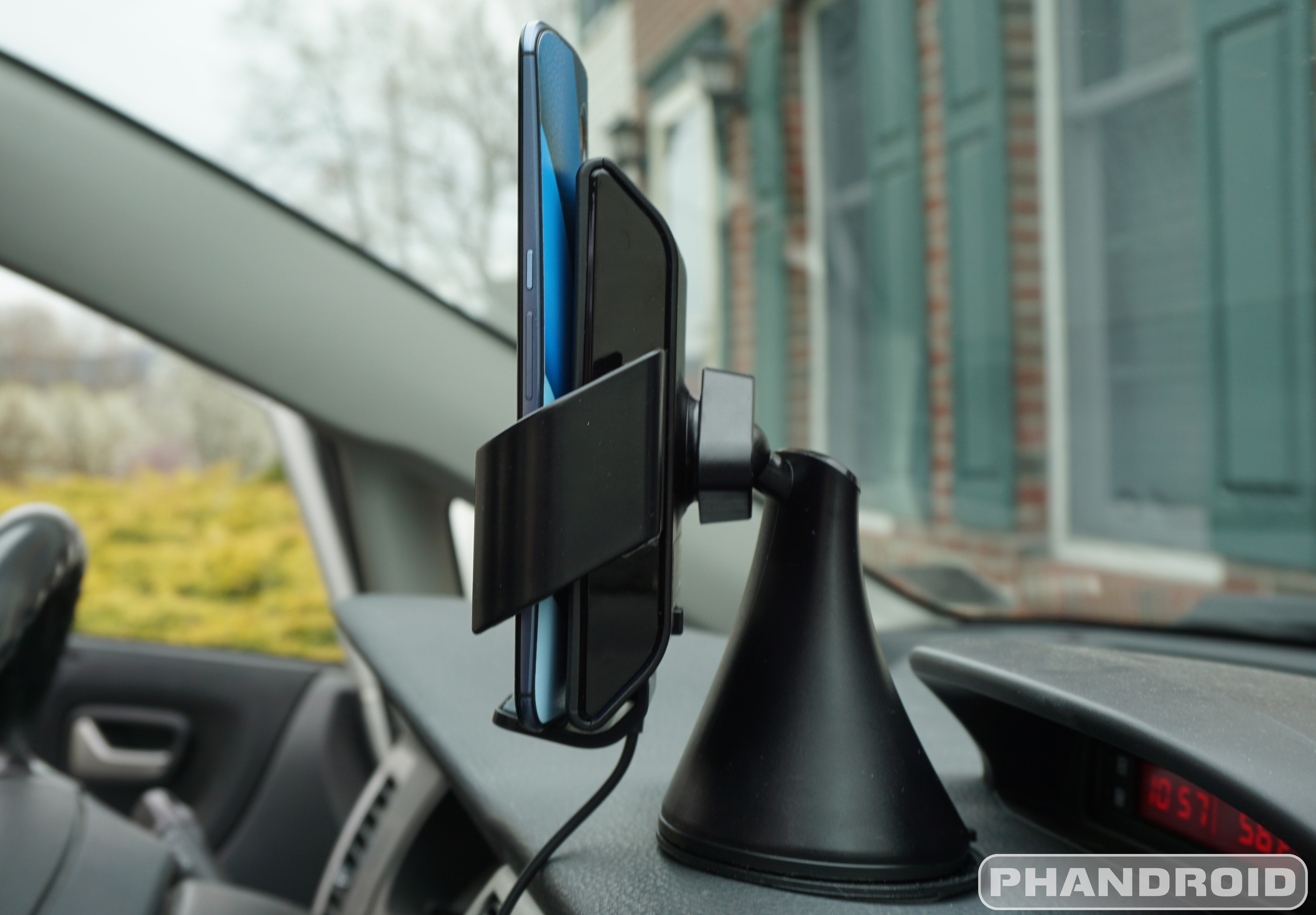
The TYLT VU Wireless Charging Mount is a little larger and heavier than my previous, non-charging mount, but it’s also a TYLT product, so that means build quality is going to be higher than competitors. And that’s true. This car mount screams quality from every angle.TYLT-VU-Charger-1


Starting from the bottom, most car docks include a small puck shaped disc and double-sided tape for your mount. This provides your dock with a smooth, flat surface to grip onto and attach to your car’s dash. The VU Wireless Charging Car Mount did not include one of these to my surprise. Instead, the VU came with an ultra-sticky suction cup that is supposed to stick to various surfaces and textures with ease. The dash of my wife’s Jeep is much smoother and flatter than my Suzuki’s dash and the VU had absolutely no problems sticking to either surface for weeks at a time before moving between vehicles. If you happen to get some dust or dirt on the suction cup, a slightly moist cloth can do the trick to get it ready for use again. Also, TYLT states that you can use the suction cup on the windshield, I didn’t test that setup in either of my vehicles. And it’s also worth mentioning, the above pictured shot does include a disc from a previous mount, though in my testing, I did move the mount around various places before ultimately choosing a location where I already had a disc installed. I didn’t want to rip the old disc off of my dash and potentially leave a mark. I guess that’s another bonus feature of the TYLT VU, there’s no sticky doubled-sided tape to ruin your dash!


The base unit is fairly straight forward. On the back you’ll find a lever that allows the suction cup to clamp down on the surface of whatever you’re trying to place the mount onto. To release the suction, you can easily press in on the button area provided on the lower back.


As I mentioned above, the TYLT VU is a bit large. At the top of the cone shaped base, you’ll find a ball joint that pivots, allowing you to rotate your soon to be attached phone in various ways for your optimal viewing pleasure. The wireless charging pad then attaches onto the ball joint, which can be tightened with a plastic triangular nut. The VU charger won’t allow vertical adjustment, which is a bit of a bummer, but does allow for a reasonable amount of horizontal adjustment. I had no problems finding the perfect angle, I just wish the phone or mount wasn’t so tall or included an arm to position the wireless charging pad at an equal height or lower than the base itself.


TYLT-VU-Charger-3


Along the sides of the wireless charging pad you find two rubberized arms for gripping your phone. To clamp down on your device, simply squeeze the arms until your device is secured. I had the most success when I squeezed the arms towards the back.


To release your phone from the mount’s grips, press the included button at the top of the wireless charging pad. The arms are spring loaded and will immediately release your phone. The first time I did this my Nexus 6 fell and bounced off of my car’s center console. Lesson learned. Since then, every time I press the release button with one hand, I use a second hand to hold my phone, just in case.


At the bottom of the wireless charging pad you’ll find a tiny charging port for plugging in the included vehicle adapter. One nice feature about TYLT’s offering? Even though the mount is taking up your vehicle’s charging port (cigarette lighter socket) the adapter includes a 5V 1.3A USB port so that you can charge another device if need be. Feel free to rub it in while you charge your significant other’s device like a barbarian with a cable, while you get to live in the future with Qi charging.


TYLT-VU-Charger-5


The TYLT VU Wireless Charging Car Mount comes with two adjustable bottom brackets that slide into the bottom of the wireless charging pad. These brackets can be adjusted to accommodate your phone. For example, I had to position the bottom bracket just right so that the side clamp wouldn’t press the volume buttons on my Nexus 6. I’m not really sure why two brackets are included as one of them comes with a notch on the side which could be for USB cable management, which really isn’t needed, at least in my situation. This might be different if you chose the windshield as a mounting option.


Wireless Charging
If you’re not familiar with wireless charging, the simplest explanation is that wireless charging is extremely convenient, but definitely not fastest. You actually sacrifice charging speed for ease of use, the ability to just place your phone on a charging pad and forget about it. Wireless charging generally makes your phone very hot too, which, depending on what school you’re from, may not be the best choice for your battery in the long run. When we add larger batteries and rapid charging capabilities like Qualcomm’s Quick Charge 2.0, OPPO’s VOOC charging, and Samsung’s new quick charging technology to the mix, the argument in favor of slow Qi charging gets a little harder.


For example, I use Qi charging with my Nexus 6 every night. If I need a quick bump during the day, I won’t opt for wireless charging, I’ll grab my Motorola Rapid Charger every time. What I’m trying to say is that for long, uninterrupted charging sessions, wireless charging is great, but if you need more juice and don’t have a whole lot of time, a quick charger is probably going to be the better choice. However, the convenience of a high quality wireless charger in the car is enough for me to really enjoy this charger.


TYLT-VU-Charger-4


As for device support, TYLT uses a 3-coil Qi technology in their VU Wireless Charging Car Mount allowing for a very long compatibility list, including 6-inch phones. My Nexus 6 fits perfectly, thanks to the large 3.6” wide grip clearance. To find out if your device is supported, you’ll want to head on over to the official TYLT VU compatibility guide before purchasing.


The question remains, can the TYLT VU Wireless Charging Car Mount keep my Nexus 6 charged while streaming Google Play Music, using Google Maps, and with the screen set to always-on? The VU won’t keep your device topped off at 100%, but it will definitely slow down the rate of battery drain. For example, I was able to drive for 3 and a half hours with everything mentioned in use and only lose 16% of battery. That’s pretty good, I’d say. During my daily commutes to and from work, I usually only drop a couple percentage points whereas before I’d drop an easy 10%. A wireless charger definitely helps.


Conclusion
The bottom line is that your phone isn’t going to charge as fast as it would with a USB cable and higher amp charger. That’s not really the point of wireless charging though. It’s about convenience. Before, I only charged my phone in the car if I knew my battery was low or I knew I wouldn’t be able to get to a charger later in the day. Picking up a USB cable off of the floor is a major first world problem, but it’s one that I opted to only do in dire situations. So, for the lazy and for the convenience seekers, the TYLT VU Wireless Charging Car Mount is a very tempting choice.


TYLT-VU-Charger-6


You can buy the TYLT VU Wireless Charging Car Mount from directly from TYLT or head on over to Amazon and pick one up today for .99 in gray, blue, red, or green. TYLT stands by their high quality products and you generally get what you pay for when it comes to these types of accessories. Other, cheaper options exist on the market right now, but I’d rather take my chances with a company with a proven track record.


If you have any specific questions, let us know in the comments.


Sony Xperia Z4 leaked from every angle, newly exposed charging port and all


Sony Xperia Z4 onleaks


In an update to yesterday’s “teaser” leak where we only got a look at half of the device, we’re now getting a real good look at the upcoming Sony Xperia Z4 from just about every angle. The new renders, which the author notes are still early and subject to change, reveal some interesting changes coming to Sony’s flagship.


On the smaller side of changes, the SIM slot has been moved from the right side of the device to the left. Although it’s not labeled, it could share a slot with the micro SD card. You’ll also notice Sony going with more of an Xperia Z2 style speaker slits along the very top and bottom of the display glass. No biggie.


Sony Xperia Z4 leak front back 1


Probably the most notable changes are the absence of the charging dock pins along the side, as well as the moving of the charging port from the top left — where it was hidden under a waterproof flap — down to the bottom, where it is now completely exposed. So what does that mean for water resistance?


Sony Xperia Z4 front back top


Sony Mobile has long made it a water resistance a staple of their entire Xperia line, even on the low-end. Ditching this ethos on a new flagship would be counter-intuitive and simply wouldn’t make sense for a company that’s been struggling to make headway into a crowded smartphone market.


We can’t say for certain what we’re looking at here, not until Sony makes it official. Judging by recent leaks — and the influx of 2015 flagships — we imagine that wont be too much longer.


UPDATE: As our some have pointed out in the comments, Sony is no longer hiding the charging port behind a waterproof flap in their latest devices like the Sony Xperia Z4 Tablet, and the Sony Xperia M4 Aqua, but still keeping that high Ingress rating (IP65/68).


Thanks, Nicholas!


[Nowhereelse.fr]


ASUS ZenWatch 2 comes in 2 sizes, features magnetic charging and a stainless steel chassis [VIDEO]


asus zenwatch 2 1


ASUS showed up at Computex 2015 as they always do (considering it’s the premier tech event in their own backyard of Taiwan), and they didn’t disappoint with a few nice announcements. One of the devices on tap was a new smart watch.


It’s the ASUS ZenWatch 2, and the rumors were true. ASUS cooked up 2 different sizes, one for those who prefer a little bulk and the more petite option that most women might prefer. The company is still going with a square watch face, though the chassis isn’t without a round nature.


The ZenWatch 2 features a physical dial (which we imagine can be used to navigate the system), an OLED display, a Qualcomm Snapdragon processor, Gorilla Glass 3 and IP67 specification for dust and water resistance. You get a magnetic mechanism for charging the device, which is a great feature as no one wants to have to clasp their smart watch into a bothersome cradle every night.


On the presentation side, there will be a wide range of wrist bands available post-launch — some in rubber, leather and even a special edition Swarovski set featuring actual Swarovski crystyals — though the device comes with stainless steel straps as standard.


asus zenwatch 2 2
asus zenwatch 3 4
asus zenwatch 3 3

For software, you can expect the latest version of Android Wear and improved wellness and remote camera apps, though ASUS didn’t go into detail about what, exactly, was different. We’re not sure if the watch will support Android Wear’s new WiFi support (the initial spec list doesn’t mention one) so we’ll have to dig for more to see if this thing can offer the same level of connectivity as LG’s Watch Urbane.


And that’s about all we know. ASUS didn’t have pricing or availability to mention, which makes us feel as if we won’t be seeing a product ready to buy until late Q3 at best. Let’s hope we’re wrong, though, because the ZenWatch 2 doesn’t look half bad.


Qi will soon support 15 watt fast wireless charging


Nexus 4 wireless charger Qi angled


One knock on wireless charging was always that it wasn’t nearly as fast as getting your juice over a wire, especially after new fast charging products were introduced in recent years. Thankfully that won’t be the case for long.


The Wireless Power Consortium has announced a new specification for their Qi wireless charging standard that makes it possible to charge wirelessly at rates of up to 15 watts. This is actually the standard going rate for cable-based fast charging solutions, so they’re essentially delivering top-line charging speeds without the cumbersome cables needed to enjoy it.


While details of the specification have not yet been publicized, WPC confirmed that the new standard would be fully backward compatible with existing Qi-equipped devices, which could potentially mean you won’t have to do much more than buy a new fast charging pad to take advantage.


Unfortunately there is no solid date to look forward to when it comes to the landing date for this improvement. Not even a “later this year,” actually — we simply have to wait, but we’re hoping the wait will be well worth it.


[via WPC]