We’d hoped OnePlus would have grown enough to do away with the invite system for the OnePlus 2, but it looks like we’re in for more of the same old song and dance. The company has confirmed that the OnePlus 2 will require an invitation to buy at launch.
Before you throw your arms up in a fit, it’s important to remember why OnePlus has to utilize these peculiar sales strategies in the first place. The biggest reason is that they don’t make a ton of profit on every device sold, so over-estimating their manufacturing needs by even the tiniest amounts could potentially be fatal in the long run. They also still don’t have the capacity to churn devices out at ridiculous rates like the big guys.
That doesn’t mean the OnePlus 2 purchasing experience will be exactly the same as the original device’s. We could see the invitation system evaporate much more quickly than it did for the OnePlus One (which only fully occurred just this morning) as the company has likely perfected and streamlined their manufacturing process to more efficiently meet demand.
Those are all the details OnePlus is willing to share with us about the forthcoming smartphone today, though rumors put its launch within a Q3 2015 window. We’ve also heard it will launch with a 5.5-inch 2560 x 1440 display, Snapdragon 810 chipset, 4GB of RAM and a 3,300mAh battery. It’s sure to be a smartphone worthy of attention by the time it arrives, though it’ll be up to you to determine whether you want to continue putting up with the sales and marketing hijinks OnePlus has become known for.
The display arms race has been underway since companies decided Quad HD was the new high-end standard last year, but Sharp says that isn’t enough — displays need to be even more rich and dense than they currently are. The company today announced the development of a 5.5-inch display at a whopping 4K resolution. That’s 3,860 x 2,160 pixels if you aren’t aware, and stuffing all of that into a 5.5-inch form factor stands to bring you a pixel density of 806ppi.
That’s far higher than what the human eye is said to be able to notice, and it should make for a display quality that’s absolutely out of this world. Sharp touted the use of “IGZO” technology that is able to produce a richer picture while using significantly less power, something we imagine was important considering the batteries for the types of devices that these displays will be used for aren’t quite fit to handle such a thing.
A 4K display at this size is seen to be quite useless, though there are many benefits to be had for technologies such as virtual reality where a rich pixel density helps immerse you into whichever virtual world you’re whisked to. We imagine VR will be the initial and primary market for this sort of display, though we wouldn’t be surprised to see smartphone manufacturers wanting to use it just for the sake of saying no other smartphone’s resolution can beat theirs.
We’ll have to wait for its arrival in an actual device to see if there are any significant drawbacks to using the display (such as being more taxing on a mobile processor or sucking a battery dry before the sun sets), but it’ll have to wait as Sharp doesn’t expect to ship these displays until sometime next year.
Quick heads-up on a vulnerability you might learn about soon. The folks at Palo Alto stumbled across a major security vulnerability within Android that could allow malicious apps to hijack an app install. Before you freak out and hook your phone up to a chemo machine to rid it of any impurities, stop — there’s almost nothing to be worried about here:
The initial bug was reported to Google as early as January 2014. We suspect Google kept it under wraps this long to make sure no-gooders wouldn’t try to target exposed devices
The vulnerability only affects sideloaded apps or apps downloaded from third-party app stores
It only affected Android versions prior to 4.4
For devices not on 4.4 or higher, Palo Alto worked with top manufacturers like Samsung to patch this fix in with their most recent software updates. Amazon also updated their Appstore to patch the vulnerability
So what does it do? According to them, since a side-loaded APK is installed from an unprotected source such as an SD card, an app could hijack the process of installing the app by Android’s package installer. It’d do this by replacing the legit APK with one that would most likely contain some sort of malware and other nasty stuff, and it would all happen without the user even knowing.
The dirty (but full) details can be found in the report published here, but the reality is that most folks with a phone made within the past couple of years are probably safe. Still, if you’re the oddball who still as a Nexus One on Android 2.3 and might be using a third-party app store over Google Play, you’ll be glad you know about it.
Palo Alto made a neat app that will check your phone to see if it is vulnerable. If it’s not, you’re good to go. If it is? Well, you should definitely try to download a ROM based on at least Android 4.4, or use this as a good excuse to finally get that new phone you’ve been eying. Be safe friends, and try not to download anything outside of Google Play unless you absolutely have to.
Mobile World Congress was dominated by two new devices, the Samsung Galaxy S6 and HTC One M9. We pumped out a lot of content about these two heavy hitters, which means you might have missed some important stuff. In this guide we’ll be covering the One M9. The device might not look much different from last year’s model, but there is plenty of new stuff to discover. Here’s everything you need to know.
On the surface the M9 appears almost identical to the HTC One M8. For the most part that’s a very good thing, considering the One M8 was one of the best-looking Android devices ever made. There are really only two things that differentiate the two. 1) The M9 has only one camera on the back, and it’s more square than round. 2) The metal on the M9 has a brushed texture to it whereas the M8 was more smooth.
Under the surface is where the M9 has many improvements. Better processor, more RAM, improved camera, the latest version of Android, etc. You can read the full spec sheet for all the inner goodies, but here are the specs you need to know:
2GHz Qualcomm Snapdragon 810 processor
5-inch Super LCD3 1080p display
3GB of RAM
32GB of internal storage with microSD
20 megapixel rear camera, 4 megapixel (UltraPixel) front camera
The HTC One M9 comes with the latest version of Sense on top of Android 5.0 Lollipop. Sense 7 has quite a few new features and improvements. Most of these new features will eventually make their way to older HTC devices, but for now they are only on the One M9.
Custom Sense Themes
Another great feature of Sense 7 is the ability to create completely custom themes. Sense has had themes for a while, but now HTC has opened them up to be much more personal. You can create a custom theme simply by taking a photo. Sense will then identify colors from that photo and change accent colors, icons, and even system sounds. There are also a bunch of pre-loaded themes, see all the HTC One M9 themes here.
Custom Nav Bar
One of the best new features in Sense 7 is the ability to customize the buttons in the bottom nav bar. Typical Android devices with software buttons have “back, home, and recents.” The HTC One M9 has these buttons as well, but there is room for a 4th user-defined button. You can set it to turn off the screen, auto rotate, show notifications, or hide the nav bar completely (swipe up to show).
Personalized Recommendations
HTC has also done a lot to make Sense 7 smarter. A new option called “Meal Time Bundles” shows local places to eat on your lockscreen, and later this year “Morning Bundle” will show news on the lockscreen. They’ve also added a “Sense Home” widget to the homescreen. The widget shows apps based on your location. Productivity apps when you’re at work, social apps when you’re home, etc. To round things out they’ve added “Smart Folders” that automatically organize apps for you.
HTC One M9 Camera
The most important aspect of the HTC One M9 might be the camera. The M8 had a decent camera, but many users were disappointed in the performance in non-ideal situations. With the One M9 they’ve finally stopped messing around with “UltraPixels” on the back and went with a traditional 20.7MP camera. They’ve also gotten rid of the “duo-camera” in favor of one big sensor.
The rear camera has autofocus, a backside-illuminated sensor, a f/2.2, 27.8mm lens, and is capable of 4K video recording.The big question is does the switch to megapixels result in better photos? The answer is “yes and no.” The good news is you can actually zoom in before taking a photo and still get a decent result, and photos in ideal situations look better than the One M8. The bad news is low-light photos are still not great.
HTC UltraPixel Front Camera
HTC may have removed UltraPixels from the back camera, but they didn’t remove them from the device entirely. The front-facing camera is now equipped with a 2 UltraPixel camera. HTC says this allows for great seflies in all conditions, including low light. We put that to the test against the iPhone 6 in the video below.
Check out our side-by-side photos of the One M9’s UltraPixel front camera and the iPhone 6 in our comparison post. The One M9 easily outperforms the iPhone 6 in low-light and even perfect conditions. UltraPixels may not have been great for the rear camera, but they seem to be doing an awesome job up front.
The bottom line with the new camera(s) is it’s too early to tell. Right now we only have some short hands-on time and HTC’s own claims to go on. We’ll need to put the One M9 up against the One M8 and other devices before we can see if there are big improvements. So far it’s looking like HTC made some much-needed improvements.
HTC Dot View 2
Most manufacturers make cases for their phones, but none put as much thought into them as HTC. The Dot View case was one of our favorite things about the One M8, and HTC made it even better with the One M9. Dot View 2 fixes a few things users complained about and adds some really neat new features and designs.
The new Dot View case sits flat now when flipped behind the device. A lot of people complained about this one. They also made the new Dot View case clear on the back so the beautiful brushed aluminum can shine through. The biggest new features come in the companion Dot View app. You can draw your own designs, convert photos, and even play 8-bit games. It’s a really great app, and easily the best case out there.
HTC One M9 Pricing & Availability
The last thing to know about the One M9 is when it will go on sale and for how much. HTC hasn’t given an exact release date yet, but they did say it will be available “mid-March,” and one major retailer suggests March 25th. They also didn’t provide pricing information. We can assume the One M9 will cost around 9-650 unlocked and 9 with a new contract from participating carriers. The device will be available in gunmetal grey, silver+gold, and pink.
Join in the HTC One M9 discussion at Android Forums
While you wait for the One M9 to be released you can chat with other fans in Android Forums. It’s a great place to ask questions and find out more information before you buy the device. Here are a few popular threads to get your started.
At Mobile World Congress, Samsung unveiled not one, but two 2015 flagship devices, the Samsung Galaxy S6 and Galaxy S6 Edge. Since the phones have been revealed, we have been diving into everything they have to offer to find out what’s new, how the S6 devices compare to the competition, and what we can expect come launch day. Here is everything you need to know about the Samsung Galaxy S6 and Galaxy S 6 Edge.
Galaxy S6 vs. Galaxy S6 Edge
When Samsung launched the Galaxy Note 4, they gave us a one-two punch that included the Galaxy Note Edge, the first widely-available device to utilize the company’s curved AMOLED technology (we’ll count the Samsung Galaxy Round as more or less a proof of concept). With the Samsung Galaxy S6, the folks behind the world’s most popular line of Android smartphones followed an identical strategy with the unveil of the Galaxy S6 Edge.
The Samsung Galaxy S6 Edge in many ways takes the concept introduced with the Note Edge to the logical next step, opting for a curved edge on both sides of the display rather than the one sloping side of the Note variant. The functionality has also been simplified. Samsung has ditched the “Edge Display” interface of the Note Edge in favor of a more subtle approach.
Other than their displays, the two devices are identical in terms of hardware and other aspects of their design. The Galaxy S6 Edge’s name implies that it is secondary to the flagship Galaxy S6, but Samsung has been featuring the more unique version of the device most prominently in advertising since its launch at MWC 2015. If it wasn’t for a slightly higher price tag and potential supply constraints as a result of the curved AMOLED technology, we might imagine Samsung could have ditched the traditional S6 altogether. You can get a quick look at how they compare in our hands-on videos with each device.
Both the Galaxy S6 and Galaxy S6 Edge feature an identical hardware compliment, offering one of the most powerful Android experiences we have seen to date. The list of specs features the following highlights:
64-bit Exynos 7 Octa chipset
3GB of LPDDR4 RAM
32GB, 64GB or 128GB UFS 2.0 storage options
16 megapixel rear camera with optical image stabilization, 5 megapixel front camera with real-time HDR
5.1-inch Quad-HD Super AMOLED display (577 ppi)
Dual-mode wireless charging with support for both WPC and PMA charging pads
NFC, heart-rate sensor and improved fingerprint scanner
Depth: 6.8mm/7.0mm edge
Weight: 138g/132g edge
Samsung has spared no expense in outfitting their 2015 flagship with top-tier hardware, improving many of the features introduced with the Samsung Galaxy S5. This includes the holdover heart rate sensor (which now doubles as an input to acknowledge notifications) and a vastly improved finger scanner.
Galaxy S6 battery & Qi charging
One minor difference between the Galaxy S6 and Galaxy S6 Edge is the battery; the handsets feature 2550mAh and 2600mAh batteries respectively. In order to achieve the sleek design that makes the S6 so appealing, Samsung for the first time has opted to make the battery non-removable. One plus side to this is the inclusion of wireless charging as a standard option out of the box.
Audio enhancements
Samsung has also taken the time to improve the Galaxy S6’s onboard speakers. The company claims the device offers 1.5x the audio output volume of the Galaxy S5, and we can confirm that the S6 is a much louder phone if not measure the results empirically. Sound quality overall was markedly improved.
One area where the S6 backtracks is a lack of waterproof construction. This was a major selling point for the Galaxy S5 and one hammered home by variant releases like the Samsung Galaxy S5 Sport and Samsung Galaxy S5 Active. A lack of resistance to the elements of nature is a compromise Samsung had to make to in order to achieve the gorgeous design of the S6, but there is at least some hope the company will followup with an Active edition to satisfy the needs of the more adventurous set of users out there.
Going hand-in-hand with the design changes from the S5 to the S6, a non-removable backplate has led Samsung to leave out the option for expandable storage via microSD card. Samsung has counteracted potential storage limits by offering the Galaxy S6 with internal storage of up to 128GB.
Toned-down TouchWiz
The Galaxy S6’s hardware would imply a pretty powerful device on paper, but we have seen the performance of Samsung’s best made phones suffer under the bloat of their TouchWiz interface in the past. With the Galaxy S6 this is not the case thanks in large part to Samsung’s efforts in trimming the fat from their custom Android user interface.
The software also comes with a few of its own special features, including the new Samsung Pay mobile payments platform. Utilizing the built-in NFC chip of the S6 and S6 Edge, the new service will be available when the phones reach retail.
Improved fingerprint scanner
The fingerprint scanner of the Samsung Galaxy S5 offered some novel uses such as PayPal payments and Private mode for stored files, but it was awkward and clunky to use and far from reliable. With the Galaxy S6 things have changed drastically. Gone is the swiping motion needed to read a fingerprint on last year’s model, replaced by a method very similar in use to Apple’s Touch ID. In fact, Samsung’s latest fingerprint scanner is on par, if not better, than Apple’s.
The improved finger scanner is quick and accurate; rest your finger over the home button and the device will unlock in short order. Samsung has also added some intriguing functionality, such as the ability to store credentials for your frequently visited websites, using your fingerprint to effortlessly login via the browser.
Lightning-fast camera
One area where Samsung has greatly improved with the Galaxy S6 is the camera. While Samsung’s recent releases have all offered pretty solid camera experiences, the software side of things has become increasingly bloated. Samsung opted for a simplified interface to make quickly capturing photos easy.
Samsung still includes plenty of what we expect — filters, various photo modes, slow motion video, and panoramas, to name a few — but it is presented in a less cluttered way. The features are there when you want them, but won’t get in the way of taking that spur-of-the-moment shot.
Most impressive, though, is the Galaxy S6’s ability to go from screen off to photo in under a second — 0.7 seconds to be exact. A quick home button gesture combined with the S6’s awesome hardware are what make this possible.
Gear VR, new cases, and other accessories
The Samsung Galaxy S6 and S6 Edge will be Samsung’s second and third devices to support their Gear VR platform powered by Oculus. An updated Gear VR headset will be released that will fit the S6, giving future owners the ability to dive into the world of in-home virtual reality. We were big fans of the Note 4 version, and expect more of the same from the Galaxy S6 with Gear VR.
A new phone release would be nothing without a few new cases to go along with it. Samsung has introduced an updated S View style folio case tailor-fit for the S6 Edge. It features a translucent plastic front that pairs with a low-energy notification view to provide a quick look at incoming calls and messages. We also get some standard slim-profile cases from Samsung for the S6 and S6 Edge.
We can expect to see plenty of third party cases hit the market for the new Galaxy S phones. Speck has unveiled their lineup and other have followed suit. Expect a few first-party options from Samsung when it comes to wireless charging, though the S6 will support a number of docks already on the market.
The other prime competitor is Apple’s iPhone 6 and 6 Plus. While Samsung has again proven they are not against aping the design choices coming out of Cupertino, they have actually done a lot with the S6 to set their phone apart. Where Samsung faltered previously (weak fingerprint scanner, software lag, and beauty in design, to name a few), they have now matched or exceeded what we get with Apple’s latest smartphones.
A specific street price for both the GS6 and GS6 Edge have not been revealed. The closest we have come is what has been leaked in the rules of a T-Mobile contest, which put a 9 off-contract price tag on the Galaxy S6, though there is no indication of what storage configuration this price pertains to. The S6 Edge is expected to cost slightly more.
Why do you need tips and tricks for an unreleased smartphone? So you can spend less time learning about your device out of the box and more time actually using it.
Here are a few helpful tutorials to get you started:
Be sure to head over an add your own tips and tricks, or simply join the conversation and pass the time as we await the official launch of Samsung’s latest Android flagship devices.
Here’s a quick reminder for any developers hoping to get in on the fun in San Francisco for Google’s annual developers’ conference: registration opens today at 9am Pacific. It will be hectic as Google I/O has consistently sold out within hours (and, in recent times, minutes) of ticket sales going live, but things will happen a bit differently this year:
Registration will run three days — between March 17th and March 19th.
Registering for a ticket does not guarantee you a ticket. Applicants are selected at random once the aforementioned registration window closes to give people a fair shot of going to the event.
This is a much saner route than years prior where Google would open the floodgates and only those lucky enough not to be smacked in the face with frustrating server issues are allowed to purchase a ticket.
The best thing you can do to prepare right now is to make sure your Google / Google+ profile information is all accurate and up-to-date. Google has used Google+ information as default registration details in the past so let this serve as a good reason to finally update that old profile you abandoned a while back. Google might also be making use of Google Wallet for payment, so be sure your payment sources are all up to date and ready to go.
Other than that, grab some coffee and start smashing that F5 button promptly at (or even a bit before) 9am Pacific. This new registration system doesn’t mean people won’t be eager to sign up. Servers might crash. Hair might fall out. People might die. OK, that’s a bit melodramatic, but prepare for anything because only so many people can be packed inside the 6,000-person venue known as the Moscone West, and there will be a lot more than 6,000 people trying to stamp their tickets to the event when it kicks off May 28th.
File this one firmly under the “I never thought I wanted or needed this until I saw it” category. Germany KFC restaurants have started a limited trial run of new food trays. Big deal, right? Who cares about a food tray that you’re only going to be using for 20 minutes while you stuff your face with food?
Except these food trays have Bluetooth keyboards built inside. The keyboards are thin enough to fit under the microfilm slit such as an advertisement would. You pair it with your smartphone or tablet, and continue typing away or doing whatever it is you need to do on your phone or tablet, all the while avoiding a greasy, disgusting mess on the display.
What’s not to love? Open letter to all fast food establishments: copy this idea, and put it into all of your food trays as standard. It might be expensive, but the coolness and convenience factors will more than make up for that.
One of the rumored features of Android M was more control over app permissions, and now it has come true. Google has formally announced that Android M will allow users to have much more control over which permissions apps need.
In Android M you’ll no longer see the app permissions displayed in the Play Store. Instead you’ll see apps request permissions for things as they need them. For example, if an app wants to use your camera for the first time a pop-up will ask for your permission. You’ll also be able to adjust the permissions after the fact in the settings.
This is a big change in the way apps will be able to get permission to do things. If an app is trying to use your location and you don’t want it to you’ll easily be able to see when it tries, and then you can reject it. How do you feel about these new features?
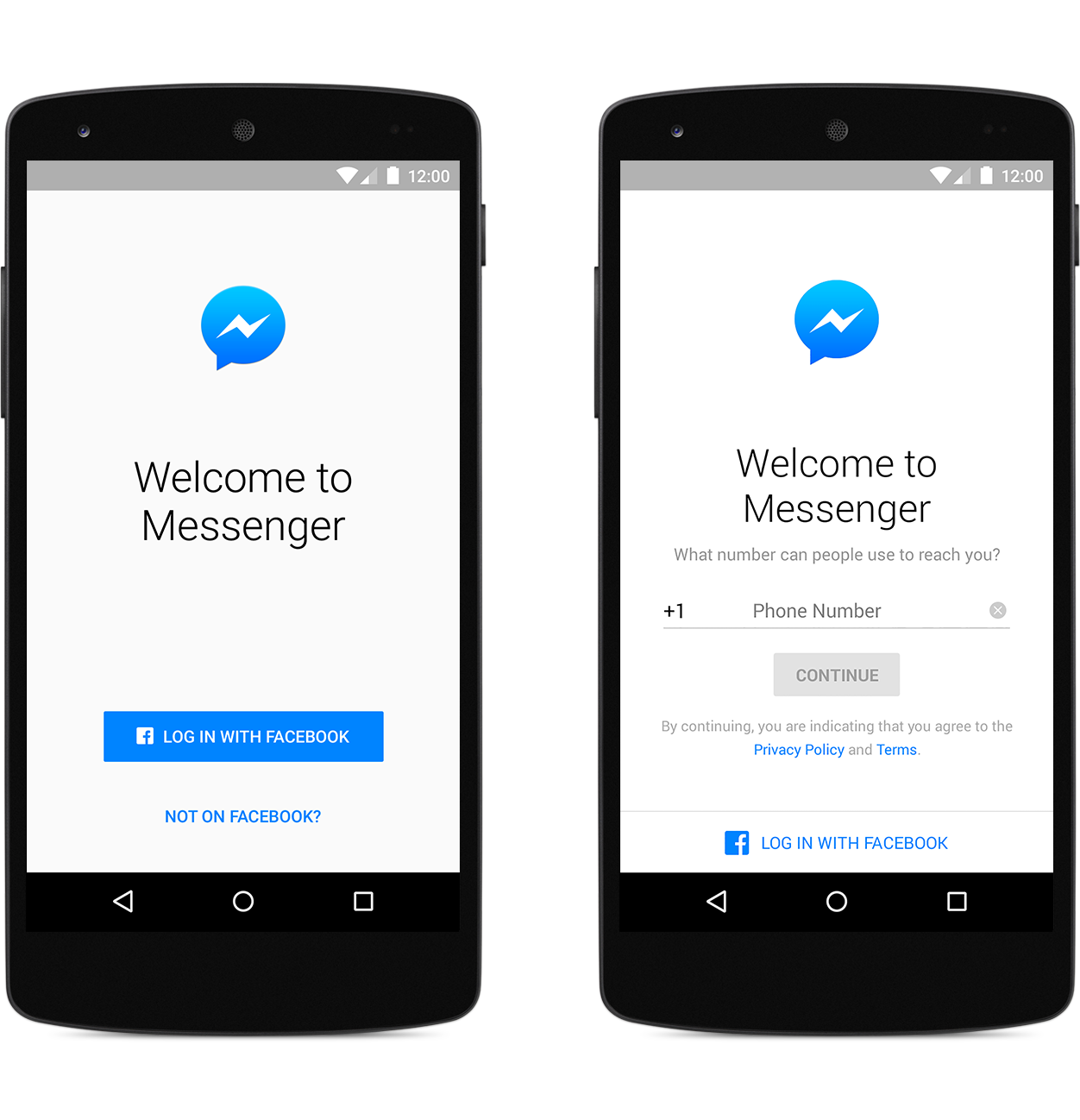
Despite having more than 1.44 billion monthly active users, Facebook knows that not everybody wants to join a social network just to keep in touch with friends and/or family. That’s why they’re eliminating the need to log in with a Facebook account altogether in their latest Messenger update.
Launching first for users in Canada, the United States, Peru and Venezuela, Messenger will not only require a phone number in order to get started using the service which we admit, is much more enjoyable to use than Hangouts. Users who login with their phone numbers will still have access to all the features in Messenger including sending photos, group chats, even voice and video calling.
Facebook does mention that there are still benefits to using your Facebook account to login vs only your phone number like being able to message Facebook friends/contacts (not just people in your phone book), as well as access messages across multiple devices and on the web.
As someone who spends a lot of time messaging friends/family on Messenger, this is absolutely perfect as my immediate family is no longer on Facebook. I’d be willing to guess more than a few of can relate.
It’s taken awhile, but with Samsung and HTC both introducing theme support in their latest flagship devices, this whole “theme thing” could be finally catching on. In case you needed further proof, look no further than to Google who has apparently added limited support for themes in Android M. This is RRO (Runtime Resource Overlay), the same software Sony uses to theme up ROMs in their Xperia devices which has since been merged with AOSP.
Like most of the more interesting M goodies, you’ll need root to take advantage of it but that’s pretty much it. With limited support for theme engines baked straight into Android M, those looking to theme their devices no longer have to look to custom ROMs to change up the look on their devices. All you need to get started is the stock ROM, a pinch of root, an app like like Layers Manager to apply some themes and you’re all set.
This is actually a great option for those that would rather use a stock ROM with only small tweaks like Xposed modules — none of those other frills that usually come with custom ROMs. Of course, while we don’t expect these themes to be quite as in depth as they are in custom ROMs (developer Andrew Dodd is working on a more advanced solution using the RRO engine), but it should be enough to appease those looking to lightly theme up their device.
According to the user who pointed this out on Reddit, he’s already tried a few themes using Layers and all were working fine and without issue. Now nothing is set in stone at the moment, but with RRO baked into Android M, it could be a hint of bigger, better things to come. For more on RRO and how it compares to something like Cyanogen’s unique theme engine, check out Syko Pompos’ post here.