Affichage des articles dont le libellé est logo. Afficher tous les articles

lundi 6 juillet 2015

SwiftKey Beta adds new slide out settings menu straight from the keyboard, throws logo on space bar for kicks


SwiftKey Hub slide out settings menu


Keyboard competition in Android is fierce. With so many virtual keyboards options out there looking to become your default, SwiftKey has long been the keyboard we trust to handle our erratic screen taps. It was nearly a year ago, SwiftKey went full-on free in the Google Play Store, offering up instead paid themes users could download to change up the look of the keyboard. It was a great move to be sure and — despite having already paid for the app years before that — one we had no problem getting behind.


But new changes headed to SwiftKey are leaving us feeling… well, not quite as enthusiastic. As detailed on their blog, the keyboard replacement is now adding “SwiftKey Hub,” their all new slide-out settings menu that essentially replaces the previous settings interface by making it available straight from the keyboard itself.


SwiftKey Hub settings menu


It’s broken up into 3 man tabs: Personalize (stats, support, SwiftKey Cloud login), SwiftKey store (themes), and Settings Menu (resize keyboard, advanced settings, etc.). We also noticed the SwiftKey logo appearing on the space bar. Ew.


SwiftKey also briefly talked about Dashlane integration for the secure storage of passwords. Dashlane uses AES-256 encryption and works with SwiftKey (Beta-only for now) to auto-insert passwords. Since all your passwords are store in Dashlane, you wont have to worry about SwiftKey having access to them. But in order for everything to work, you’ll need to also have the Dashlane Android app installed.


We’re not entirely sure if adding a slide-out settings menu makes the most sense for a keyboard, but SwiftKey says additional features will arrive at some point in the future. In the meantime, you can grab the latest beta here to try out the new settings interface for yourself, or simply wait until it goes live in the Google Play Store after it’s been tested for a bit.




Japanese Galaxy S6 and S6 Edge doesn’t come with Samsung logo, goes on sale April 23rd


Samsung Galaxy S6 Edge Japan NTT Docomo


There are few companies that can boast a global brand presence as big as Samsung’s. The South Korean giant has their hands in just about everything these days, with televisions, washer machines, and smartphones accounting for their billions in revenue every year.


But despite their best marketing efforts, Samsung may not have much pull in Japan, where total mobile sales account for barely 5.6% of smartphones sold in the country. While it’d be easy to assume this could have something to do with the Japanese mostly favoring national brands like Sharp, Fujitsu, or Sony, keep in mind Apple occupies nearly 40.8% of the market. In any case, that’s not about to stop Samsung from who will be bringing their new Galaxy S6 flagship to the country on April 23rd.


What’s interesting is Samsung’s branding — at least for the NTT Docomo model — has been completely stripped from the phone, as pointed out by The Korea Herald. The S6 Edge model is completely devoid of any Samsung branding on the front, with only the carrier name and “Galaxy” branding on the back. The regular S6 model has Docomo’s branding on the front (where the Samsung logo would normally go) and once again, only “Galaxy” on the back. No S6, no S6 Edge — none of that.


According to Samsung, they feel the Galaxy brand has been “well established in Japan” but declined to comment further. While it’s not uncommon to find Japanese carrier Docomo de-brand handsets in favor of their own logo (it was the same case for last year’s Samsung Galaxy S5 and even their Note line in Japan), you’ll find Sony’s Xperia line was left alone. Go figure.


[NTT Docomo]


The Verizon logo comes off the Nexus 6 so easily, there’s no reason to b*tch about it


Verizon Nexus 6 logo before


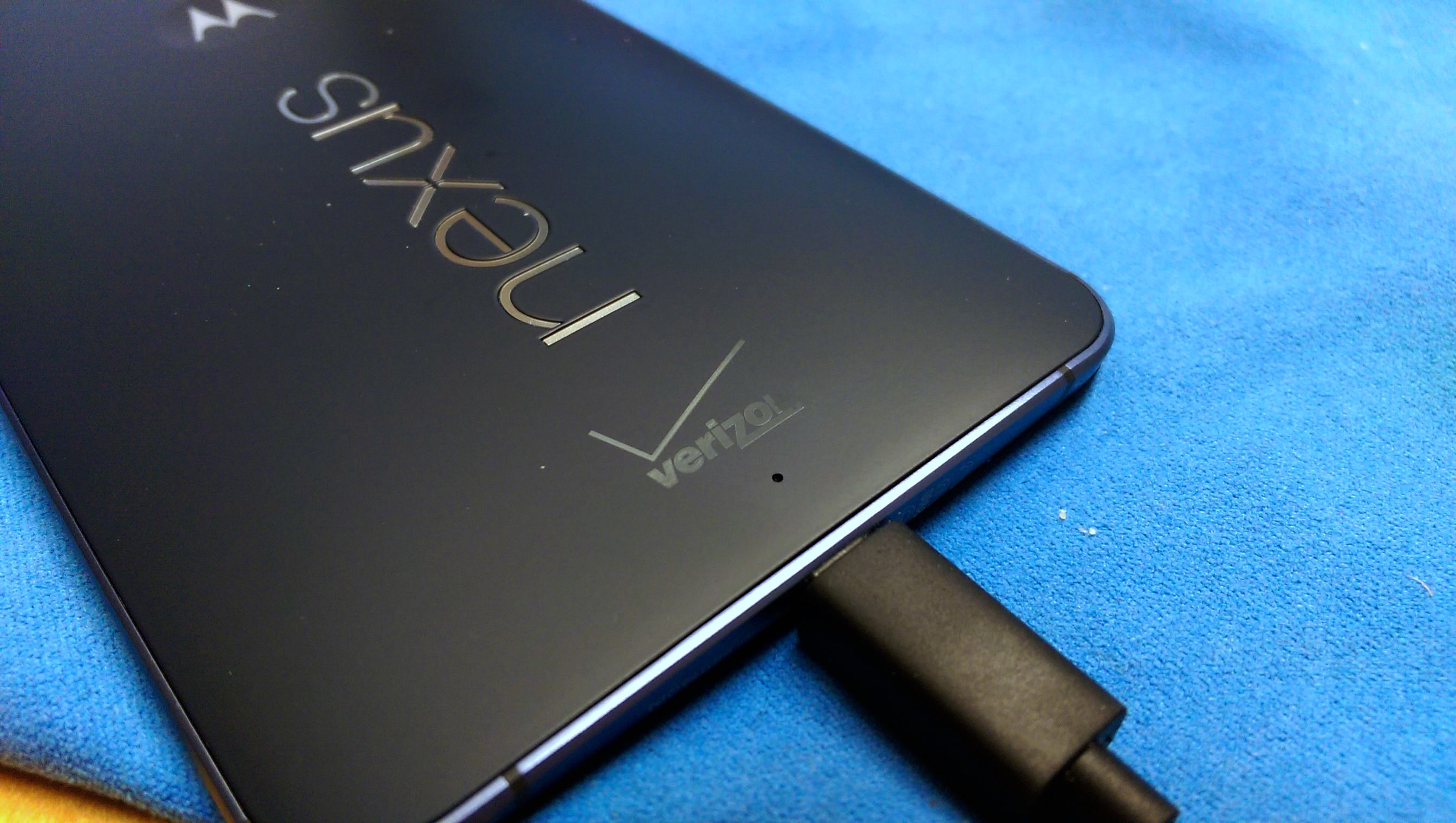
Before: you can see the Verizon logo already wearing away


For all the fuss people make around Verizon branding their beloved Android devices, they’re not all that hard to remove. Well, when it comes to the Verizon Nexus 6 anyway.


We’ve heard reports about the Verizon logo coming off with a a little elbow grease and nail polish remover on other devices, but would you believe you only need a fingernail to get that nasty branding off your Nexus 6?


That’s what one Nexus 6 owner is reporting on Reddit, using only his fingernail (as well as a paperclip to speed things along, and alcohol for clean up) to completely remove the Verizon logo from his Nexus 6.


Verizon Nexus 6 after


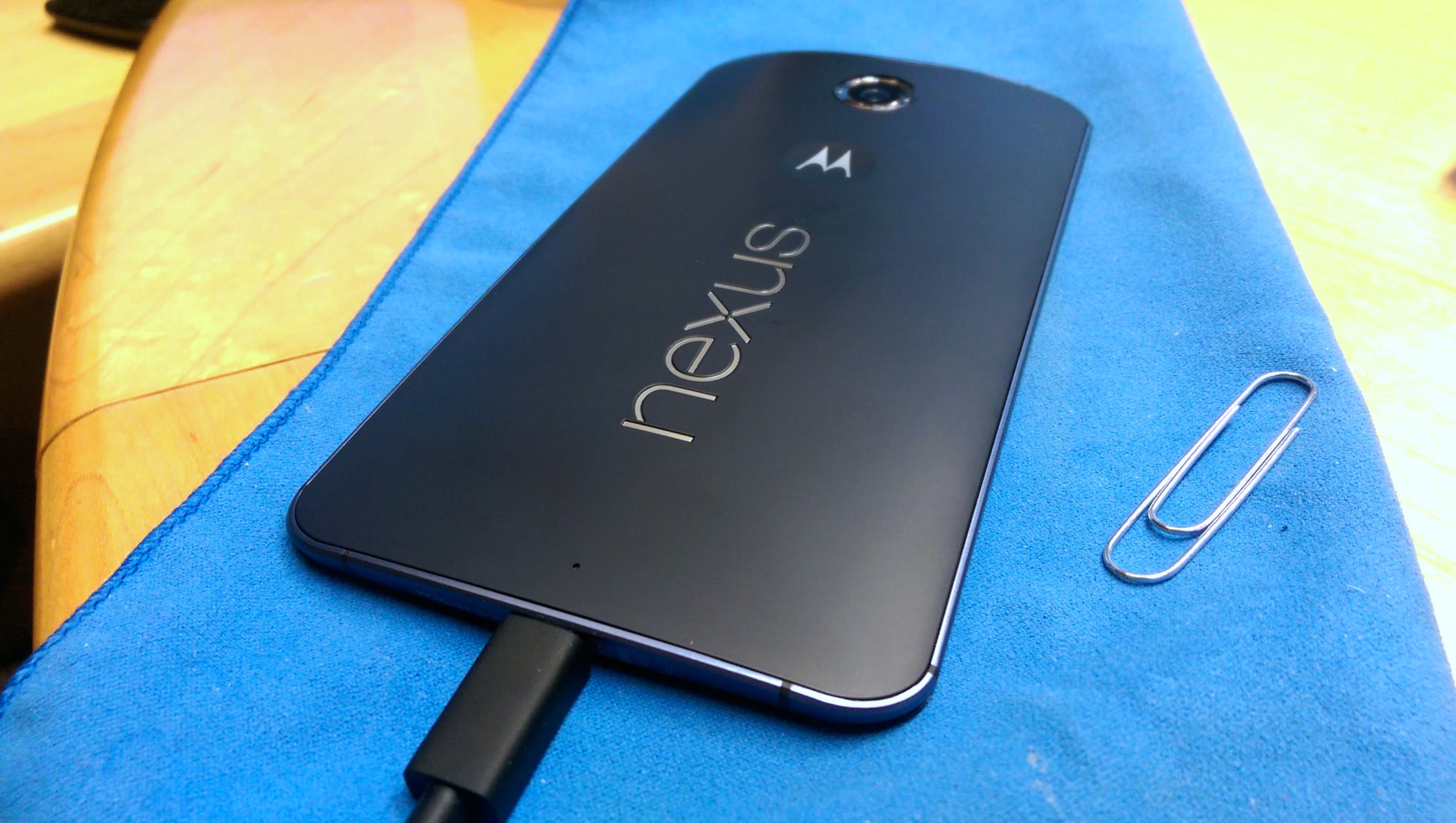
After: clean with no visible markings or leftovers


The end result? A beautifully unbranded Sexus Nexus. Just like the real thing. Anyone with a Verizon Nexus 6 willing to give this a shot?


There’s a giant Android robot urinating on an Apple logo in Google Maps RIGHT NOW


google maps android pissing on apple


Quick, before Google notices: go to this Google Maps destination (make sure you’re in Map view, not Satellite view) and tell me what you see. No, it’s not the oddest-shaped golf course you’ve ever seen — it’s a picture of an Android robot urinating on an Apple logo. You know, the one we’ve seen depicted time and time again since Android’s existence.


We’re not sure who. We’re not sure why. We’re not sure how. And we’re not sure when Google will finally notice this and take it down. But it’s something you owe it to yourself to see even if you have nothing against Apple and don’t care for the everlasting feud between the two sides.


PS: Can’t click links? You can also type the coordinates in manually. Simply enter 33°30’52.5″N 73°03’33.2″E into the search box.


[Update]: Well, we can probably explain the “how” by now. It appears this may be the work of someone using Google Map Maker, a custom map-enhancing tool that allows users to submit changes, updates and enhacnements to maps of their local area for use on the public version of Google Maps.


It’s likely that someone submitted these custom maps, and a moderator simply approved them without checking to see what, exactly, the map changes consist of. Here’s a passive plea by someone who used to same method to bring about a better review policy for custom maps:


originalSo there you have it. Might want to get that taken care of, Google. [via]


[via Engadget]