Affichage des articles dont le libellé est text. Afficher tous les articles

lundi 6 juillet 2015

Google’s Handwriting Input keyboard lets you enter text by writing


googe handwriting keyboard


Tapping on keys might be more natural for most people than actually writing in this day and age, but for those who miss the days of pen and paper Google’s latest app is for you. It’s the Handwriting Input keyboard, a simple app that lets you input text simply by writing it out.


While typing might be faster for most people, a handwriting solution can be more comfortable and natural for those who write in languages that are more complicated, such as Asian languages and Arabic. It works all the same no matter which language you want to write in, though, so even if it would be a novelty for you it’s a cool keyboard alternative to download.


It comes with 82 common languages, which should be enough to cover most of the Android user base. Go ahead and give it a try by grabbing it from Google Play right here.


Galaxy S6 and S6 Edge: How to stop text messages from displaying a preview in the notification bar


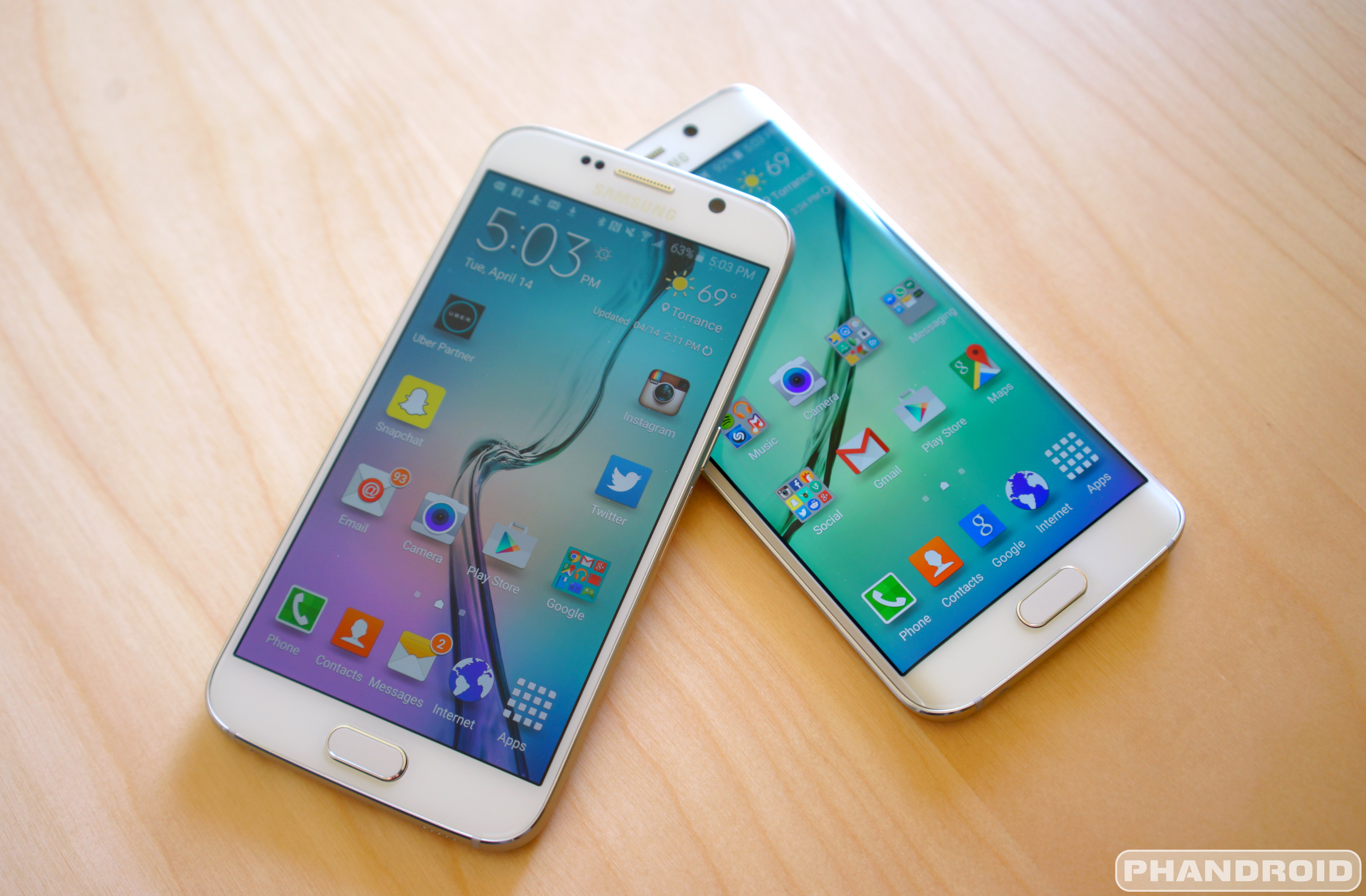
Samsung Galaxy S6 DSC09327


There’s nothing more embarrassing than receiving an inappropriate text message while your boss is going over the company’s latest expense reports. Whether it’s a meme or just a “sensitive” topic of discussion, some things are better left not blasted all over your phone, especially in a professional work environment or church setting.


Samsung Galaxy S6 popup notification messages ticker


On the Samsung Galaxy S6 and Samsung Galaxy S6 Edge, receiving text messages through the default Messages app will display its contents on your lock screen, in a popup message, and inside your notification bar via ticker. Pretty much all over your phone. While this can be convenient, it leaves the contents of your messages in plain view during times when you may not want them to be.


Because some of Android’s newer users may have difficulty finding an easy fix, we’ve decided to give you the full rundown on a few solutions with some help from our friends at AndroidForums.com. Check it out.


Turn off the Pop-up display (Easy)


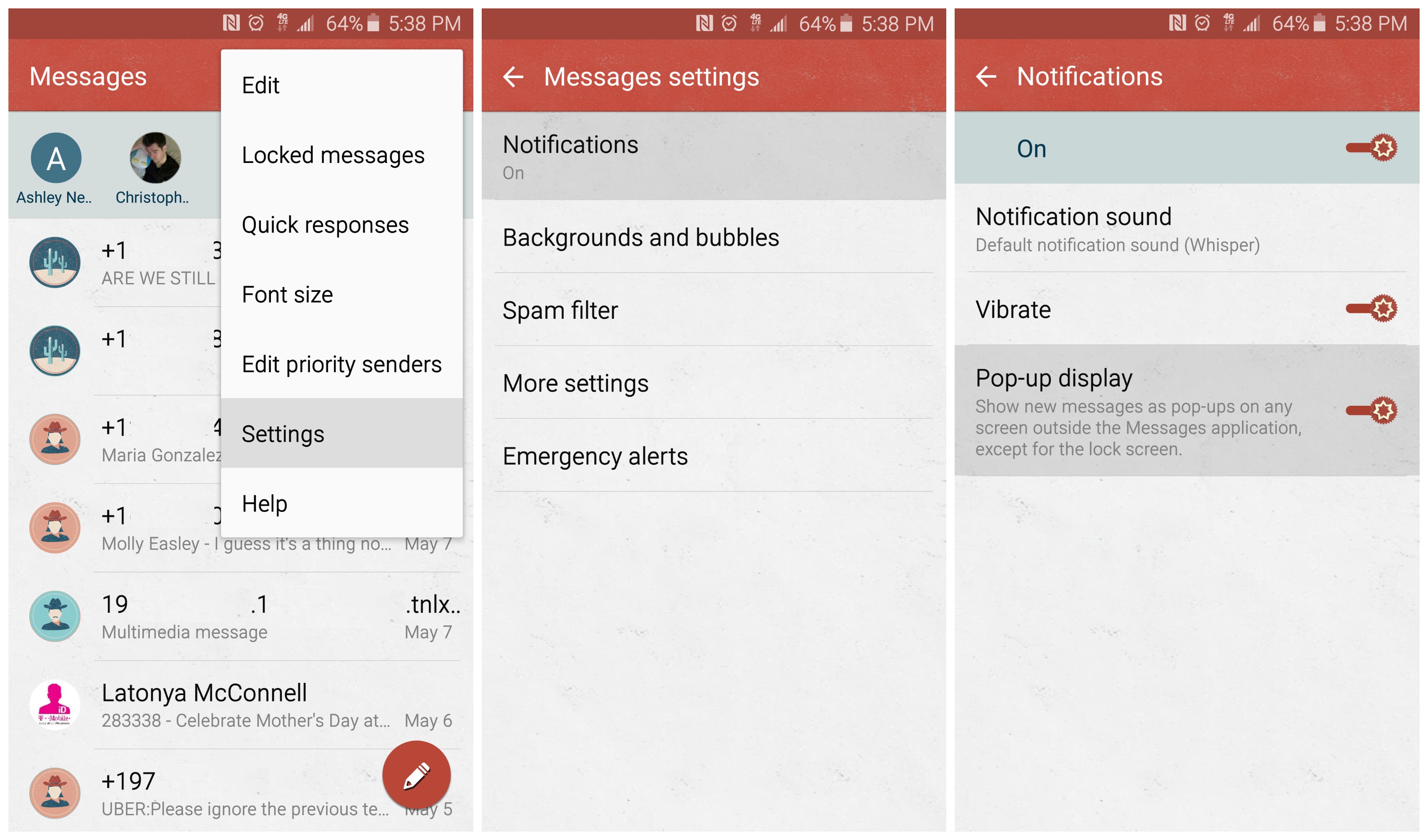
Samsung Galaxy S6 turn off popup messages


If it’s only the popup messages from the Messages app that are posing a problem, you can easily turn them off in the stock app’s settings. Simply open the Messages app and select “More” in the upper right corner. From there select Settings, Notifications, and Pop-up display to turn off the popup.


Keep in mind that while this will turn off the popup message from displaying while you are in other apps or watching full-screen video, it wont do anything to stop your messages and all their contents from being displayed in the lock screen or the notification bar. Don’t worry, we’ll tackle those next.


Turn of all lock screen notifications (Overkill)


Samsung Galaxy S6 lock screen notifications


When dealing with the lock screen, it’s possible to disable all notifications from appearing on there. This may sound perfectly fine to some of you, but for others this overkill as you will no longer see notifications from any of your other apps as well (Facebook, Email, Hangouts, Snapchat, etc.).


If you’re okay with that, simply open your Galaxy S6’s Settings app (it’s the gear icon in the upper right corner after pulling down the notification shade), scroll down to Sounds and Notifications, then Notifications on the lock screen and select Do not show notifications. Simple as that.


Use a 3rd party app to hide all content inside text messages (Best)


Samsung Galaxy S6 text messages notification bar Chomp SMS


The easiest — and best way — to stop text messages from showing a preview of its content on your device (lock screen and in the notification bar) is to simply download one of the many 3rd party apps found in the Google Play Store. There are plenty to choose from, but Chomp SMS is one of our personal favorites as it features a handy option to hide content from displaying in the notification bar and lock screen, but still notify you when a message is received.


Simply download the free application from the Google Play Store and upon opening the app, you’ll see the option to “MAKE DEFAULT APP” along the top. Tap it, and a popup dialog will ask if you’d like to set Chomp as your default messaging app. Select yes, then go to Settings > Notifications > Show Ticker and un-select it.


Now, whenever you receive a new text message, Chomp will only display an an icon in the notification area — not the ticker with the entire message contents. Why every messaging app doesn’t have this option is beyond us. You can find a link to Chomp SMS via the widget down below. Enjoy.





Deal: Get a Samsung Galaxy S III with 1 year of unlimited talk & text for just $149


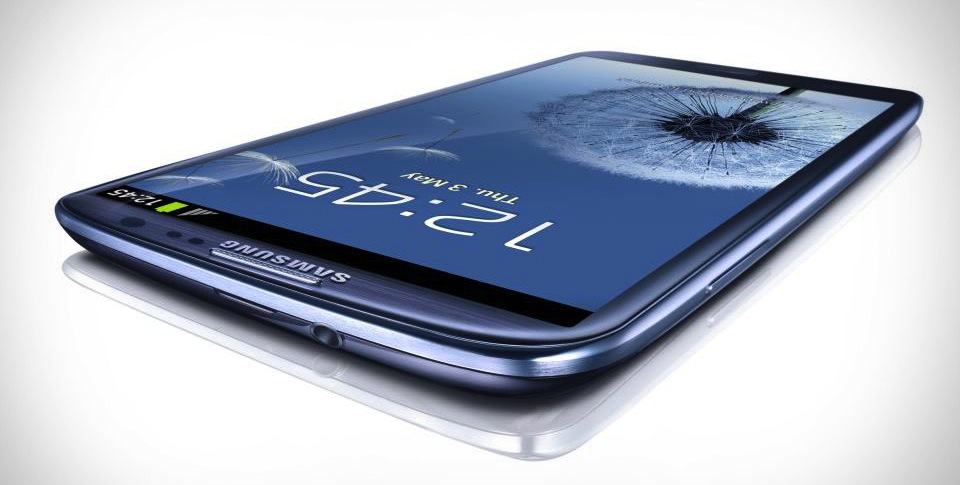
samsung-galaxy-siii-xl


If you’re looking for a cheap phone to add to your arsenal we’ve got a great deal for you. The Samsung Galaxy S III is available from Android Area for just 9. That alone is a pretty sweet deal, but it gets even sweeter. The phone comes with one full year of unlimited talk and text, 500MB of 4G/LTE data, visual voicemail, and tethering from FreedomPop. You can’t beat one year of free phone service.


The phone itself was once the top of the line, but now it’s a great mid-range device. The GS3 has a 4.8-inch Super AMOLED display, 8MP camera, quad-core processor, 1GB of RAM, and a 2100mAh battery. It’s not the flashiest phone ever made anymore, but for 9 off-contract it’s not a bad deal. Head on over toAndroidArea.com to snag this deal while it lasts. This is the perfect set-up for a back-up phone. Just pick it up and use it. No worries about swapping SIM cards or buying a plan.


Deal: HTC Desire with 1 year of unlimited talk & text for just $249


HTCDesire


If you’re looking for a cheap phone to add to your arsenal we’ve got a great deal for you. The HTC Desire is available from Android Area for just 9. That alone is a pretty sweet deal, but it gets even sweeter. The phone comes with one full year of unlimited talk and text, 500MB of 4G/LTE data, visual voicemail, and tethering from FreedomPop. You can’t beat one year of free phone service.


The phone itself is a nice mid-range device. The Desire has a 4.7-inch display, 5MP camera, Snapdragon 400 processor, 1GB of RAM, and a 2100mAh battery. It’s not the flashiest phone ever made, but for 9 off-contract it’s not a bad deal. Head on over to AndroidArea.com to snag this deal while it lasts. This is the perfect set-up for a back-up phone. Just pick it up and use it. No worries about swapping SIM cards or buying a plan.