Smartphones are getting a little boring. All of the top devices have roughly the same features and specs. Manufacturers are trying harder than ever to differentiate their devices. The display has become an area of experimentation, but we’re not talking about pixels. More and more devices are getting curved displays, and one of the best entries is the LG G Flex 2.
We’re at a point where many people consider curved displays to be nothing more than a gimmick. Manufacturers keep trying to find valuable uses, but so far no one has made a compelling case for why you need a curved display. LG has taken a much different approach. The G Flex 2 is not full of gimmicky features and silly widgets. It’s all about comfort, and that might be the best reason yet for curved displays.
Hardware & Design

LG has done a nice job of refining the look from the previous LG G Flex. There are subtle improvements everywhere you look. The curved display is not so pronounced, the corners are slightly less rounded, the camera bump has been slimmed down, and the buttons on the back are much nicer to look at. Speaking of the buttons on the back, LG is sticking with this design and I love it. Once you use a device with buttons on the back once you’ll wonder why more phones don’t do it.
The back cover is made of the same futuristic “self-healing” material as the original. It feels like a typical plastic back, but it’s super resistant to fingerprints, and it can heal light scratches in 10 seconds. The first G Flex required heat and rubbing to heal scratches, but LG says the G Flex 2 can do it right before your eyes. I didn’t have a lot of luck with this. The type of scratches it can heal are not the type of scratches most people freak out about.

When it comes to pure specs the G Flex 2 is second to none. It’s one of the first few devices to run Qualcomm’s latest processor, the Snapdragon 810. There has been some concerns about heat issues with the Snapdragon 810 in the HTC One M9, but I had no problem with the G Flex 2. Everything was snappy and smooth, and the device barely got warm at all when playing intensive games.
The battery is a nice 3,000 mAh, and it’s one of my favorite things. The G Flex 2 has the best battery life I have ever seen on an Android device. It took over 3 days for the phone to go from 100% to 15% with limited use. It just barely sips battery when idle. If that wasn’t enough the G Flex 2 can be charged up to 50% in less than 40 minutes with Fast Charge.
LG G Flex 2 Specs
Display 5.5-inch P-OLED Processor Qualcomm Snapdragon 810 Camera 13MP / 2.1MP Storage 32GB, microSD card support RAM 3GB Battery 3,000 mAh
Display

Obviously, the big selling point of this device is the curved display. LG has trimmed the size of the display from 6-inches down to a more manageable 5.5-inches. It’s still the great P-OLED, but they bumped the resolution up to 1080p (403ppi). All of this makes for one of the best smartphone displays on the market. It might not be as crisp as some 2K displays, but the difference is negligible.
That leaves us with the curve. As mentioned above, LG doesn’t really do much with the curved display. It’s basically just there to be different, however there are some practical benefits. Since the display is curved like a banana it feels great when holding it up to your ear to make calls, that is if you actually make calls with your phone. It’s also ever so slightly easier to reach the top of the display with one hand.
There’s no real reason for why this device needs a curved display. It’s just something to make the device stand out. When you’re walking around in public people will notice the curve and ask about it. That being said, there’s no reason why it shouldn’t be curved. The device feels really nice in the hand and it’s much more ergonomic than other devices. There is nothing negative I can say about the curved display, it’s just not terribly exciting.
Software
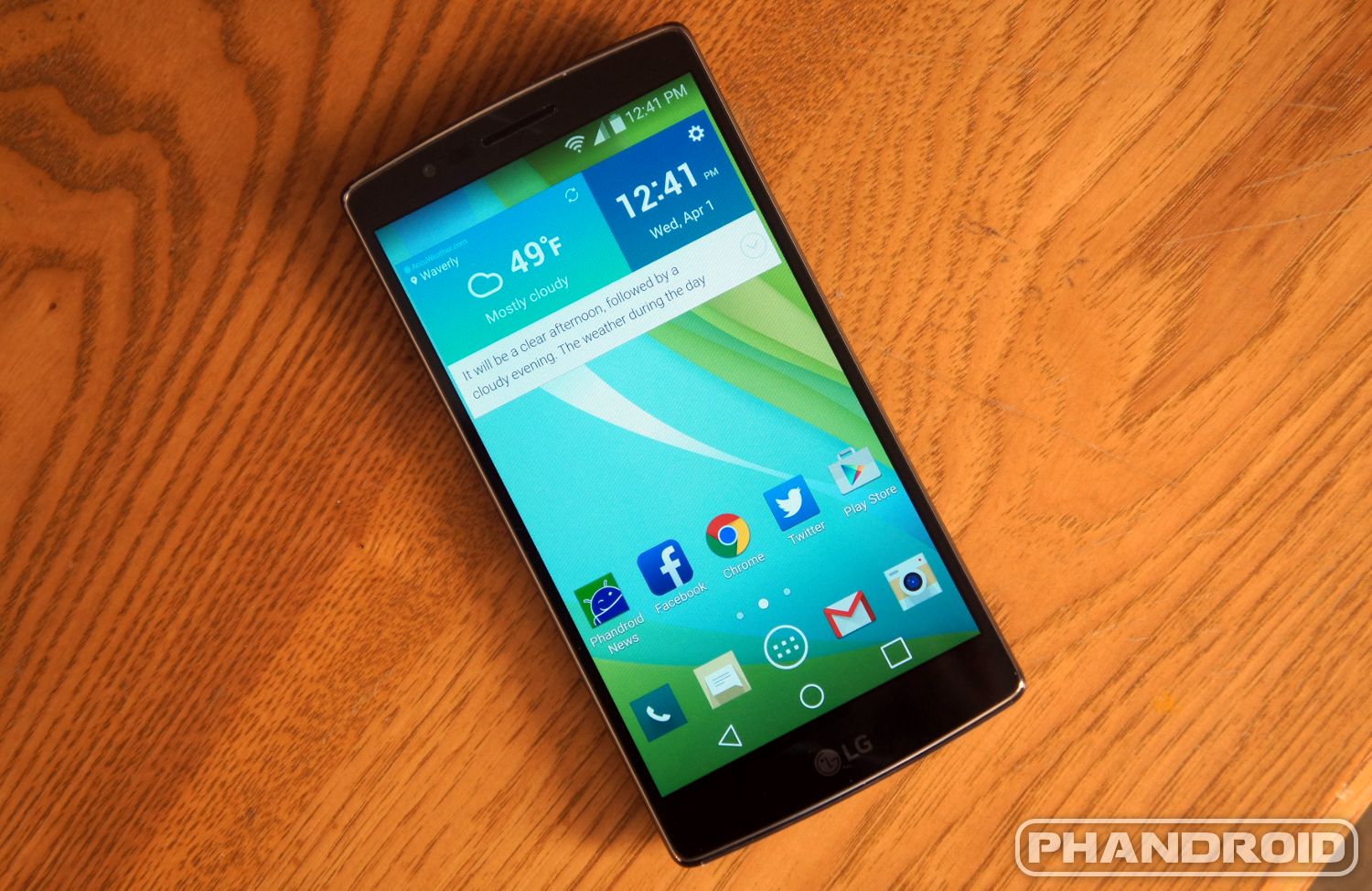
The G Flex 2 is running the latest version of LG’s custom interface based on Android 5.0. As far as Android skins go it’s one of the more refined and unobtrusive ones out there. The default launcher is clean and easy to use, plus you can do cool things like create folders in the app drawer. LG’s skin is all about customization. Everything from the screen-off animation to navigation bar buttons can be tweaked. The only problem is you have to dig through the settings to find the customization options. It would be nice if they were all in one place.
LG might not have any specific features for the curved display, but the G Flex 2 has many of the same unique features we saw in the LG G3. You can double-tap to unlock the phone (and even use a KnockCode to securely unlock). Dual Window allows you to run two apps at the same time, but it only works with 11 pre-determined apps. The buttons on the back can still be used as shortcuts. One cool new feature that you won’t find on the G3 right now is Glance Screen. Simply pull down from the top of the display while the phone is locked and you’ll get a quick peek at the time and date.


There are a few things that I don’t like about LG’s software. First, when you pull down the notification shade it always shows the Quick Settings instead of requiring an extra pull or a two-finger gesture. I don’t need to see a dozen toggles every time I want to check a notification. They’ve also buried or removed a lot of the new Lollipop features. The new notification priority modes, smart lock, lock screen privacy, downtime, and more are either gone or very difficult to find.
Camera

The camera on the original G Flex was not very good. To fix that LG has adopted the same camera from the LG G3. It’s the same 13MP shooter with the crazy high-speed laser autofocus. Photos look very crisp and well-exposed in most situations. Even low-light photos looks very nice. Optical image stabilization and the fast shutter speed make it easy to snap photos at just the right time. The front-facing camera is nothing special, but a nifty trick allows you to snap a selfie by clenching your fist in the shot.
LG has done a really nice job with the camera software. By default there are only two icons on the screen, a back button and a three-dot menu button. To take a photo you simply tap the screen or use the back volume buttons. Tapping the menu button brings up more advanced options for HDR, timers, flash, panorama, video, and more. You can swipe across the screen to flip the camera, say “Cheese” to snap a photo from afar, and hold the shutter button for burst mode.
Check out the camera samples below:


Conclusion

One of my favorite things about the G Flex 2 is how nonchalantly LG approaches the curved display. They haven’t included any special widgets, gestures, or any other gimmicks. LG isn’t trying to convince anyone that a curved display is going to make their life better. It’s simply a phone with a curved display.
The G Flex 2 doesn’t need any gimmicks. If you straightened out the display this would still be an excellent device. The display is gorgeous, the battery life is great, it has a powerful processor, and a great camera. The fact that it has a curved display is icing on the cake. It looks cool and feels awesome in your hand. People will want to know what phone you have. In a day and age where 90% of phones look-alike you can stand out from the crowd with the LG G Flex 2.
The Good
- Beautiful display
- Good camera
- Great battery life
- Curved display is comfortable
The Bad
- Self-healing back is overrated
- LG removed some Lollipop features
The Bottom Line: 4/5
Be sure to join the conversation with other G Flex 2 users over at Android Forums.
*The G Flex 2 used in this review was the Sprint model.


