
LG made sure to mention many times that the LG G4 has expandable storage, but that hasn’t stopped them from catering to cloud lovers. All G4 owners will get 100GB of Google Drive storage for free. This is on top of the 15GB of storage Google already gives users. With all of these storage options you should have plenty of space to save the full-size RAW photo files. Will this convince you to give the LG G4 a shot?
Affichage des articles dont le libellé est drive. Afficher tous les articles
Affichage des articles dont le libellé est drive. Afficher tous les articles
lundi 6 juillet 2015

PSA: Here’s what happens when you delete Google+ photos from Drive after new integration

Earlier today Google announced that they were taking a huge step toward finally emancipating their users from Google+’s shackles. They were doing this by finally integrating Google+ photos into Google Drive. It’s a slow move, one that will take a few weeks before you see all your current photos and albums appear in Drive (but is instant should you upload anything new from here on out).
Android users were excited because this meant that soon, all of their photos backed up from their Android device to Google+ (Google’s officially supported photo backup method) would be easily accessible — and more importantly, manageable — from Google Drive folder on the web. That, or your desktop if you have the application installed on your computer.
While this may sound pretty cut and dry, it’s important that everyone understand how photo deletion will work from here on out. Since the Drive folder is essentially mirroring all the photos and videos stored on your Google+ account, deleting photos/videos from Drive will delete them from Google+. The same goes for when you delete a photo from your Google+ Photos, it’ll no longer be found in your Drive’s Google Photos folder. Make sense?
With all your Google+ photos making their way to Google Drive in the coming weeks (where they should be), we wanted to shed a little light on this in case anyone was thinking it was time to clear out everything stored on Google+ (or vice versa). Cheers.
Test drive the HTC One M9 at select Best Buy locations, see for yourself if it’s worth the hype

Sometimes seeing is believing. When it comes to the HTC One M9, it’s definitely one of the most beautiful Android devices to date (it has been since the One M8). The premium aluminum materials, 2-tone finish, and polished edges, pick one up and you’ll feel the difference right away. HTC knows this and it’s why you’ll soon be able to give the One M9 a whirl at your local Best Buy.
We know, everyone has been coming down kind of hard on HTC for nearly recycling last year’s design. But it’s not entirely unheard of in mobile. Take a look at the last few Sony Xperia flagships, LG’s devices, or even Samsung’s, and you’ll have a hard time telling them apart from their latest. We loved the way the HTC One M9 felt in the hand when we played around with it at Mobile World Congress and quite honestly, we think you will too.
If you’re on the fence about which new Android to buy this year — the HTC One M9 or the Samsung Galaxy S6 Edge — it seems Best Buy has you covered. For store availability (you’ll want to call ahead of time to make sure they have a display set up), you can check out Best Buy’s HTC One M9 landing page here.
It’s official: Google+ photos have merged into Google Drive
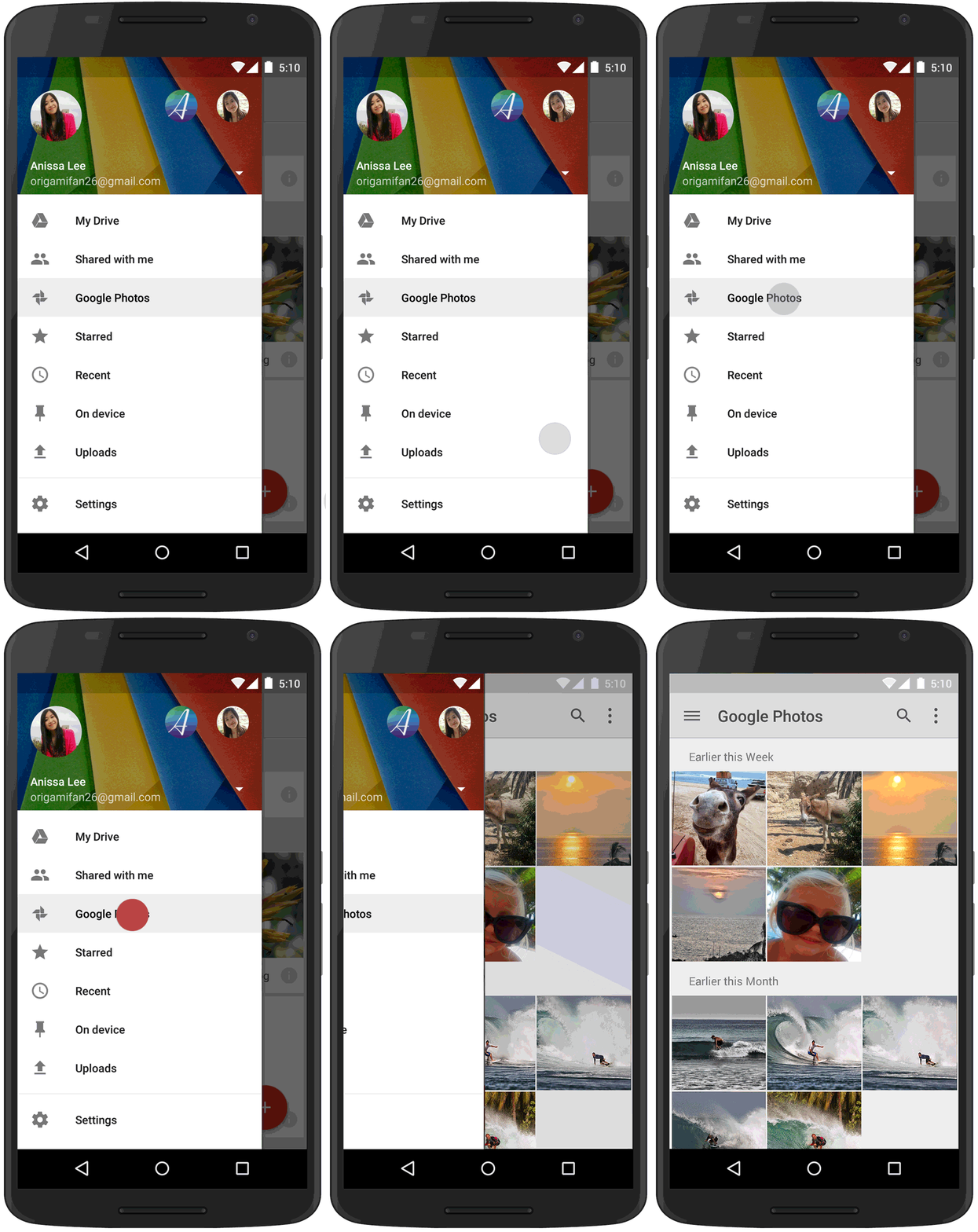
Ladies and gentleman, it’s official: starting today, all the photos you store in Google+ can now finally be accessed in Google Drive. And why shouldn’t they? They’ve been using the same cloud storage this whole time. This really shouldn’t come as much of a surprise. We’ve seen Google toy around with this idea a few weeks back, even mention the move more recently. But only today has it become officially available.
Google says you’ll see the new Google Photos option in Drive’s slide-out menu for everything you upload from here on out. For your older albums, well, those will take a few more weeks before they’ll be available in Drive. No word on when/if we’ll see a separate Google Photos app arrive in the Play Store in the near future, but we’ll keep an eye out.
Verizon will let you test drive Lollipop for the DROID Turbo right now, but not on the actual phone
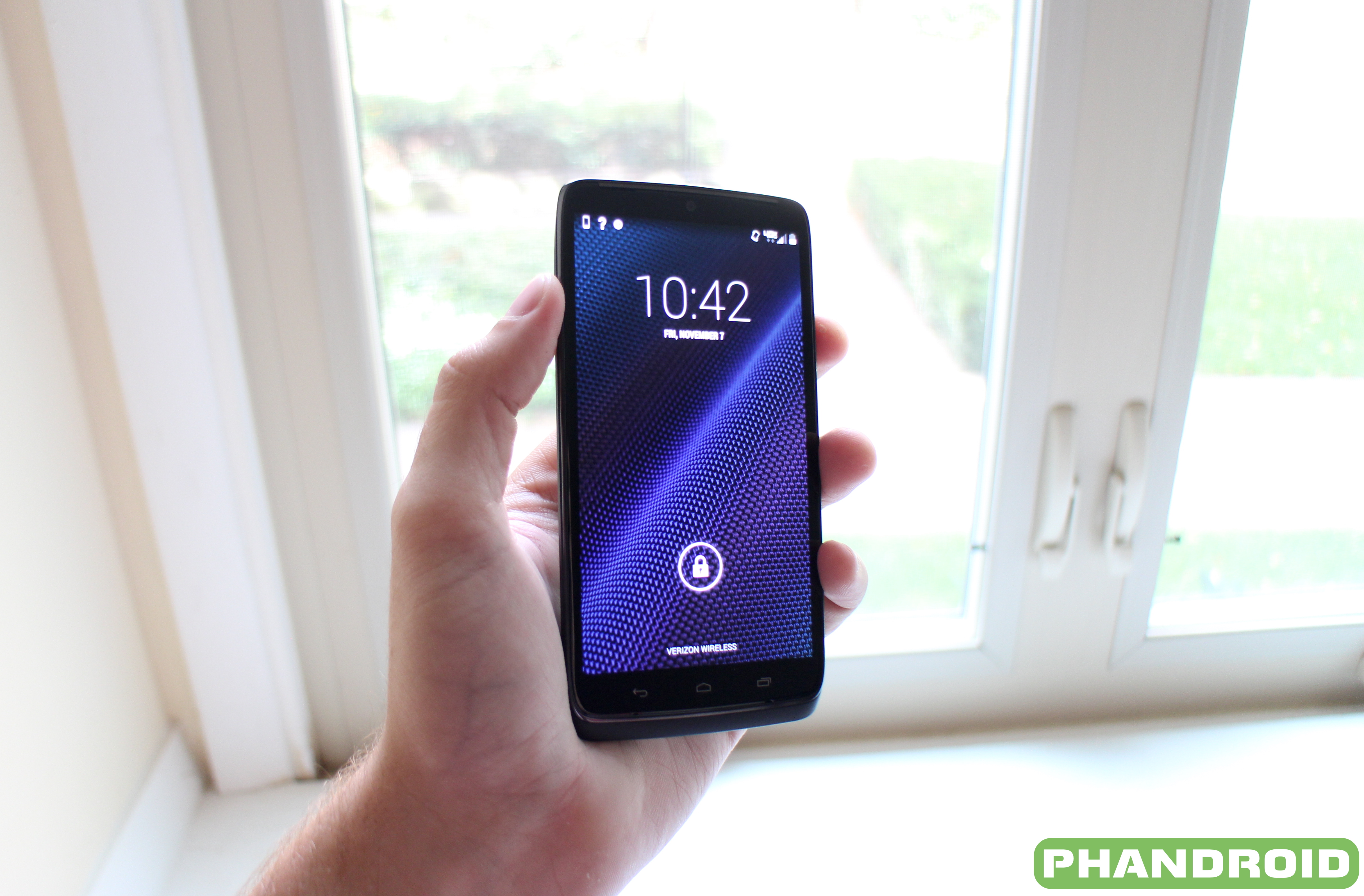
Motorola/Verizon/whoever has been hard at work preparing the Motorola DROID Turbo for its first taste of Lollipop since the updated firmware debuted last year (it actually arrived for the GSM Moto Maxx back in February). We know the Turbo is going to jump straight to 5.1. Motorola has been telling us this for months now and reaffirmed this only yesterday in Google+ post. We heard rumors that the update could arrive sometime in mid-June, with dates jumping between June 11th and June 12th.
Well, here we are on the 12th and still nothing. No worries. We’re sure it’s right around the corner. How can we be so sure? Well, Verizon has been busy updating all the DROID Turbo pages on their site to reflect the new Lollipop update. In fact, you can test drive Lollipop on the DROID Turbo right now using Verizon’s online simulator.

The web tool let’s users play around with specific functions on the device, walking them through each step with easy to follow animations. It’s actually pretty neat and something Verizon’s offered for awhile now (and not just on the DROID Turbo). Starting to see why major updates like this take so long?
The most interesting part is the date along the bottom which shows the last time the simulator was updated with Android 5.1 goodies: June 11th, 2015. Yeah, it’s so close we can practically taste it. Hang in there, folks. In the meantime, you can play with Lollipop on the DROID Turbo via the link down below. Enjoy.
[Verizon]
Inscription à :
Articles (Atom)