Affichage des articles dont le libellé est browser. Afficher tous les articles

lundi 6 juillet 2015

ARC Welder lets you run Android apps straight from the Chrome web browser


AndroidPixelSideBySide2


Android apps are the best. The only thing cooler than having them run on your phone is if you could somehow bring them to your desktop. Well, you can. Using Chrome and Google’s App Runtime for Chrome (ARC for short), developers were given the ability to port their Android apps by having them run as a Chrome app. Initially there were only 4 apps available (Duolingo, Evernote, Sight Words, and Vine), and only for Chrome OS users, although a “hack” was later discovered.
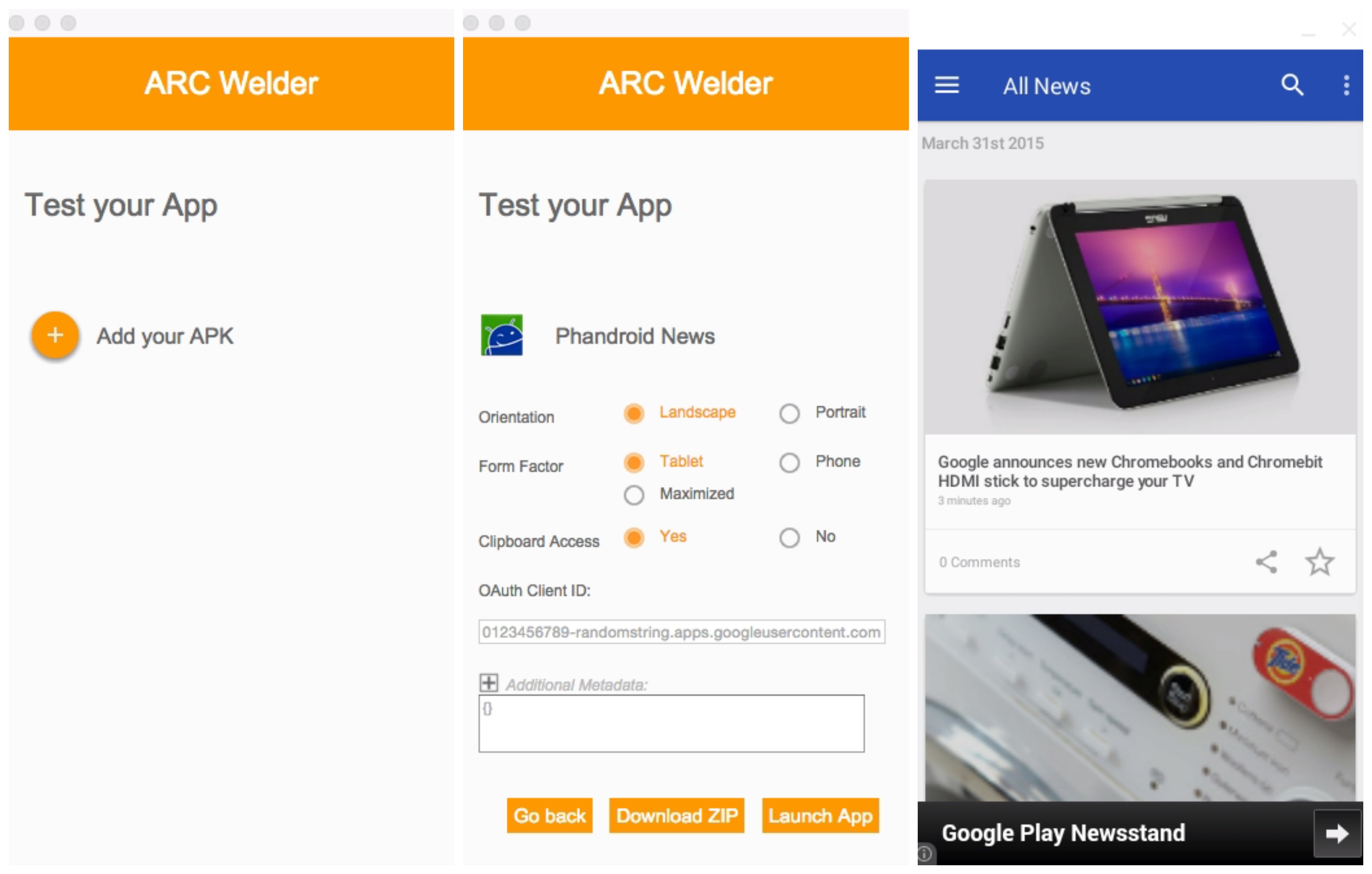

ARC Welder Chrome app


But now, Google’s new Chrome app — ARC Welder — gives developers and ordinary folk the ability to test and just play around with Android apps straight from the Chrome web browser. Set up is easy, just download the ARC Welder Chrome app and once launched, select the zip file or APK of your application you want to run. From there, you can decide if you’d like the app to run in portrait or landscape mode, tablet or phone mode, and a few other parameters.


Phandroid News app tablet landscape mode


Once you launch the app, you’ll have a mostly functional Android app running on your desktop with little fuss. Not every app plays nice with ARC, so your mileage may vary. We were able to test our own Phandroid app amongst a few others. If you guys have luck with anything else, feel free to drop a comment below. For more detailed instructions, check out the official “Getting Started with ARC” page here.


Download from Chrome Web Store: ARC Welder


Download: AdBlock Plus releases an ad-blocking browser app for Android


adblock plus


AdBlock has never been in the browser business beyond providing plugins to help you get rid of ads, but the company is breaking the mold with their latest app. They have released a beta version of AdBlock Browser for Android.


The premise and promise are simple: you browse the web, except you do so without any ads mucking up the experience. Early usage reports suggest it’s just as fast and capable at browsing the modern mobile web as Google Chrome and Firefox Mobile, so there shouldn’t be any qualms using it if you value it for its ability to block ads.


So how can you get it on your phone? AdBlock has provided a direct download to the app through their Google+ community while they await Google’s green light on putting it up in the Google Play Store as an opt-in beta app.


As such, all you’ll need to do is make sure you enable the ability to install third-party applications on your phone, and install the app like you would any other. They even have a handy QR code to take you straight to the download on your phone so you won’t have to deal with wonky file transfers. Be sure to give it a try!