Affichage des articles dont le libellé est reminders. Afficher tous les articles

lundi 6 juillet 2015

You can also send notes, reminders, and alarms to your phone from Google on the web


Last week we told you about how you can send Google Maps directions to your phone from Google Search. Just type “send directions” into Google and a new card will allow you to choose a destination and then send it to your device. This functionality is similar to an old app called Chrome to Phone. It’s a great idea, and it looks like Google is adding even more features.


In addition to sending directions you can also send notes, set alarms, and add reminders. All of these commands work the same way as the directions. Simply type “note to self, set and alarm,” and “set a reminder.” A card will show up with the appropriate text boxes and options. Fill out the card and click “send to phone.”


In order to have your phone show up as a recipient you need to have a few things. Make sure you have the most recent Google app, Now cards enabled, web & app activity enabled, Google Now notifications turned on, and “high accuracy mode” location reporting.


[via Google]


Google Keep update finally adds labels, reoccurring reminders, and floating action button [DOWNLOAD]


Google Keep DSC09107


Google Keep 3.1 is now hitting the Play Store for some folks. Arriving today in a staged rollout, the update is huge (at least for us) finally introduces a few much needed functionality to the previously bare bones note taking app.


First up is the new floating action button. It’s a small Material design tweak, and allows users to quickly add a new recording, photo, list, or just a general note with 2 taps.


Google Keep 3.1 update


Google has also added the ability to add reoccurring reminders, this way you can dismiss the notification for now, but will be reminded either daily, weekly, monthly, yearly. There’s also the custom option if you’d like to fine tune the reminder to every few days, until a date, or for a number of events. We can’t stress how insanely helpful this is.


Lastly, labels have finally made their way into Keep. It’s basically the folder system we’ve been asking since the app’s inception, with the ability to move notes into a label and organize your digital mess of a life. Set up a label for work, video games, or just whatever the heck it is you’re into (sexy Instagram ladies?). We have a feeling many of you who were holding out on Keep will return solely for this feature alone.


This is a huge update and if it hasn’t hit your device just yet, you can download and install it from us right here. Enjoy.


Inbox by Gmail now uses natural language recognition to suggest reminders to add


inbox reminders


Inbox by Gmail has just gotten a lot cooler for those who make use of Google Reminders. The app can now automatically suggest reminders to add by using the company’s natural language engine.


It does so by examining the contents of an email and determining whether a reminder could be set. For instance, an email from your wife saying “Don’t forget to get the milk tonight” could automatically set a reminder for later that night to pick up milk. Simple and easy on our end, which is what this whole natural language engine is all about.


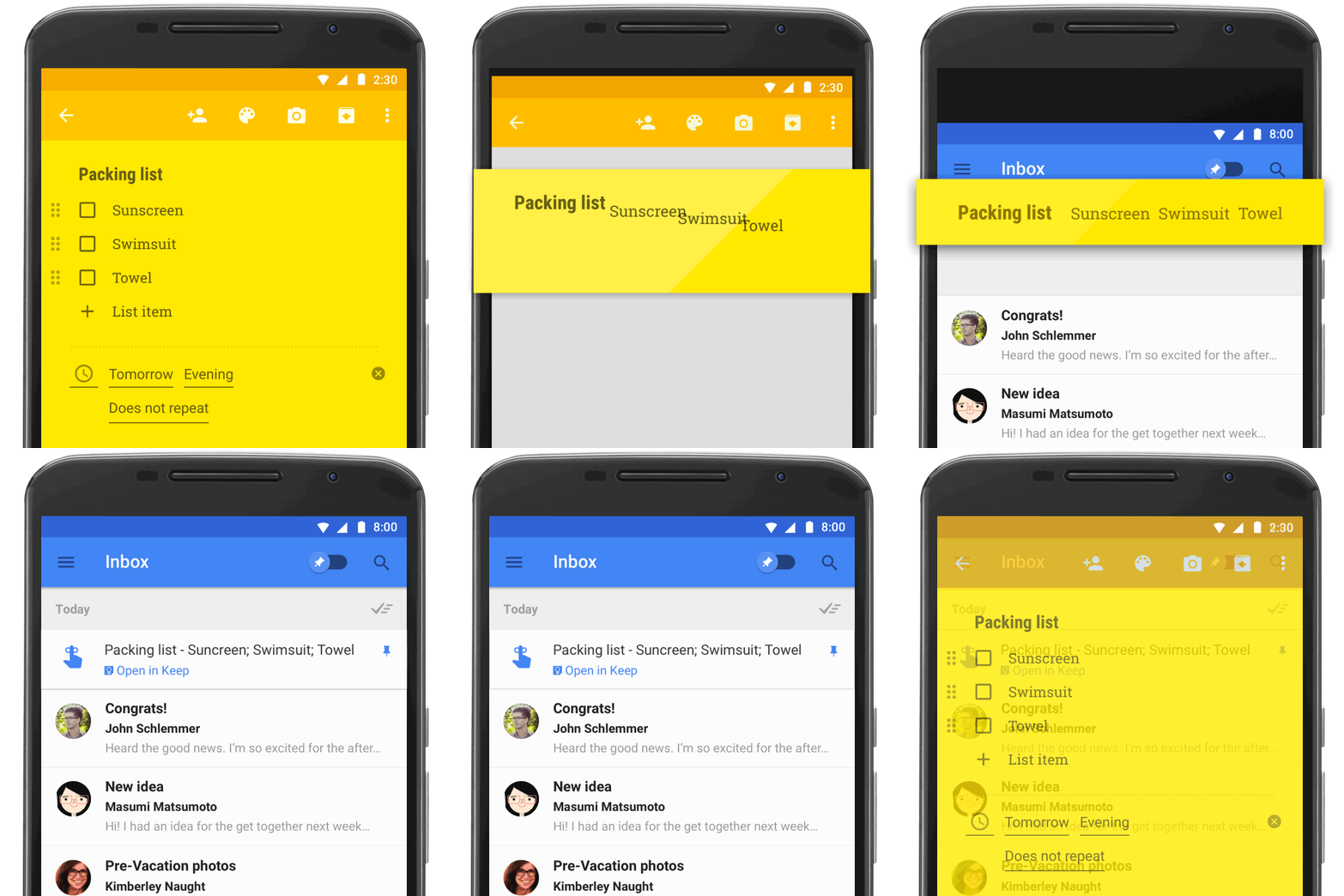
keep_reminders


Google has also made it so that making a reminder in Google Keep can make them show up in Inbox. Clicking a reminder in Inbox can take you back to its entry on Keep where you can view additional notes you may have added with the reminder.